MIDEX-8
English – 24
Tips for using OMS
If you´re not yet familiar with OMS, we recommend that you read its
manuals. These can be found in the “OMS Tech Pubs” folder located in
the “OMS Applications” folder on your hard disk. The manuals are avail-
able in Adobe Acrobat format and can be read and printed out using
the Adobe Acrobat Reader utility. You can download Acrobat Reader
free of charge from the Adobe web site (http://www.adobe.com).
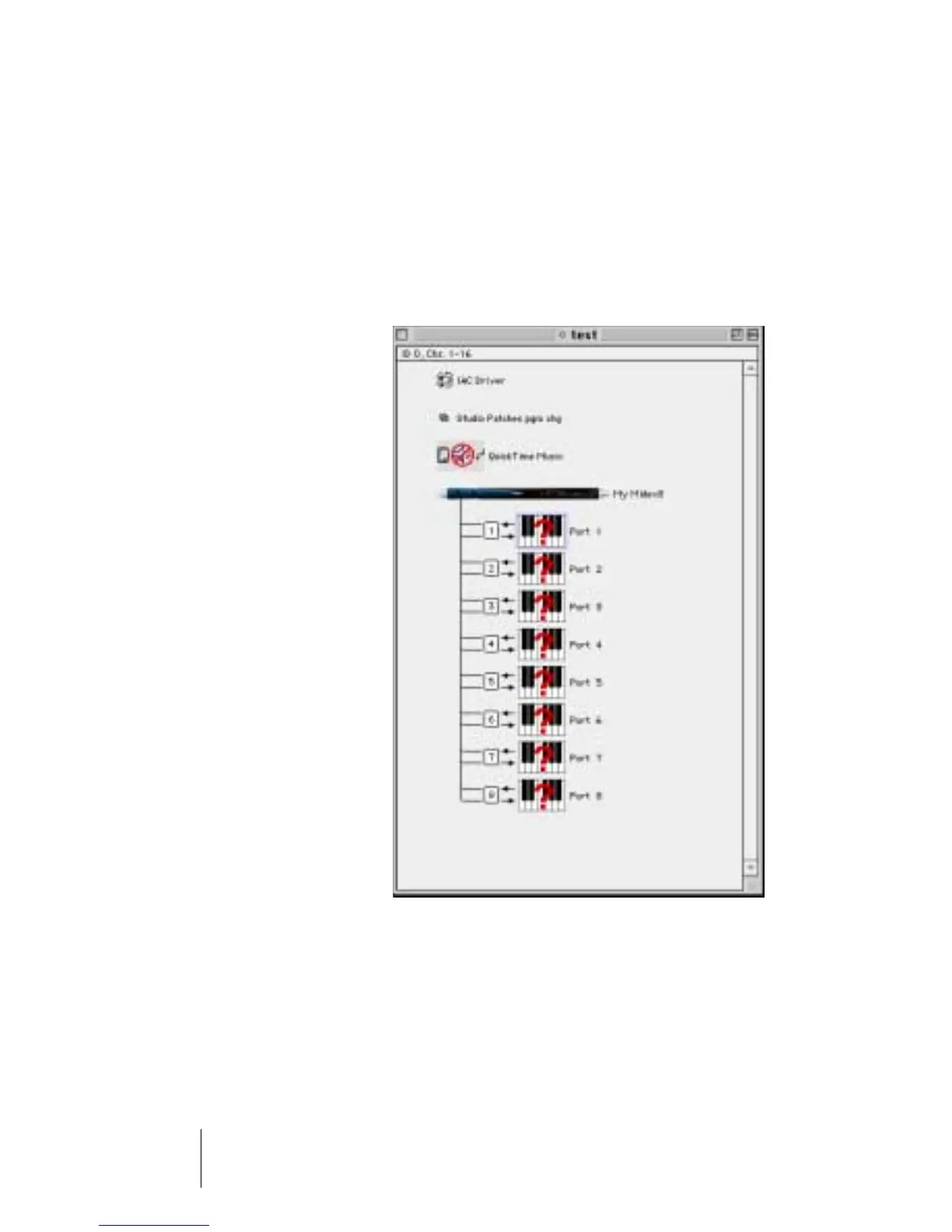
• Upon each (new) selection of
“New Studio Setup” in the
OMS File menu, OMS creates
internal MIDI ports for the
IAC bus as well as for the
Quicktime Musical instru-
ments. If you do not intend
to use these, you should de-
lete them from your OMS
setup. They will otherwise
unnecessarily consume pro-
cessor power.
• OMS also offers possibilities
to exactly define your MIDI
instruments or other MIDI de-
vices and include them into
the OMS setup. Using Cubase
or Nuendo becomes espe-
cially comfortable this way.
• You can name all MIDI de-
vices that you assign like
this or – if available – select
them from a library. This will
later facilitate your work as
you can stop memorizing the MIDI port or even channel numbers of the de-
vices that are connected. Instead, you can select the devices by name (e.g.
"JV 1080-3").
• Please note the small arrows that are visible in the OMS setup next to the listed
ports. These indicate the available transfer directions for MIDI data to and from
the MIDEX-8.


 To Next Page