MIDEX-8
English – 40
Note: If you wish to use more than two MIDEX-8, these must get their power via external
power supplies.
Resetting the MIDEX-8 software and
hardware.
If you restart Windows, this only causes a
software reset within the MIDEX-8. To reset
the hardware, you must disconnect the
MIDEX-8 from the USB bus. This is either
done by disconnecting the USB cable or by
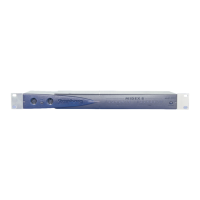
simultaneously pressing the MIDI Thru and
Panic buttons for ca. 3 seconds.
Note: The MIDEX-8 should never be separated from the USB bus if you still use it in an
application, as this would cause a Windows system crash.
How is MIDEX-8 supported by Cubase VST? Starting with version 5.0, Cubase VST
supports all MIDEX-8 capabilities.
Earlier versions use the MIDEX-8 as a
“normal” MIDI interface (i.e. they don’t use
the advantages of the Linear Time Base
technology).
You have installed the MIDEX-8 drivers
before you installed Cubase VST Version 5,
and now the MIDI outputs do not work.
Reason: The Cubase VST 5.0 releases 0 and 1
contain several components that are
replaced when you install MIDEX-8.
Insert the MIDEX-8 driver CD-ROM into your
CD-ROM drive and double click on the
program UPDMROS.EXE.
Cubase VST versions from 5.0 release 2 as
well as the demo version that you can find
on the driver CD-ROM do not have this
problem anymore.
You have set small audio latency values
(smaller than 12 ms) and when you stop the
sequencer, drop outs occur.
Open the MIDI Preferences dialog via the
Edit menu item “Preferences” and its sub-
menu item “MIDI…”. Select the “Reset” tab
and deactivate the function “Reset on Stop”.
To do this, please click on the corresponding
tick in the status/value- column. If no tick is
visible for “Reset on Stop”, this functions has
already been deactivated.
Note: To ensure a stable MIDI output even in times of a very high system load (several
audio tracks are played back), you should set Cubase VST’s “System Preroll” parameter to
at least 100 ms. To find this parameter, select “Synchronization” in the Options menu. In
the lower right corner of the dialog that opens you can find the “System Preroll” option.
Problem/Question Solution/Answer


 To Next Page