Panel Controls and Terminals
UR242 Operation Manual 12
5 KNOB MOUSE CONTROL
Selects the method of operating the knobs on dspMixFx
UR242.
6 SLIDER MOUSE CONTROL
Selects the method of operating the sliders and faders on
dspMixFx UR242.
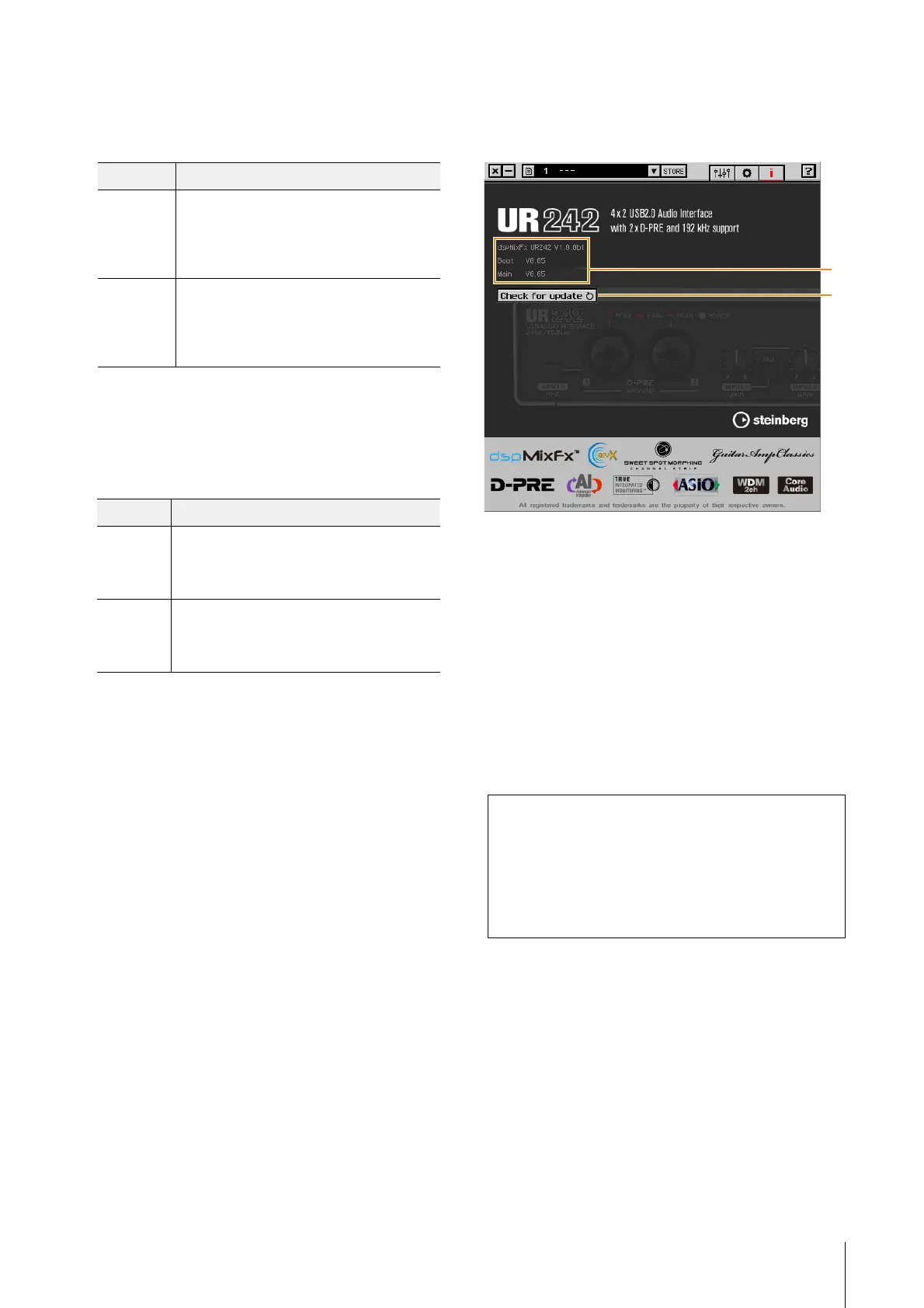
Information Window
This window indicates information about dspMixFx UR242
and the device.
1 Version Information
Indicates the version of the firmware and software.
2 Check for update
Checks whether or not you have the latest software and
firmware version, via the Internet. If a new version is found,
follow the on-screen instructions for updating.
Options Description
Circular Drag in a circular motion to increase and
decrease the parameter. Drag on a dial
clockwise to increase, and counterclockwise to
decrease. If you click any point on the knob, the
parameter will jump there instantly.
Linear Drag in a linear motion to increase and
decrease the parameter. Drag upward or
rightward to increase, and downward or
leftward to decrease. Even if you click any point
on the knob, the parameter will not jump there.
Options Description
Jump Click any point on the slider and fader to
increase and decrease the parameter. If you
click any point on the slider and fader, the
parameter will jump there instantly.
Touch Drag the handle of the slider and fader to
increase and decrease the parameter. Even if
you click any point on the slider and fader, the
parameter will not jump there.
dspMixFx for iPad
From your iPad, you conveniently control built-in DSP
mixer functions and DSP effects by using dspMixFx for
iPad. For details on dspMixFx for iPad, see the
Steinberg web site below.
http://www.steinberg.net/


 To Next Page