– 11 –
GB
4. Settings
4.1
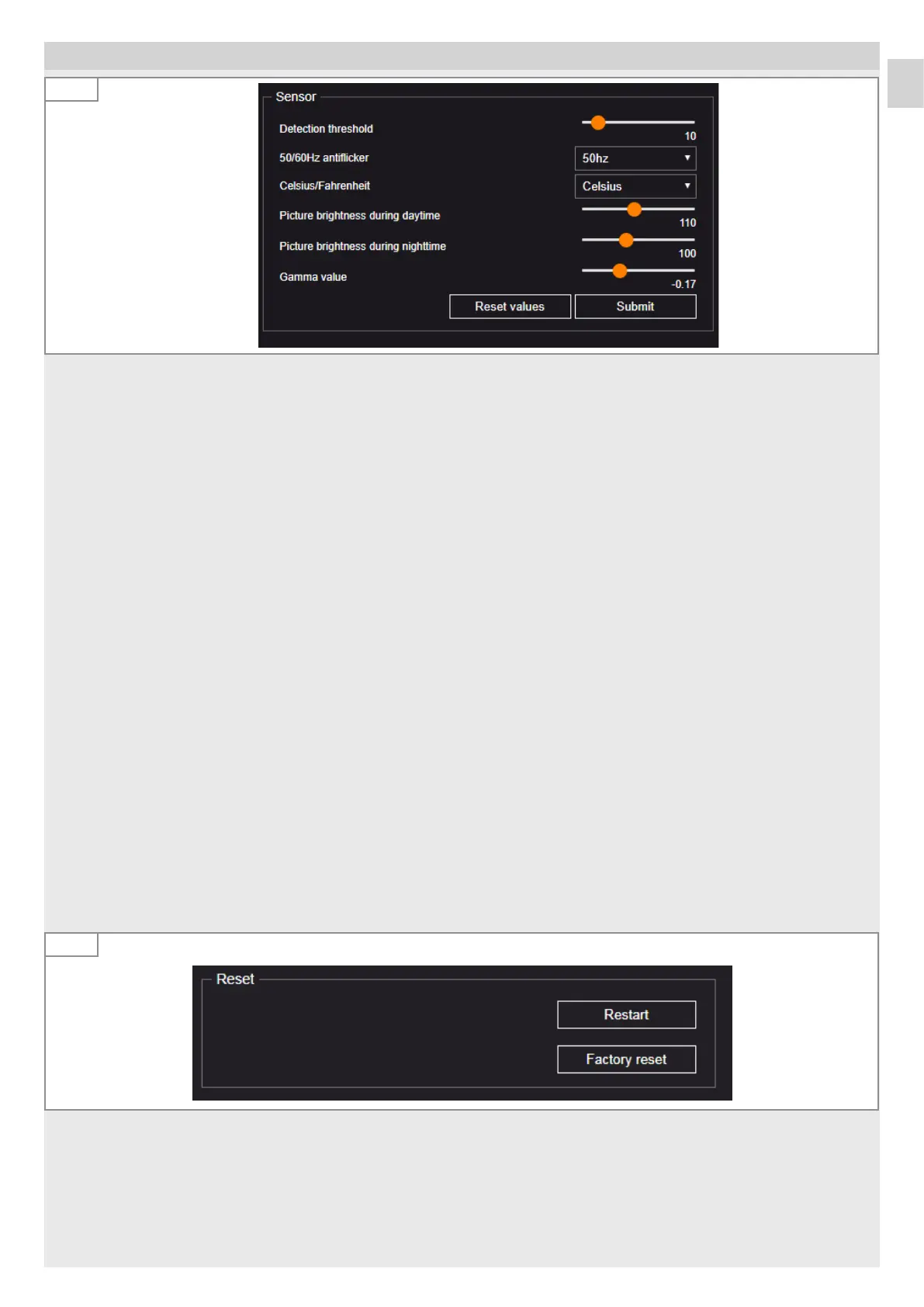
Detection sensitivity
The detection sensitivity can be adjusted in a range from 0 to 100. It is used as a threshold value for recognition of persons.
Thefactory settings is 35. The detection sensitivity must be adjusted if miscounts occur.
50/60Hz anti-flicker
• Adjust the mains adapter to the standard mains frequency in your country (an incorrectly adjusted frequency will cause
problems when detecting persons due to the flickering of the lamp).
Celsius/Fahrenheit
Select the unit for the temperature.
Image brightness during the day
Adjustment of image brightness for daytime operation.
The light value has a range from 0 to 255.
Image brightness at night
Adjustment of image brightness for night time operation.
The light value has a range from 0 to 255.
Gamma value
Increases or decreases amplification of the dark and light pixels of the image. Values below 0 increase the contrast.
The gamma value and light value settings must only be changed if there are problems with contrast or brightness.
Note:
If the cursor remains on a setting parameter for an extended time, a description of the settings appears.
For further descriptions, refer to ‘Help’.
Reset
4.2
There are three ways to reset:
– Restart (sensor restart loss of settings).
– Reset to factory settings (all settings are lost, the sensor restarts).
– Press and hold reset button for 15 seconds for a software reset and reset to factory settings.


 To Next Page