EasyManua.ls Logo

STEINEL IS 3360 - User Manual

STEINEL IS 3360
38 pages
Go to English
Print Icon
To Next Page IconTo Next Page
Loading...
000000000 07/2013 Technische Änderungen vorbehalten.
RUS
CN
BG
LV LT EST
HR SLO
RO PL
SK
CZ H TR
GR N
FIN
DK
S P E I NL
F
GB
D
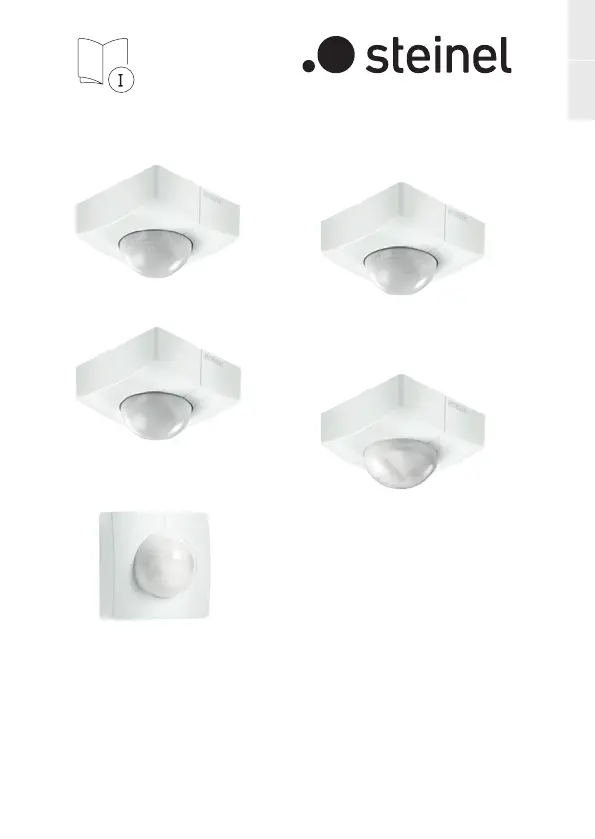
IS 345
IS 3360
STL-6995-16_BDAL-3000er.indd 1 19.08.16 09:26
IS 3360 PF
IS 3360 MX PF
IS 345 PF
IS 345 MX PF
IS 3180 PF
11008683907/2021_ATechnische Änderungen vorbehalten. / Subject to technical modification without notice.
DEGB

Other manuals for STEINEL IS 3360

Questions and Answers

  • E
    Elizabeth SheltonJul 26, 2025
    Why is my STEINEL IS 3360 Accessories sensor sending motion detection signals when it shouldn't?
    • D
      Dylan SolomonJul 26, 2025
      The sensor might be sending false motion detection signals due to a break in wiring, a faulty DALI power supply, interference from a fan, air-conditioning system, or another source of heat in the detection zone. Animals, wind moving objects, sunlight shining on the lens, sudden temperature changes, or proximity to Wi-Fi could also be causes. Try changing the detection zone, adjusting the zone, fitting shrouds, installing in a different place, or increasing the distance.
  • M
    Meghan TannerAug 3, 2025
    What to do if there is no power at the STEINEL IS 3360 Accessories sensor?
    • M
      Monica VasquezAug 3, 2025
      If there's no power at the sensor, the fuse may have tripped, the mains switch might be OFF, or there could be a break in the DALI wiring, or a short circuit. Try activating or changing the fuse, turning ON the mains switch, checking the DALI wiring with a voltage tester, and checking the connections. Also, check the cable.
  • J
    John WilliamsAug 10, 2025
    How to fix a STEINEL IS 3360 sensor when the light level is not being communicated?
    • V
      Veronica GentryAug 10, 2025
      If the light level is not being communicated, it could be due to a break in wiring, a faulty DALI power supply or interference in the detection zone. This interference can be caused by a fan, air-conditioning system, another source of heat, animals, wind moving paper or plants, sunlight shining on the lens, sudden temperature changes, or the sensor being near Wi-Fi. Try adjusting the detection zone, fitting shrouds, increasing distance or installing in a different place.
  • S
    Sarah MurphyAug 17, 2025
    Why does the reach of my STEINEL IS 3360 sensor change?
    • V
      Valerie GibsonAug 17, 2025
      The sensor's reach may change due to differing ambient temperatures.

Summary

General safety precautions

Disconnect power before work

Ensure the power supply is disconnected before any work on the sensor.

Product Series Information

Electrical installation

Mounting instructions

Function and operation

Factory settings and twilight adjustment

Default settings for twilight level and time, and how to adjust the light response threshold.

Teach mode

Procedure for setting the light level for sensor response by teaching the device.

Time setting and pulse function

Adjusting stay-on time and understanding the pulse function for output.

Operation and maintenance

Troubleshooting guide

Power and activation issues

Troubleshooting for no power, failure to switch ON, and intermittent switching.

Deactivation and reach problems

Troubleshooting for sensor not switching OFF and changes in detection reach.

Unwanted activation and LED indicators

Troubleshooting for unwanted sensor response and LED flashing patterns.

STEINEL IS 3360 Specifications

General IconGeneral
Sensor type-
Connectivity technologyWired
Maximum range20 m
Dimensions (WxDxH)95 x 65 x 95 mm
Mounting typeCeiling
Product colorWhite
Input voltage230 - 240 V
Operating temperature (T-T)-20 - 50 °C

Related product manuals