User Assembly Manual
Blueleaf, Charwood House, Oakhurst Business
Park, SOUTHWATER, West Sussex, RH13 9RT, UK
www.steiss.co.uk
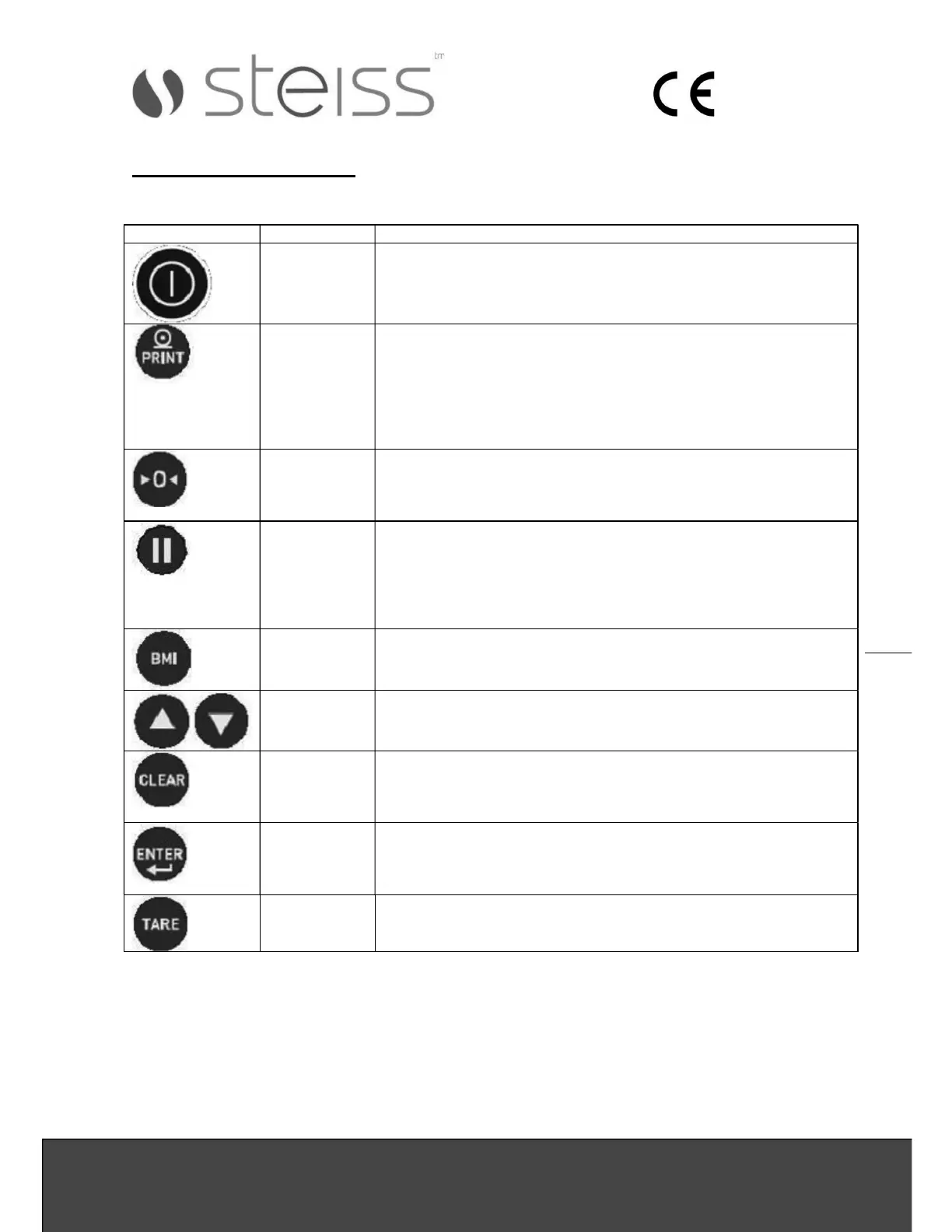
KEY DESCRIPTION:
End user operation mode:
Key Name Function
On/Off Turns the scale on or off
Print
Kg/Lb
A long press will trigger a transmission of data sent out by
RS232 (see RS232 protocol). When data is sent out from the
port, the display flashes the word PRINT to acknowledge the
data was sent.
A short press allows toggling between pounds and kilograms
(providing it is enabled on configuration mode). No toggle in
BMI mode.
Zero Zeroes the weight on the scale,
Attempts to zero for three seconds
Works only if the weight is stable
Zeroes up to 2% of full weight
Hold
/ Release
Pressing on this key while HOLD indicator is off will keep the
most current weight value shown on the display along with the
HOLD indicator
Pressing on this key while HOLD indicator is on will release
the weight and turn off the HOLD indicator
This key is not active in BMI mode
BMI Enter BMI mode, only works if there is a locked weight shown
on the display and the function is turned on in the
configuration settings
UP/DOWN Adjust the value of the flashing digit\number
CLEAR In BMI height display causes the value to return to default
(170.0 cm, 5 ft.7.5 in)
In BMI final result display pressing this key will return the
scale to weighing mode
ENTER Accepts the value of the parameter last entered and moves to
the next stage.
A long press during scales start-
up process will enter id display
(pre-parameters mode)
TARE For weight under the limit (ASTART value), will enter manual
tare, If above the limit will enter tare function
NET & GROSS indicators are on according to the tare operation


 To Next Page