EasyManua.ls Logo

Steiss UTS - User Manual

Default Icon
24 pages
Print Icon
To Next Page IconTo Next Page
Loading...
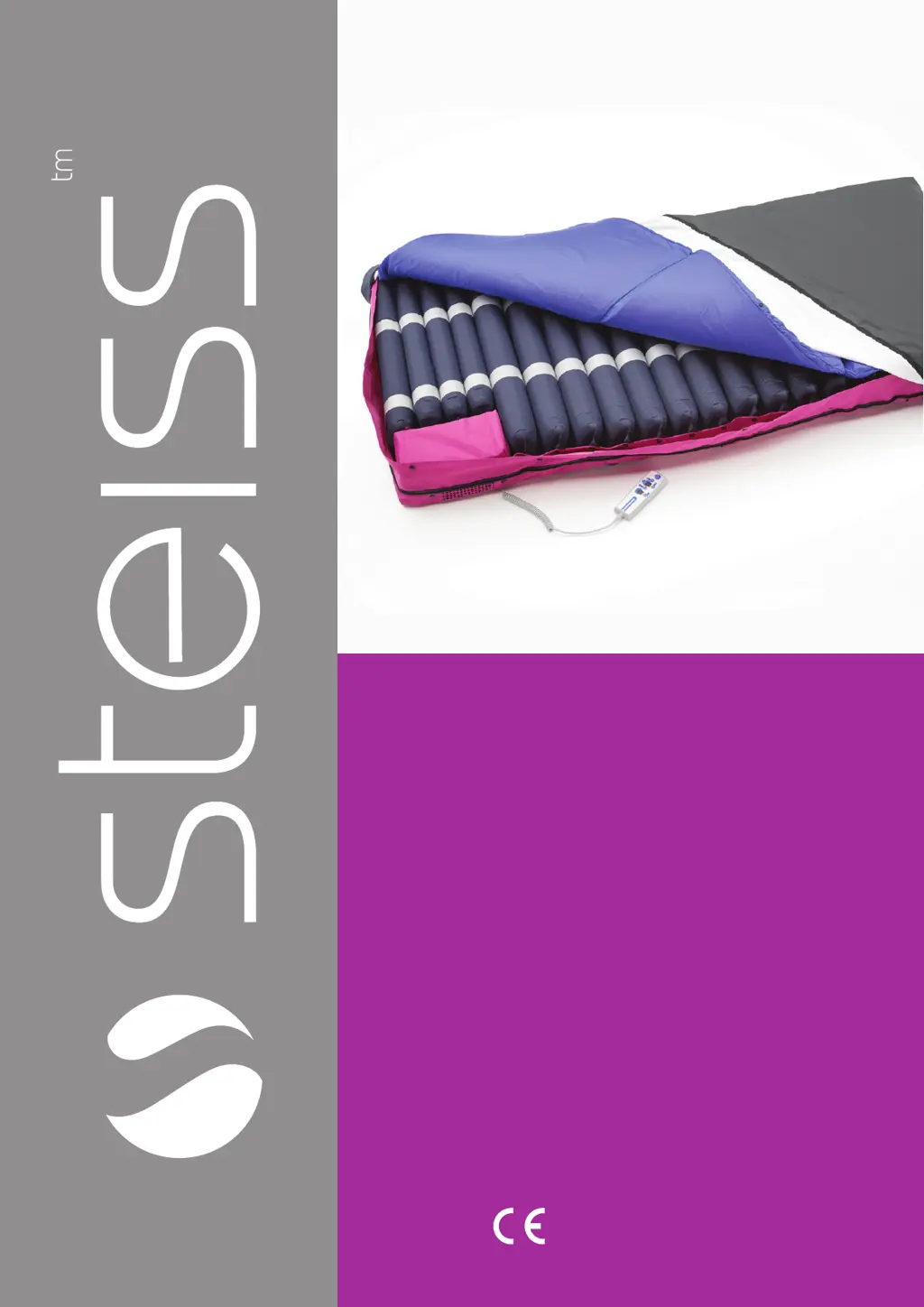
USER MANUAL
Universal
Therapy
System
(UTS)

Questions and Answers

  • D
    Daniel GrayAug 3, 2025
    What to do if my Steiss UTS Medical Equipment mattress has low pressure?
    • O
      Oscar WilsonAug 4, 2025
      If the Steiss Medical Equipment mattress isn't inflating or has low pressure, make sure the main power is on and the system is plugged in. Check that all connectors are secure and reconnect any loose air hoses. Verify the CPR valve is in the CLOSE position; replace it if you find an air leak. Also, make sure there are no kinks or obstructions in the hoses. Finally, replace the filter with a new one.
  • A
    Amy HancockAug 14, 2025
    How to troubleshoot a Steiss UTS Medical Equipment pump that won't turn on?
    • D
      Dustin OwensAug 14, 2025
      If there's no indication that the Steiss Medical Equipment pump is on, first, check that the power is switched on. Next, ensure the plug is securely connected and the power is turned on at the mains. If it still doesn't work, replace the fuse if it's blown. As a last resort, try plugging it into another socket.
  • S
    shannonherreraAug 23, 2025
    What to do if Steiss Medical Equipment pump controls freeze?
    • C
      Cheryl JohnsonAug 23, 2025
      If the Steiss Medical Equipment pump controls lock up or freeze, rest the system for a few seconds, then plug it back into the mains and turn the pump on again.

Summary

Important Safeguards

Product Description

Intended Use

Describes the primary function and benefits of the system for preventing and treating pressure ulcers.

General Safety and Usage

Provides key safety guidelines and operational constraints for using the system.

User Profile Requirements

Outlines the necessary education, knowledge, and experience for system users.

Quick Start Guide

Product Arrival and Area Preparation

Instructions for unboxing the product and preparing the environment for setup.

Installation Guide

Initial System Setup and Modes

Step-by-step guide for initial setup and explanation of different operating modes.

Hand-Set; System Control

Handset Controls and Functions

Overview of the handset's buttons, displays, and modes for system operation.

Maintenance & Troubleshooting

Troubleshooting Common Issues

Provides solutions for common operational problems like no power or low pressure.

Cleaning & Disinfection Protocol

Cleaning and Disinfection Procedures

Step-by-step guide for cleaning and disinfecting the mattress and pump unit.

Specification

Technical Specifications and Accessories

Lists detailed technical data and accompanying accessories for the system.

EMC - Related Notification

Electromagnetic Compatibility (EMC) and RF Interference

Explains EMC requirements, separation distances, and RF interference guidelines.

Electromagnetic Immunity Standards

Details immunity to electrical phenomena like ESD, surge, and voltage dips.

Storage & Care

Storage and Care Guidelines

Recommends temperature, humidity limits, and handling for storage.

Waste Disposal

Environmental Disposal Instructions

Guidance on environmentally responsible disposal according to WEEE directive.

Symbols Used

Symbol Glossary

Explains the meaning of various symbols used in the manual.

Expected Service Life

Pump Service Life and Maintenance

States the minimum service life of the pump and servicing recommendations.

Warranty

Warranty Terms and Conditions

Outlines the warranty period, coverage, and exclusions.

Legal Disclaimer

Pressure Sore Risk and Caregiver Roles

Defines risk levels and clarifies caregiver responsibilities and equipment limitations.

Service

Service Record Keeping and Checks

Guides on recording product details, service equipment, and performing maintenance checks.

Service Notes

Service Check Guidance Notes

Provides notes on physical checks and referencing external service guidelines.

Service Log

Service Log Entries

Provides spaces for logging service dates, actions, and parts used.

Steiss UTS Specifications

General IconGeneral
BrandSteiss
ModelUTS
CategoryMedical Equipment
LanguageEnglish

Related product manuals