6947400000
24
tension, ramps, etc) the writing at the top right
that indicates the JOB number will turn red.
BLOCK WELDING PARAMETER
Saved welding parameters can be locked.
This means they cannot be changed.
1) Press the JOBS button to enter the JOBS LIST
screen.
2) Press the LOCK button to lock the welding
parameters.
When the parameters are locked the description of
the parameter in the JOB LIST screen and the JOB
number in the main screen change color and
become blue.
TRIGGER JOB FUNCTION
In the first four position of JOB LIST is possible to
activate the TRIGGER JOB FUNCTION
This function allows to recall one of the first four
parameter of the JOB LIST with a quick pressure
of torch button.
For recall these parameters they must have a Pre
Gas time of 0,3 sec or more.
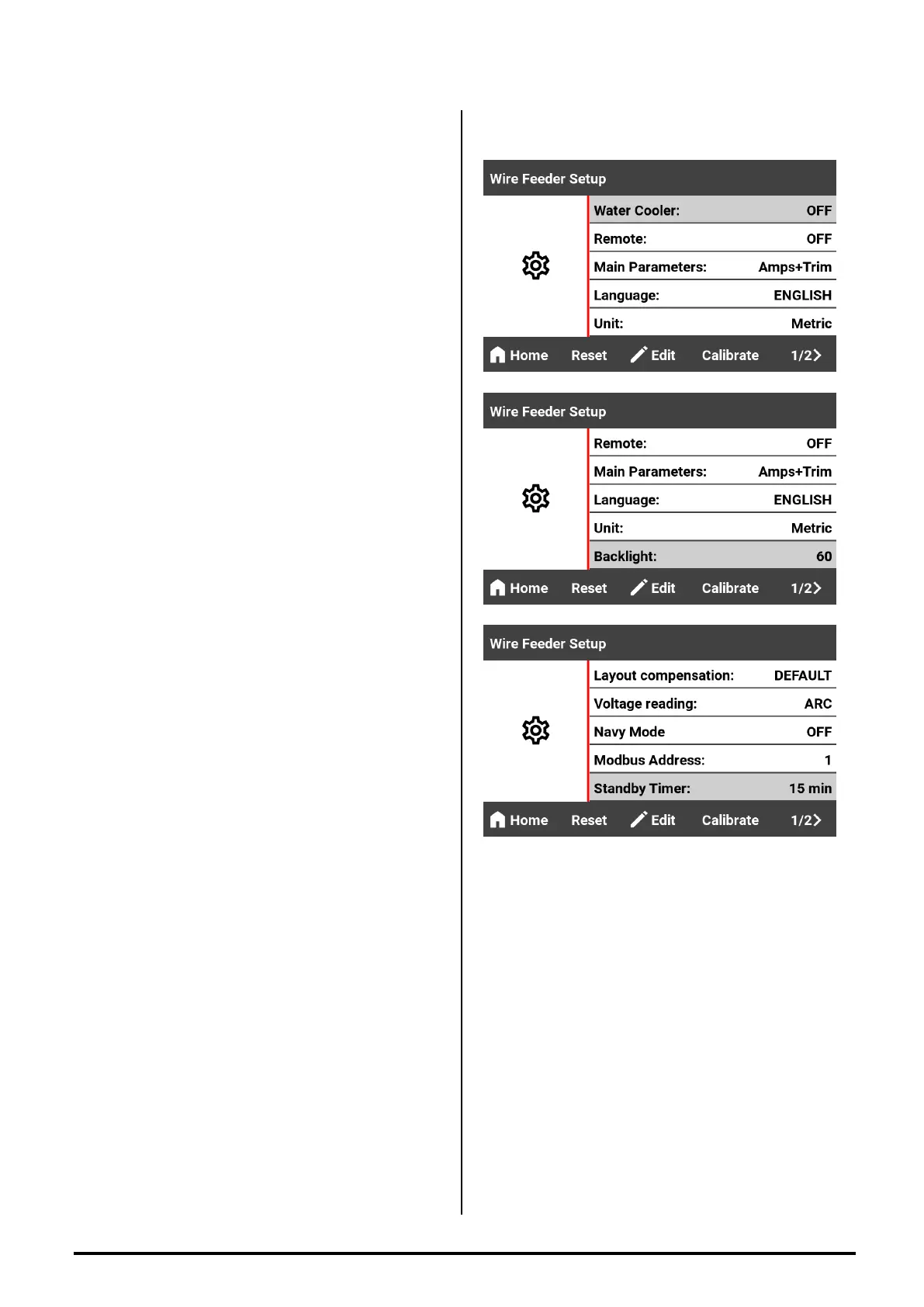
WIRE FEEDER SETTINGS
WATER COOLER
Manages the operation of the cooling group.
OFF : the cooling group is disabled.
ON : the cooler is always ON.
AUTO : the cooling unit is ON DEMAND and will
be activated by the machine only during welding.
REMOTE
Handles remote command
ON : if a remote control is connected, this setting
must be selected.
OFF : no remote control connected
MAIN PARAMETERS
This set allows you to view the parameters in a
different way on the main screen
AMPS + TRIM
AMPS + VOLTS
WFS + TRIM


 To Next Page