Page 10 | Stellar
®
Heavy-Duty Telescopic Crane Owner’s Manual
Stop Mode
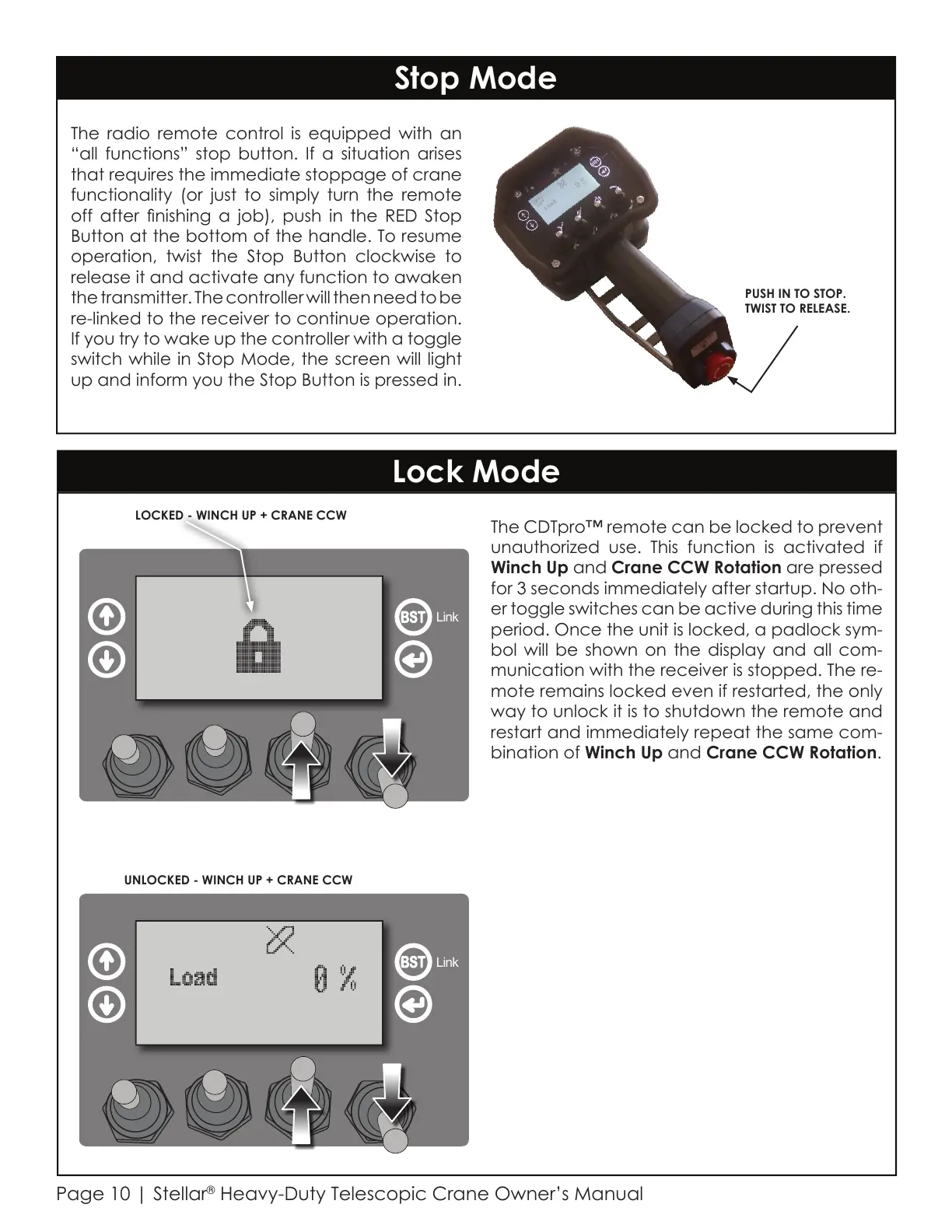
The radio remote control is equipped with an
“all functions” stop button. If a situation arises
that requires the immediate stoppage of crane
functionality (or just to simply turn the remote
off after nishing a job), push in the RED Stop
Button at the bottom of the handle. To resume
operation, twist the Stop Button clockwise to
release it and activate any function to awaken
the transmitter. The controller will then need to be
re-linked to the receiver to continue operation.
If you try to wake up the controller with a toggle
switch while in Stop Mode, the screen will light
up and inform you the Stop Button is pressed in.
The CDTpro™ remote can be locked to prevent
unauthorized use. This function is activated if
Winch Up and Crane CCW Rotation are pressed
for 3 seconds immediately after startup. No oth-
er toggle switches can be active during this time
period. Once the unit is locked, a padlock sym-
bol will be shown on the display and all com-
munication with the receiver is stopped. The re-
mote remains locked even if restarted, the only
way to unlock it is to shutdown the remote and
restart and immediately repeat the same com-
bination of Winch Up and Crane CCW Rotation.
PUSH IN TO STOP.
TWIST TO RELEASE.
Lock Mode
LOCKED - WINCH UP + CRANE CCW
Link
UNLOCKED - WINCH UP + CRANE CCW
Link
Courtesy of CraneMarket.com



 To Next Page