EasyManua.ls Logo

stellar labs Model 28000 - User Manual

Default Icon
58 pages
Print Icon
To Next Page IconTo Next Page
Loading...
"!,01)!*,%('1%',!''!1'+,&&,%('1*,+
 
2
 
Stellar Industries, Inc.
190 State Street
PO Box 169
Garner, IA 50438
800-321-3741
Fax: 641-923-2811
www.stellarindustries.com
Last Revision: 01/23/13
Subject to Change without Notification.
© 2013 Stellar Industries, Inc.

Questions and Answers

  • S
    Scott DixonSep 12, 2025
    What to do if my Stellar Labs Construction Equipment crane lifts the load, but cannot hold it?
    • K
      Krystal GainesSep 12, 2025
      If the crane lifts the load, but cannot hold it on your Stellar Labs Construction Equipment, contact Stellar customer service for proper setting. Replace holding valve. Adjust valve settings. Replace worn seals.
  • H
    harrisericaAug 25, 2025
    Why is there vibrations and jerking in the hydraulic cylinder during the first maneuvers of my Stellar Labs Construction Equipment?
    • D
      Donald NealAug 25, 2025
      If you're experiencing vibrations and jerking in the hydraulic cylinder during the initial maneuvers of your Stellar Labs Construction Equipment, it could be due to low hydraulic oil temperature or a lack of oil in the reservoir. To resolve this, perform maneuvers without any load for several minutes to allow the oil to warm up. Additionally, ensure that you add hydraulic oil to maintain the correct level.
  • K
    Kayla GilmoreAug 26, 2025
    Why does my stellar labs Model 28000 Construction Equipment crane operate slowly?
    • S
      Scott BradleyAug 26, 2025
      If your Stellar Labs Construction Equipment crane operates slowly, ensure it's receiving the recommended GPMs to operate. Check the hydraulic fluid level in the reservoir and add fluid if needed. Also, check if the valve bank proportional valve is operating and receiving 12V power when a function is activated.
  • O
    Olivia DeleonAug 27, 2025
    Why is my stellar labs Model 28000 crane vibrating with every function when the oil is hot?
    • J
      Joshua KingAug 27, 2025
      If your Stellar Labs Construction Equipment crane experiences vibrations with every function when the oil is hot, add hydraulic oil to the tank. Then, operate the control, carrying the cylinders to stroke end several times in both directions to remove any air in hydraulic system.
  • A
    Amy RitterAug 29, 2025
    What causes intermittent operation of crane functions on my stellar labs Model 28000 Construction Equipment?
    • P
      Peter JohnsonAug 29, 2025
      If not all functions operate or the crane operates intermittently using the radio remote transmitter of your Stellar Labs Construction Equipment, ensure the function switch is working properly; replace it if defective. Also, check for power going from the valve bank twin solenoid to the function that isn't working. If there's no power, inspect wiring connections on the wire harness plug connector for broken wires, loose connections, or poor crimps. If power is present, the solenoid valve may not be opening; check the twin solenoid for polarity and replace it if it doesn't magnetize.
  • D
    Donna WilsonAug 30, 2025
    What should I do if the hydraulic extension is not extending on my stellar labs Model 28000 Construction Equipment?
    • C
      Christopher OrtizAug 31, 2025
      If the hydraulic extension on your Stellar Labs Construction Equipment is not extending, lubricate the wear pads and replace them if worn. Also, check for 12V power going to the extension function and adjust the sequence valve on the extension cylinder if needed.
  • B
    Barbara ShafferNov 20, 2025
    How to troubleshoot a stellar labs Model 28000 crane that operates manually but not electrically?
    • C
      Carla KingNov 20, 2025
      If the Stellar Labs Construction Equipment crane will operate manually but not electrically, ensure 12V power reaches the radio receiver. If there's no power, trace back to the source, checking for blown fuses or loose ground connections. Also, make sure the parking brake is engaged and the parking brake switch functions correctly by performing a continuity test; replace it if defective. Verify the “Power” LED is lit on the receiver door; if not, check wiring to the fuse and system ground wires. Finally, confirm the green LED is lit when the e-stop is pulled and the toggle switch is activated. If the radio system doesn't link and the green light isn't on, ensure the battery is fully charged and the contacts are clean; recharge or replace the battery. The power LED light on the transmitter ...
  • T
    Tiffany SmithSep 12, 2025
    What to do if my stellar labs Model 28000 Construction Equipment crane does not lift the loads on the load chart?
    • K
      kramerryanSep 12, 2025
      If your Stellar Labs Construction Equipment crane does not lift the loads on the load chart, replace the pump, adjust valve settings, and replace worn seals.
  • T
    Tyler JacksonSep 8, 2025
    Why don't the hydraulic legs hold under load on my stellar labs Model 28000 Construction Equipment?
    • R
      Richard CooperSep 8, 2025
      If the hydraulic legs on your Stellar Labs Construction Equipment do not hold under load, clean or replace the holding valves and replace worn seals in the stabilizer cylinder.
  • A
    Alex ChoiSep 9, 2025
    Why do the control box lights not operate (green LED out) on my stellar labs Model 28000 Construction Equipment?
    • J
      John HuffmanSep 9, 2025
      If the control box lights do not operate (green LED out) on your Stellar Labs Construction Equipment, recharge the battery, replace the fuses, and correctly join the connection or replace the electric coupling. Also, check electrical connections and replace the switch if necessary.

Summary

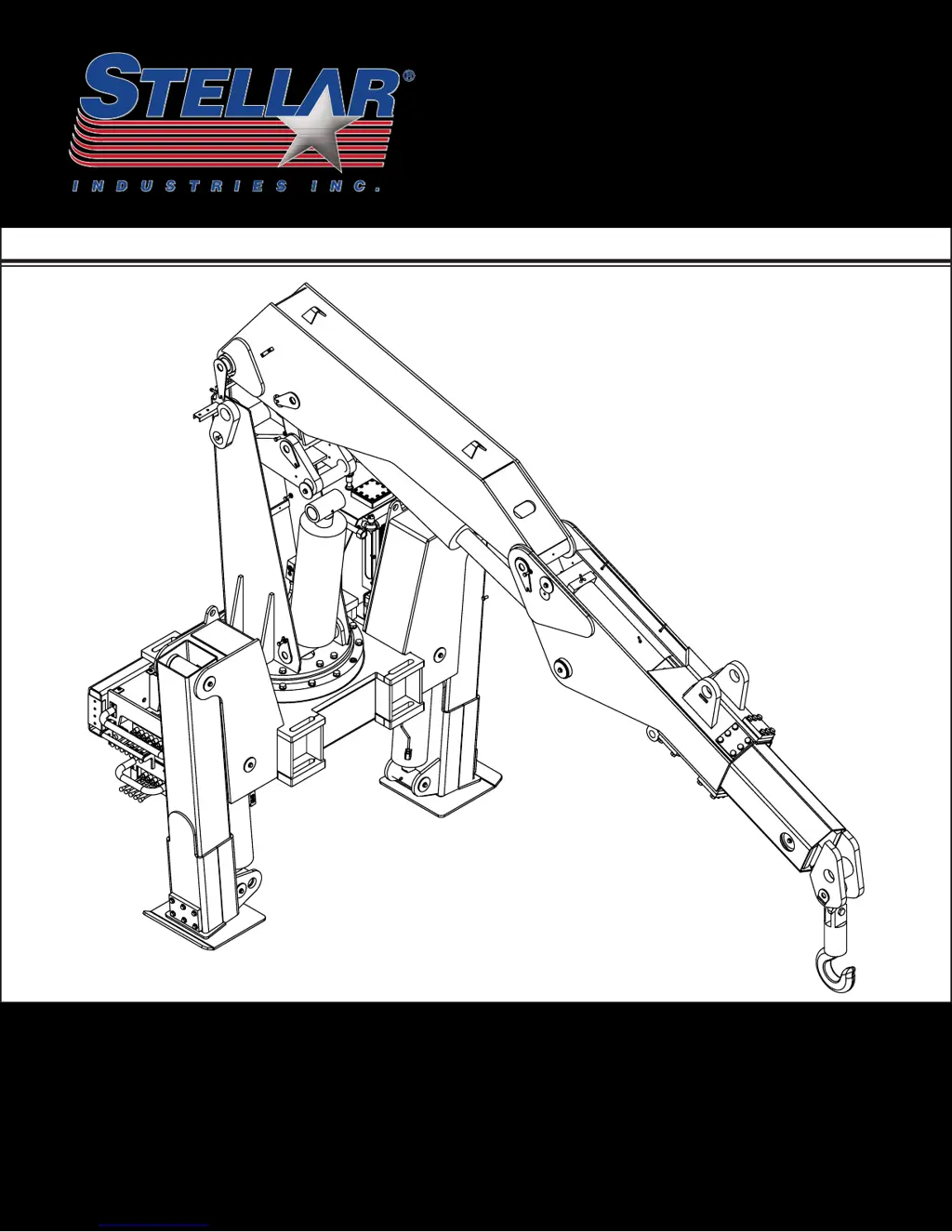
STELLAR MODEL 28000 ARTICULATING CRANE OWNERS MANUAL

Introduction

Chapter 1 - Safety

GENERAL

General safety responsibilities and guidelines for crane operation.

PERSONAL SAFETY

Personal protective equipment and precautions for operators.

MAINTENANCE SAFETY

Safety procedures for performing maintenance on the crane.

STABILITY

Ensuring crane stability through proper setup and operation.

Chapter 2 - Operation

Job-Site Set-Up

Procedure for positioning the vehicle and preparing the crane for operation.

Unit Operation Overview

Step-by-step guide to operating the crane functions.

Radio Remote Operation

Details on operating the crane using the radio control system.

Manual Operation

Instructions for operating the crane via manual valve overrides.

Crane Precautions

Important safety precautions to follow during crane operation.

Hook Precautions

Safety guidelines for using the crane's hook and rigging.

Crane Transport

Procedures for safely transporting the crane.

Operator Information

OPERATOR REQUIREMENTS

Qualifications and responsibilities for crane operators.

OPERATOR CONDUCT

Guidelines for operator behavior and responsibilities during operation.

HANDLING THE LOAD

Procedures and safety measures for lifting and moving loads.

Chapter 3 - Maintenance

Maintenance Procedures

General steps to follow before performing maintenance tasks.

Daily Inspection

Items to inspect each day before operating the crane.

Periodic Inspection

Inspection items for regular intervals while the crane is in use.

Weekly Inspection

Items to inspect at the beginning of each work week.

Monthly Inspection

Items to inspect at the beginning of each work month.

Lubrication Recommendations

Table detailing components, locations, and recommended lubricants.

Torque Data Chart

Table of recommended torque values for various bolt sizes and grades.

Inspection Checklist

Form for recording daily, monthly, quarterly, and annual inspection results.

Chapter 4 - Specifications

Capacity Chart - Decal PN 16055

Diagram and table showing lifting capacities at various reach and boom angles.

Chapter 5 - Decals

Decals of Note

Highlighting important safety and operation decals with their functions.

Decal Kit - PN 16658

List and diagram of decals included in the decal kit.

Chapter 6 - Installation

General Installation

General guidelines for installing the crane on a service body.

Installation Overview

Step-by-step procedure for mounting the crane onto the vehicle frame.

Chapter 7 - Assembly Drawings

Base Assembly - PN 47880

Detailed diagram and parts list for the crane base assembly.

Mast Assembly - PN 18073

Diagram and parts list for the mast assembly component.

Main Boom Assembly - PN 55106

Diagram and parts list for the main boom assembly.

Outrigger Assembly - PN 48689

Diagram and parts list for the outrigger assembly.

Chapter 8 - Hydraulics - Electrical

Control Kit - PN 41919

Diagram and parts list for the standard control kit.

Hydraulic Kit - PN 48690

Diagram and parts list for the hydraulic system kit.

Optional Load Sensor Hydraulic Kit - PN 66288

Diagram and parts list for the optional load sensor hydraulic kit.

Chapter 9 - Replacement Parts

HYDRAULIC SYSTEM COMPONENTS

List of replacement parts for the crane's hydraulic system.

ELECTRICAL COMPONENTS

List of replacement parts for the crane's electrical system.

ASSEMBLY COMPONENTS

List of replacement parts for various crane assembly components.

Chapter 10 - Troubleshooting

Crane will not operate

Solutions for problems where the crane fails to operate.

Crane operates slowly

Solutions for issues causing slow crane movement.

BMS-2 Receiver Troubleshooting

Troubleshooting specific issues related to the BMS-2 receiver system.

STELLAR Limited Warranty Statement

stellar labs Model 28000 Specifications

General IconGeneral
Brandstellar labs
ModelModel 28000
CategoryConstruction Equipment
LanguageEnglish

Related product manuals