EasyManua.ls Logo

stellar labs 12621 - User Manual

Default Icon
38 pages
Print Icon
To Next Page IconTo Next Page
Loading...
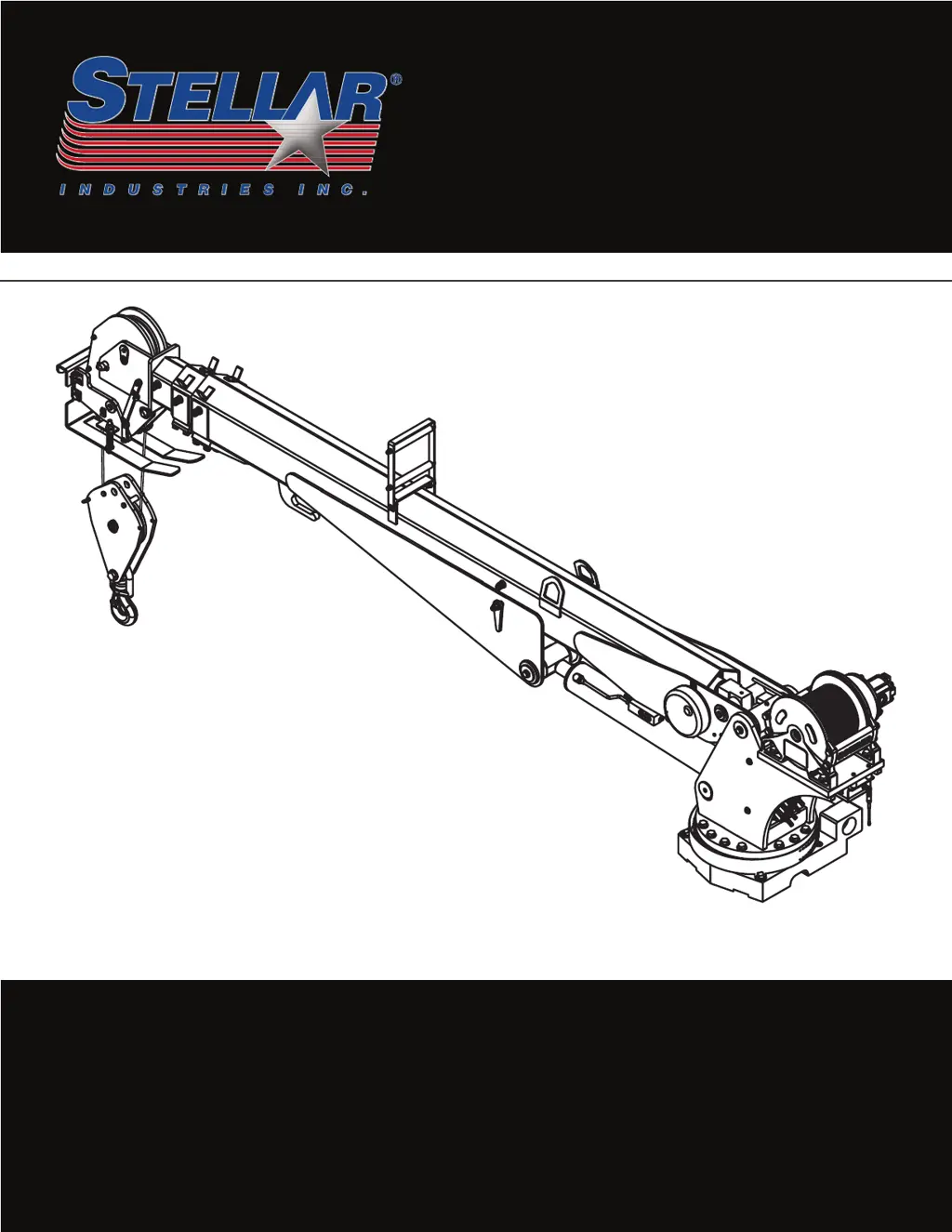
Heavy-Duty
Telescopic Cranes
Owner’s Manual
Stellar Industries, Inc.
190 State Street
PO Box 169
Garner, IA 50438
800-321-3741
Fax: 641-923-2811
www.stellarindustries.com
Subject to Change without Notication.
© 2017 Stellar Industries, Inc.
Last Revision: 2/14/17
Safety • Operation • Maintenance • Troubleshooting
Models:
7621
7630
9621
9630
10621
10630
12621
12630
14530
Notice: A copy of this manual must remain with the equipment at all times.
For a printable download copy, please visit: www.stellarindustries.com

Table of Contents

Questions and Answers

  • K
    Kenneth BrownAug 18, 2025
    How to troubleshoot a stellar labs 12621 Construction Equipment crane that won't operate?
    • J
      Jared LeAug 18, 2025
      If your Stellar Labs Construction Equipment crane isn't operating, there are several things to check: * Ensure the parking brake is engaged. * Ensure the PTO is engaged. * Confirm there's 12V power going to the radio receiver; if not, trace back to the power source, checking for blown fuses or loose ground connections. * Verify the transmitter batteries are fully charged. * Check that the hydraulic pump is operating at its rated flow (GPMs) using a flow meter; a weak pump may require contacting Stellar Customer Service.
  • K
    Kelly SmithAug 23, 2025
    What to do if stellar labs 12621 crane operates manually but not by radio remote?
    • Y
      yangzacharyAug 23, 2025
      If your Stellar Labs Construction Equipment crane operates manually but not via radio remote, try these steps: * Ensure there's 12V power going to the radio receiver; if not, trace back to the power source, checking for blown fuses or loose ground connections. * Ensure the parking brake is engaged. * Check the parking brake switch by performing a continuity test; replace if defective.
  • R
    rodriguezchristopherAug 26, 2025
    Why aren't all functions working on my Stellar Labs Construction Equipment crane's radio remote?
    • V
      Valerie JordanAug 26, 2025
      If not all crane functions operate using the radio remote transmitter or the crane operates intermittently, check these items: * Ensure the toggle switch is working properly; replace it if defective. * Ensure there's power going to the valve bank coil solenoid of the non-operating function. If there's no power, check wiring connections on the wire harness plug connector for broken wires, loose connections, or poor crimps. If power is present at the solenoid valve, it may not be opening. Remove the stem valve, thoroughly clean, lubricate, and reinstall it. Do not overtighten; replace the valve if it won't close.
  • J
    Julie VaughanAug 27, 2025
    Why is the cylinder drifting on my stellar labs 12621 Construction Equipment?
    • L
      ltaylorAug 27, 2025
      If a cylinder on your Stellar Labs Construction Equipment drifts, consider these potential causes: * There might be air in the hydraulic system. Operate all cylinders connected to the hydraulic system to push the air through the system to the reservoir. Repeat this cycle 2-3 times. * The holding valves may not be operating correctly. Remove, clean, and inspect each holding valve, relieving pressure inside the cylinder before removal and resetting the valve upon reinstallation. * The cylinder rod could have scratches, leading to hydraulic fluid leakage. Replace the cylinder rod or the entire cylinder. * The piston seals might be damaged. Install a new cylinder seal kit if damage is evident.
  • R
    robertwilsonAug 30, 2025
    How do I fix a stellar labs 12621 Construction Equipment crane that only operates at full speed?
    • G
      garciaphilipAug 30, 2025
      If your Stellar Labs Construction Equipment crane only operates at full speed, check the following: * See if there is 12V power constantly going to the proportional valve. If 12 volts are showing up at the proportional valve without pulling on the transmitter trigger, the handle/trigger assembly may be defective. If 8 volts are showing at the proportional valve, it is possible that the valve is stuck open and will not close. Remove the valve, clean it thoroughly and reinstall. Do not over tighten. If the problem persists, replace the proportional valve. * Ensure the manual override on the proportional valve is turned out. Turn the manual override on the flow valve in.
  • C
    Cynthia BrooksSep 1, 2025
    What causes a Stellar Labs Construction Equipment winch to not hold its load?
    • M
      Melissa JohnsonSep 1, 2025
      If your Stellar Labs Construction Equipment winch isn't holding its load, check these items: * Ensure the object being lifted doesn't exceed the winch's rated capacity (refer to the capacity chart). If within capacity, reposition the truck and try lifting without using crane boom extensions. * Make sure the relief valve on the winch is set correctly. Readjust the relief valve if necessary.
  • B
    Brenda CollinsSep 3, 2025
    Why are two functions operating simultaneously on my stellar labs 12621 Construction Equipment crane when only one is toggled?
    • Q
      qwilsonSep 3, 2025
      If two functions operate simultaneously on your Stellar Labs Construction Equipment crane when only one is toggled, investigate the following: * Ensure all solenoid valves are latched in the center position to prevent movement during crane operation. * Determine the function operating on its own. Check for power going to its solenoid valve from a function that shouldn't be operating. If voltage is present without operating the function, the toggle switch has likely failed and is stuck in the “on” position. If no voltage is present, the solenoid valve may be partially open. Remove the stem valve, thoroughly clean, lubricate, and reinstall it. Do not overtighten; replace the valve if it won't close.
  • J
    Jennifer NavarroSep 6, 2025
    Why won't my Stellar Labs Construction Equipment crane lift the rated load and displays Input error 3?
    • R
      Rachel HoffmanSep 6, 2025
      If your Stellar Labs Construction Equipment crane won't lift the rated load, the Boom up, Extension out, and Winch up functions are operating at 75% speed, and the radio receiver displays Input error 3, check for broken or loose wires going to the Inclinometer located just inside the main boom assembly. If the connector going to the Inclinometer has come loose or is unplugged, plug the connector back into the Inclinometer. If the problem still exists, replace the Inclinometer.
  • M
    mchambersSep 8, 2025
    What does Input error 2 mean on my Stellar Labs Construction Equipment crane?
    • A
      Amy GonzalezSep 8, 2025
      If the Boom down, Extension out, and Winch up functions are only operating at 75% of their normal speed and the radio receiver is displaying Input error 2, check for broken or loose wires going to the transducer on the main lift cylinder. If the connector is unplugged from the transducer, plug the connector back into the transducer. If the problem still exists, reverse the two transducers and see if problem reverses. If there is no change contact Stellar Customer Service.
  • U
    uwoodSep 12, 2025
    What should I do if the winch brake on my stellar labs 12621 Construction Equipment won't hold?
    • C
      Cody AustinSep 12, 2025
      If the winch brake on your Stellar Labs Construction Equipment won't hold, check to see if the back pressure on the return line of the winch is greater than 50 psi. Try operating a function other than the winch. Operate the function both ways and then stop. Now operate the winch. If the brake still does not hold, contact Customer Service at Stellar.

Summary

Chapter 1 - Operation

General Operation

Guidelines for safe and proper crane operation.

Pre-Operation Inspection

Daily checks required before operating the crane for safety.

Job Site Setup Procedures

Planning and positioning the vehicle and crane for the work area.

Radio Remote Control Functions

Explanation of buttons and toggles on the radio remote control.

Radio Remote Feedback and Boost Mode

Understanding crane capacity feedback and boost mode activation.

Radio Remote Control Features

Details on sleep mode, E-stop, battery replacement, and backup cord.

Wire Rope and Sheave Configurations

Diagrams illustrating standard and single part line rope configurations.

Personal Fall Protection

OSHA provisions and requirements for using personal fall protection equipment.

Safety Decals of Note

Identification and explanation of key safety decals found on the crane.

Body;Chassis Safety Decals

Decals on body/chassis concerning electrocution hazards and safe clearance.

Stabilizer Safety Decals

Decals on stabilizer legs warning about crush hazards and keeping clear.

Crane Compartment Safety Decals

Decals within the crane compartment covering electrocution, overload, and operator hazards.

Main Boom Safety Decals

Decals on the main boom regarding fall, free falling, misuse, and electrocution hazards.

Crane Horse Head Decals

Decals on the crane horse head warning about misuse hazards.

Valve Bank Decals

Decals on the valve bank concerning movement hazards.

Main Cylinder Decals

Decals on the main cylinder warning about overload hazards and tampering.

Chapter 2 - Maintenance

General Maintenance Guidelines

Important safety and procedural guidelines before performing crane maintenance.

Basic Crane Maintenance Schedule

Scheduled maintenance operations for daily, weekly, monthly, and hourly intervals.

Hydraulic Oil and Filter Maintenance

Recommendations for hydraulic oil and filter changes based on service hours.

Washing the Crane

Precautions for washing the crane, emphasizing protection of electrical components.

Paint Maintenance

Tips for touching up paint chips and scratches to prevent further damage.

PTO and Pump Maintenance

Procedure for lubricating PTO and pump splines every six months.

Wire Rope Maintenance

Importance of proper maintenance for wire rope longevity as per ANSI B30.5.

Winch Maintenance

Reference to the winch manual for specific maintenance procedures.

Extension Boom Maintenance

Lubrication of extension weldments if noisy during operation.

Load Hold Test Procedure

Steps to perform a load hold test to check for hydraulic cylinder drift.

Rotation Gear Bearing Maintenance

Procedures for lubricating worm gear, open gear teeth, and rotation bearings.

Worm Gear and Open Gear Teeth Lubrication

Using Moly Lube grease for worm and open gear teeth.

Worm Gear Bearings and Races Lubrication

Applying EP2 grease to rotation gear bearing zerks every three months.

Inner Gear Bearing Race Lubrication

Weekly lubrication of the inner race of the large rotation gear bearing.

Gear-Bearing Bolt Maintenance

Procedures for replacing and securing gear-bearing bolts with threadlocker.

Rotation Gear Bearing Thread Tightening Procedure

Step-by-step procedure for torquing rotation gear bearing bolts using a sequence.

Rotation Gear Bearing Tilt Test

Procedure to test for rotation gear bearing tilt using a dial indicator.

Rotation Gear Bearing Worm End Play and Backlash

Procedures for setting worm end play and gear bearing backlash.

Face Seal and O-Ring Size Chart

Chart correlating hose size with face seal and O-ring part numbers.

Lubrication Recommendations

Recommended lubricants for hydraulic system, gears, cylinders, and compressors.

Chapter 3 - Troubleshooting

Stellar CDT Radio Remote Troubleshooting

Table of symptoms, probable causes, and remedies for radio remote system issues.

Synchronizing Receiver and Transmitter

Procedure for pairing the radio transmitter and receiver by address and channels.

Receiver;Transmitter Identification Tag

Explanation of labels and meanings on the receiver/transmitter unit.

Stellar CDT Radio Error Code Troubleshooting

Troubleshooting common error codes displayed by the radio receiver for specific functions.

Manual Crane Operation

Steps to operate the crane manually when the remote control malfunctions.

Model 14530 Manual Operation

Specific manual operation steps for the Model 14530 crane.

stellar labs 12621 Specifications

General IconGeneral
Brandstellar labs
Model12621
CategoryConstruction Equipment
LanguageEnglish

Related product manuals