Page 8 | Stellar
®
Heavy-Duty Telescopic Crane Owner’s Manual
CDT Remote Feedback
If the crane starts to approach full capacity
or an overload situation, the Stellar CDT
sensory feedback system will respond:
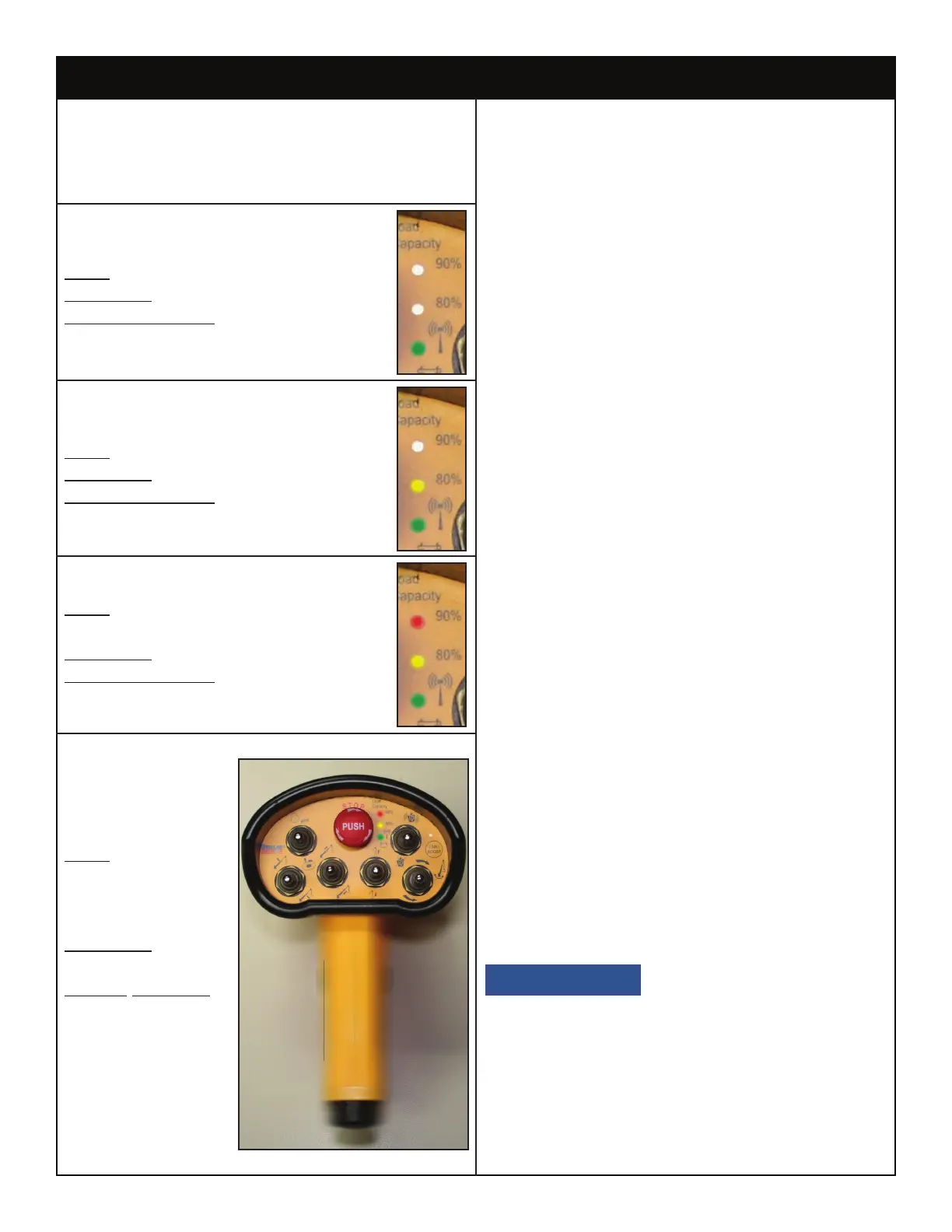
0-79% Capacity
LEDs: Green Steady
Vibration: None
System Function: Normal
80-89% Capacity
LEDs: Green Steady, Yellow Flashing
Vibration: Short Pulsing
System Function: Normal
90-99% Capacity
LEDs: Green Steady, Yellow and
Red Flashing
Vibration: Long Pulsing
System Function: Normal
100% Capacity
LEDs: Green
Steady, Yellow
and Red
Alternate Flashing
Vibration:
Long Pulsing
System Function:
Overload
Shutdown.
When the crane reaches 100% capacity,
an overload shutdown will be initiated. The
operator will need to set the load down and
reposition the truck or activate the Stellar
CDT Boost Mode (If equipped).
Activating Boost Mode (If applicable)
Boost Mode allows the crane to operate at
118% of its rated capacity for 30 seconds.
This will give the operator adequate time
to move the crane out of the shutdown
condition without having to set the load
down and reposition the truck.
Follow the steps below to activate boost
mode:
1. Press and hold the Link/Boost Button for
5 seconds. This button is located on the
right side of the handheld controller. You
will know that boost mode is activated by
an indicator light located near the boost/
link button.
2. The crane will go from the ‘standard
mode’ to ‘boost mode’ for 30 seconds.
3. During this minute, the capacity of the
crane is increased to 118% of standard
capacity.
Note: Boost Mode can be reset multiple
times after a 15 second delay.
See the troubleshooting section of
this manual for information regarding
troubleshooting the Stellar® CDT Remote
System.
If the 118% capacity
boost is not enough to temporarily suspend
the overload shutdown, the operator will
need to set the load down and reposition
the truck.
Radio Remote Feedback and Boost Mode



 To Next Page