EasyManua.ls Logo

stellar labs 4420 - User Manual

Default Icon
72 pages
Print Icon
To Next Page IconTo Next Page
Loading...
Stellar Industries, Inc.
190 State Street
PO Box 169
Garner, IA 50438
800-321-3741
Fax: 641-923-2811
www.stellarindustries.com
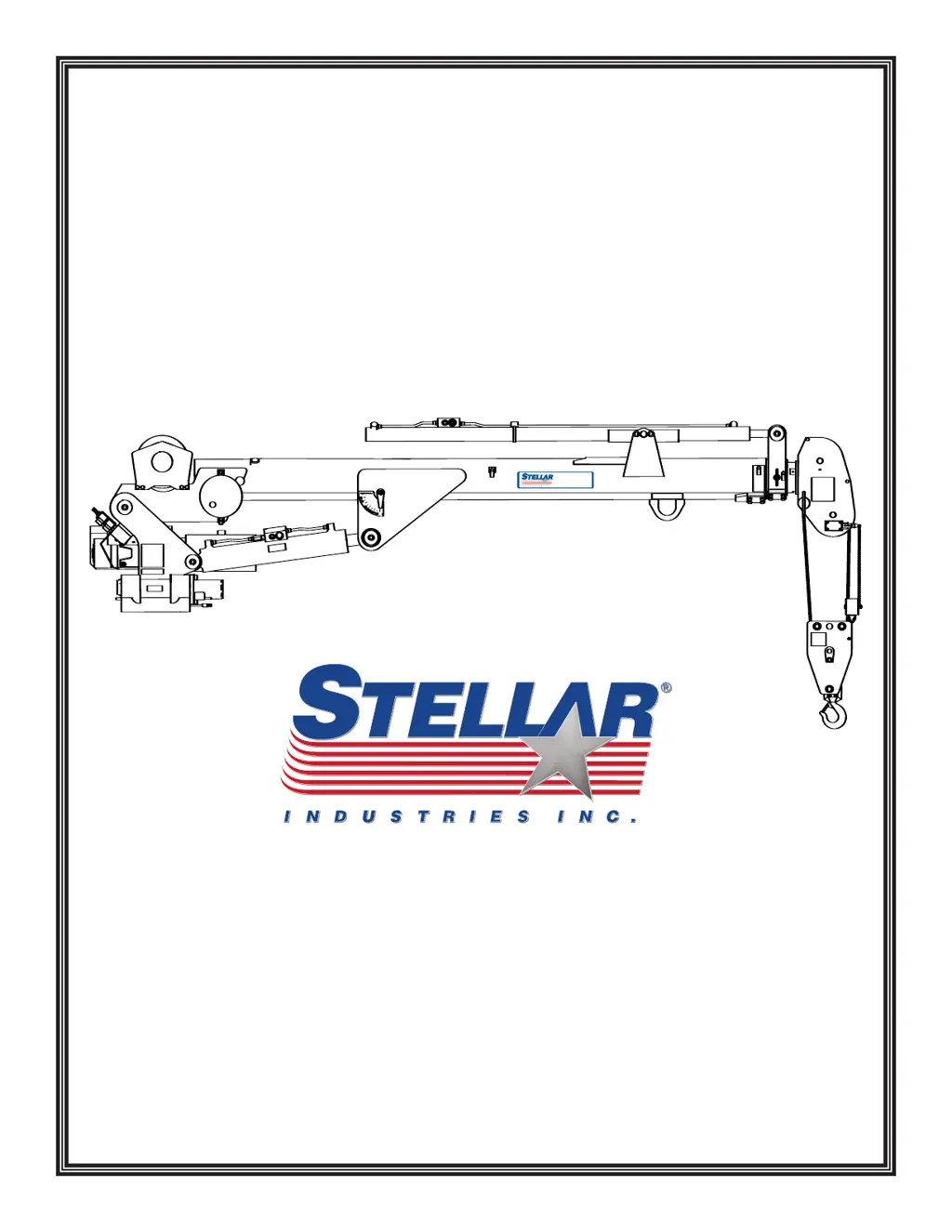
4420 Telescopic Crane
Manual Part No. 31706
Last Revision: 10/10/09
Subject to Change without Notification.
© 2009 Stellar Industries, Inc.
Safety, Installation, Maintenance, and Operation
OWNERS MANUAL
4420
24700
®

Table of Contents

Questions and Answers

  • L
    Leslie WalshAug 18, 2025
    What to do if stellar labs 4420 Construction Equipment transmitter is transmitting, but crane won't respond?
    • M
      michael70Aug 18, 2025
      If the Stellar Labs Construction Equipment transmitter is transmitting but the crane isn't responding, ensure the E-Stop push button is released. Also, verify that the transmitter is within the receiver's operational range. Check if the receiver is powered on. Finally, inspect the E-Stop pushbutton for any damage or wiring issues, repairing or replacing as necessary.
  • N
    Nicholas WilliamsAug 20, 2025
    Why won't my stellar labs 4420 system operate after start-up?
    • D
      Douglas LopezAug 20, 2025
      If the Stellar Labs Construction Equipment system won't operate after the normal start-up, first, check that the E-Stop switch is disengaged by pulling it out. Next, verify the batteries are fully charged, replacing them if needed. Finally, confirm the receiver is receiving power by checking the diagnostic LED and ensure the system is properly grounded.
  • C
    conniefigueroaAug 23, 2025
    How to fix intermittent crane motions on stellar labs 4420 Construction Equipment?
    • J
      Jessica HollowayAug 23, 2025
      If all crane motions on your Stellar Labs Construction Equipment operate intermittently, check if the receiver antenna is loose or missing, and tighten or replace it as needed. If using an external antenna, ensure it has a tight connection and proper grounding, and check for any interference. Also, make sure the ground wiring is correctly connected to the machine power source ground, using a minimum 12 AWG conductor diameter, not grounded to the chassis.
  • M
    Michelle RodgersAug 25, 2025
    Why stellar labs 4420 crane will not operate?
    • M
      markkaiserAug 26, 2025
      The crane may not operate because the parking brake is not engaged, or the PTO is not engaged. Ensure the transmitter batteries are fully charged. Also, ensure there is 12V power going to the radio receiver, and if not, trace back to the power source to check for a blown fuse or loose ground connection. Check that the hydraulic pump is operating at its rated flow (GPMs); if the pump is weak, contact Stellar Customer Service.
  • C
    Courtney HerringAug 27, 2025
    What to do if stellar labs 4420 crane operates slowly?
    • R
      rallenAug 27, 2025
      If the crane operates slowly, ensure it is receiving the recommended hydraulic flow. Check the hydraulic fluid level in the reservoir and add fluid if needed. Also, check the hydraulic fluid temperature. Make sure the proportional valve is receiving 12V power when fully engaging the transmitter trigger; if not, check for loose connections inside the transmitter or replace the handle trigger assembly. The valve bank orifice may be plugged; if so, replace it and call Stellar Customer Service for instructions.
  • G
    Geoffrey HortonAug 30, 2025
    What to do if Stellar Labs Construction Equipment crane only operates at full speed?
    • C
      Colleen HaleAug 30, 2025
      If the crane only operates at full speed, check to see if there is 12V power constantly going to the proportional valve. If 12 volts are present at the proportional valve without pulling on the transmitter trigger, the system handle/trigger assembly may be defective. Also, check if the manual override on the proportional valve is turned out; turn the manual override on the flow valve in. If 8 volts are present at the proportional valve, the valve may be stuck open and will not close; remove the valve, clean it thoroughly, and reinstall.
  • T
    Tanner TurnerSep 1, 2025
    How to troubleshoot stellar labs 4420 crane that operates manually but not by radio remote?
    • L
      lawrencekatieSep 1, 2025
      If the crane operates manually but not by radio remote, first, ensure there is 12V power going to the radio receiver. If there is no power, trace back to the power source and check for a blown fuse or loose ground connection. Make sure that the parking brake is engaged and that the parking brake switch is working properly by performing a continuity test; if the switch is defective, replace it.
  • T
    Troy FigueroaSep 4, 2025
    What to do if stellar labs 4420 Construction Equipment cylinder drifts outward or downward?
    • A
      Ann JohnsonSep 4, 2025
      If the cylinder drifts outward or downward, check to see if there is air in the hydraulic system by operating all cylinders connected to the hydraulic system. Also, make sure the holding valves are operating properly. Remember to relieve hydraulic oil pressure from all hydraulic circuits before performing any maintenance on hydraulic components.
  • M
    Mary BlackwellSep 6, 2025
    What to do if stellar labs 4420 winch will not hold load?
    • L
      Lisa RiceSep 7, 2025
      If the winch will not hold a load, ensure the lifted object does not exceed the winch's rated capacity, referring to the capacity chart. Also, verify the limit switch is working correctly by disconnecting and tying together the two wires connected to it; if all functions then operate, replace the limit switch. Additionally, ensure the relief valve on the winch is set correctly and readjust it if necessary.
  • J
    Jon SosaSep 9, 2025
    What to do if not all stellar labs 4420 Construction Equipment crane functions operate using the radio remote transmitter or crane operates intermittently?
    • A
      alvaradonancySep 9, 2025
      If not all crane functions operate using the radio remote transmitter, or if the crane operates intermittently, ensure the toggle switch is working properly and replace it if defective. Also, check that there is power going to the valve bank coil solenoid of the function that will not operate. If no power is going to the coil solenoid, check wiring connections on the wire harness plug connector for broken wires, loose connections, or poor crimps. If power is present, the solenoid valve may not be opening; remove the stem valve, thoroughly clean, lubricate, and reinstall it, being careful not to overtighten. Replace the valve if it will not close.

Summary

Chapter 1 - Safety

General Safety Guidelines

Outlines owner responsibilities and general conduct for safe operation.

Personal Safety Precautions

Covers essential safety measures for operators and personnel.

Maintenance Safety Precautions

Details safety protocols during maintenance and repair activities.

Stability and Load Safety

Emphasizes safe practices for lifting and maintaining crane stability.

Electrical and Environmental Safety

Covers hazards related to electrocution and environmental conditions.

Chapter 2 - Operation

Job-Site Set-Up Procedures

Outlines steps for preparing the work site before operation.

Crane Control Familiarization

Details understanding and using crane controls.

Crane Operation Steps

Describes the sequence of operations for using the crane.

Manual Operation Procedures

Explains how to operate the crane manually if remote fails.

Operator Requirements and Conduct

Details qualifications, responsibilities, and conduct for operators.

Load Handling Procedures

Covers safe practices for attaching and moving loads.

Chapter 3 - Maintenance

Daily and Periodic Inspection Procedures

Details daily and periodic inspection tasks.

Weekly and Monthly Inspections

Details weekly and monthly inspection tasks.

Lubrication Recommendations

Specific lubricants and their applications.

Wire Rope Maintenance

Covers inspection, replacement, and maintenance of wire rope.

Component Maintenance and Service

Covers inspection of holding valves, gear bolts, and general service.

Chapter 4 - Specifications

Crane Specifications Overview

Details key performance and dimensional data of the crane.

Load Capacity Chart

Provides load capacity data based on boom angle and reach.

Chapter 5 - Decals

Decals of Note

Describes important safety and instructional decals.

Decal Kit Placement Guide

Shows diagrams for applying decals to the equipment.

Chapter 6 - Installation

General Installation Guidelines

Provides general guidance for installing the crane.

Installation Notices and Requirements

Notes on regulatory compliance and service body specifications.

Installation Overview and Steps

Outlines the steps for mounting the crane.

Stability Testing Procedure and Chart

Describes the process for testing crane stability and its graphical representation.

Chapter 7 - Assembly Drawings

Base Assembly Drawings

Shows the parts breakdown for the base assembly.

Mast Assembly Drawings (Corded)

Shows parts for the mast assembly with corded remote.

Power Unit Assembly Drawings

Shows parts for the electric power unit assembly.

Main Boom Assembly Drawings

Shows parts for the main boom assembly.

Extension Boom Assembly Drawings

Shows parts for the standard extension boom assembly.

Chapter 8 - Hydraulics - Electrical

Control Kit (Corded Electrical)

Details the hydraulic/electrical control kit for corded operation.

Control Kit (Radio Electrical)

Details the hydraulic/electrical control kit for radio operation.

Control Kit (Corded Hydraulic)

Details the hydraulic/electrical control kit for corded hydraulic operation.

Control Kit (Radio Hydraulic)

Details the hydraulic/electrical control kit for radio hydraulic operation.

Valve Banks

Details standard and proportional valve banks.

Hydraulic Installation and System

Covers hydraulic installation and system schematics.

Chapter 9 - Replacement Parts

Parts List

Lists replacement parts with their part numbers and descriptions.

Chapter 10 - Troubleshooting

General Operation Failure

Addresses issues like crane not operating or manual vs. electric control problems.

Function-Specific Issues

Addresses problems with specific functions like winch brake or cylinder drift.

Slow Crane Operation

Addresses issues with slow crane movement or specific function failures.

Radio Remote Troubleshooting

Provides troubleshooting steps for the 5-function radio remote.

Transmitter and Receiver Troubleshooting

Covers troubleshooting for remote transmitter and receiver components.

6-Function Radio Remote Troubleshooting

Provides troubleshooting steps for the 6-function radio remote.

Limited Warranty Statement

Warranty Coverage and Period

Outlines the duration and scope of Stellar's warranty.

Warranty Claim Procedure

Details the process for submitting and processing warranty claims.

Owner Responsibilities and Limitations

Covers owner's duties for maintenance and warranty exclusions.

stellar labs 4420 Specifications

General IconGeneral
Brandstellar labs
Model4420
CategoryConstruction Equipment
LanguageEnglish

Related product manuals