Stellar
®
Heavy-Duty Telescopic Crane Owner’s Manual | Page 11
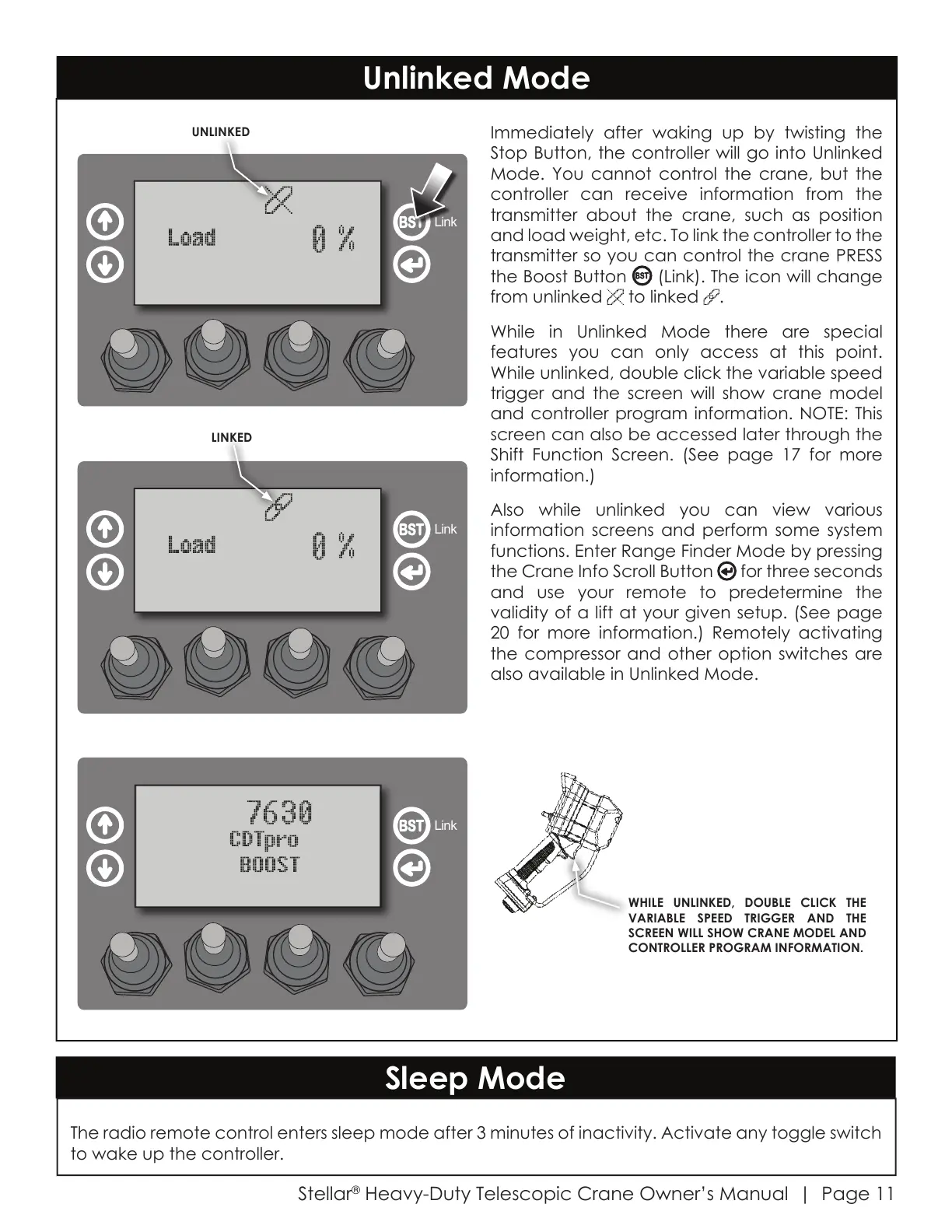
Immediately after waking up by twisting the
Stop Button, the controller will go into Unlinked
Mode. You cannot control the crane, but the
controller can receive information from the
transmitter about the crane, such as position
and load weight, etc. To link the controller to the
transmitter so you can control the crane PRESS
the Boost Button (Link). The icon will change
from unlinked to linked .
While in Unlinked Mode there are special
features you can only access at this point.
While unlinked, double click the variable speed
trigger and the screen will show crane model
and controller program information. NOTE: This
screen can also be accessed later through the
Shift Function Screen. (See page 17 for more
information.)
Also while unlinked you can view various
information screens and perform some system
functions. Enter Range Finder Mode by pressing
the Crane Info Scroll Button for three seconds
and use your remote to predetermine the
validity of a lift at your given setup. (See page
20 for more information.) Remotely activating
the compressor and other option switches are
also available in Unlinked Mode.
WHILE UNLINKED, DOUBLE CLICK THE
VARIABLE SPEED TRIGGER AND THE
SCREEN WILL SHOW CRANE MODEL AND
CONTROLLER PROGRAM INFORMATION.
Unlinked Mode
Sleep Mode
The radio remote control enters sleep mode after 3 minutes of inactivity. Activate any toggle switch
to wake up the controller.
Link
LINKED
Link
Link
UNLINKED
Courtesy of CraneMarket.com



 To Next Page