SWM 5000
9
3. Starting
Insert the supplied 9V block battery into the holder in the battery
compartment on the rear side of the instrument. Pay attention to the
correct polarity. To open the battery compartment, press the push
mechanism in the center of the bottom and at the same time slide the
gray compartment from the center to the outside.
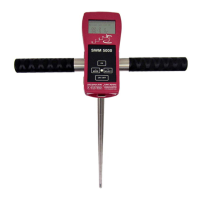
Connect the 5-pin plug of the probe SWP 5000 to the socket of the SWM
5000 handheld unit and fix the bayonet catch by turning it.
Now plug the SWM 5000 unit into the provided holder on the SWP 5000
probe, making sure that the lower retaining clip is guided through the
plastic strap of the SWM 5000 housing.
Possible operation modes:
Time operation + Data logger ON
For automated measuring and recording in a fixed cycle time (
stationary measurement);
the instrument shows the measured value for 30s in the display
before it switches off until the cycle time is reached again.
Time operation + Data logger OFF
For manually controlled measuring and recording ( mobile
measurement), the instrument shuts off automatically after
switching on for 30 seconds.
Continuous operation + Data logger OFF
For manually controlled measuring and recording ( mobile
measurement), the instrument remains on standby until it is
actively switched off by the user.
Further information in “3.2. Keypad“


 To Next Page