CURRENT STATUS
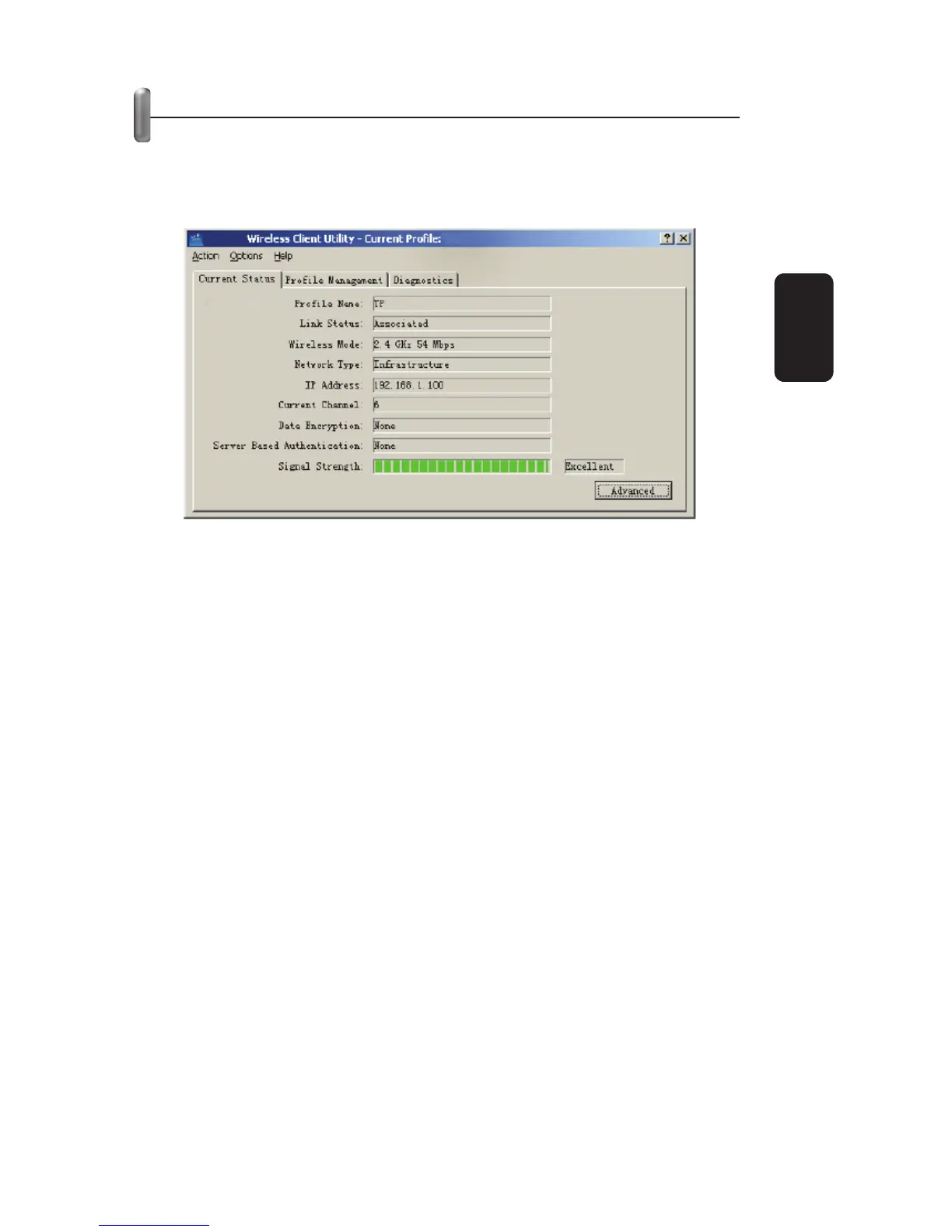
The Current Status tab contains general information about the
program and its operations. The Current Status tab does not
require any confi guration.
The following table describes the items found on the Current
Status screen.
Profi le Name - The name of current selected confi guration
profi le. Set up the confi guration name on the General tab of
Profi le Management.
Link Status - Shows whether the station is associated to the
wireless network.
Wireless Mode - Displays the wireless mode. Confi gure the
wireless mode on the Advanced tab of Profi le Management.
Network Type - The type of network the station is currently
connected with. The options include:
• Infrastructure (access point)
• Ad Hoc
Confi gure the network type on the Advanced tab of
Profi le Management.
IP Address - Displays the computer’s IP address.
Current Channel - Shows the currently connected channel.
Data Encryption - Displays the encryption type that the
driver is using. Confi gure the encryption type on the Security
tab of Profi le Management.
•
•
•
•
•
•
•
Fig 11
ENGLISH
ENGLISH-10



 To Next Page