Server Based Authentication - Shows whether server
based authentication is used.
Signal Strength - Shows the strength of the signal.
PROFILE MANAGEMENT
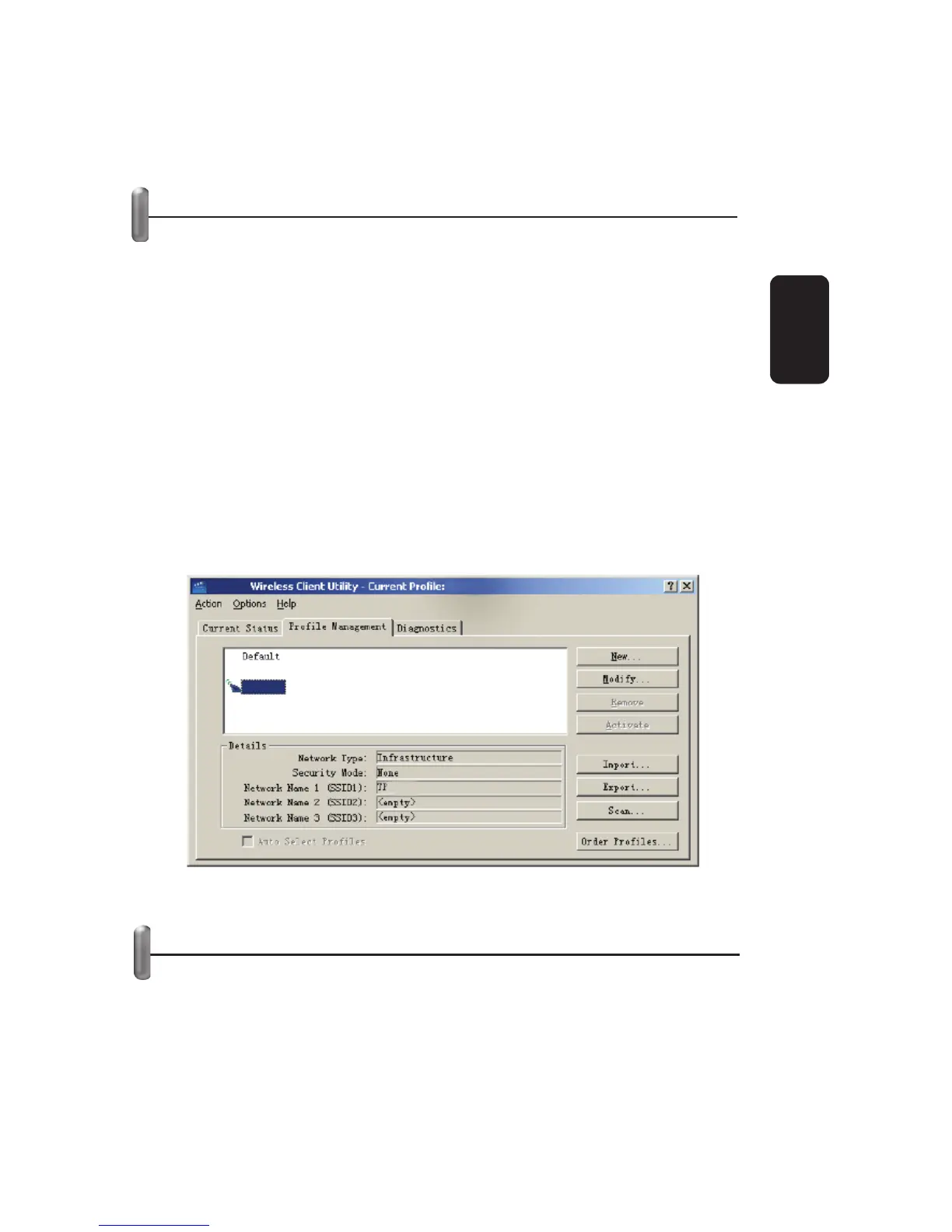
Click the Profi le Management tab of the -WN620G Wireless
Client Utility and the Profi le management screen will appear,
fi gure 12.
The Profi le Management tab provides tools to:
Add a profi le
Edit a profi le
Remove a profi le
Switch another Profi le
Import a Profi le
Export a Profi le
Scan Available Networks
Order profi les
ADD OR MODIFY A CONFIGURATION PROFILE
To add a new confi guration profi le, click New on the Profi le
Management tab. To modify a confi guration profi le, select the
confi guration from the Profi le list and click Modify.
The Profi le Management dialog box will display a screen similar
to that shown in Figure 13
•
•
•
•
•
•
•
•
•
•
Fig 12
ENGLISH
ENGLISH-11



 To Next Page