9
3.3 Identication code
The identication code feature allows you to identify the 4 digit library code stored under your
device. For example, if you want to nd out which 4 digit code is stored on your TV device,
follow the steps below:
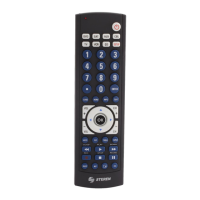
1. Press and hold the SETUP button until the LED indicator stays on. Release the SETUP
button.
2. Press and release the desired mode button to know the code (DVD, SAT, AUX, CBL, TV,
VCR o CD). The LED indicator blinks, then stays lit.
3. Press and release the SETUP button. The LED indicator blinks off.
4. To nd the rst digit for the code stored under the mode key pressed in step 2, press
each numeric key from 1-0 following the order of the buttons. When the LED indicator blinks
off the number you pressed is the rst digit for the code you are searching for.
5. To nd the second digit, repeat step 4, this time when the LED indicator blinks off this is
the second digit.
6. Repeat step 4 to nd the third and fourth digits.
7. When the control indicates the fourth digit, the LED will turn off.
Product design and specications are subject to change, without notice.
Input: 3 V - - - (2 x AAA)


 To Next Page