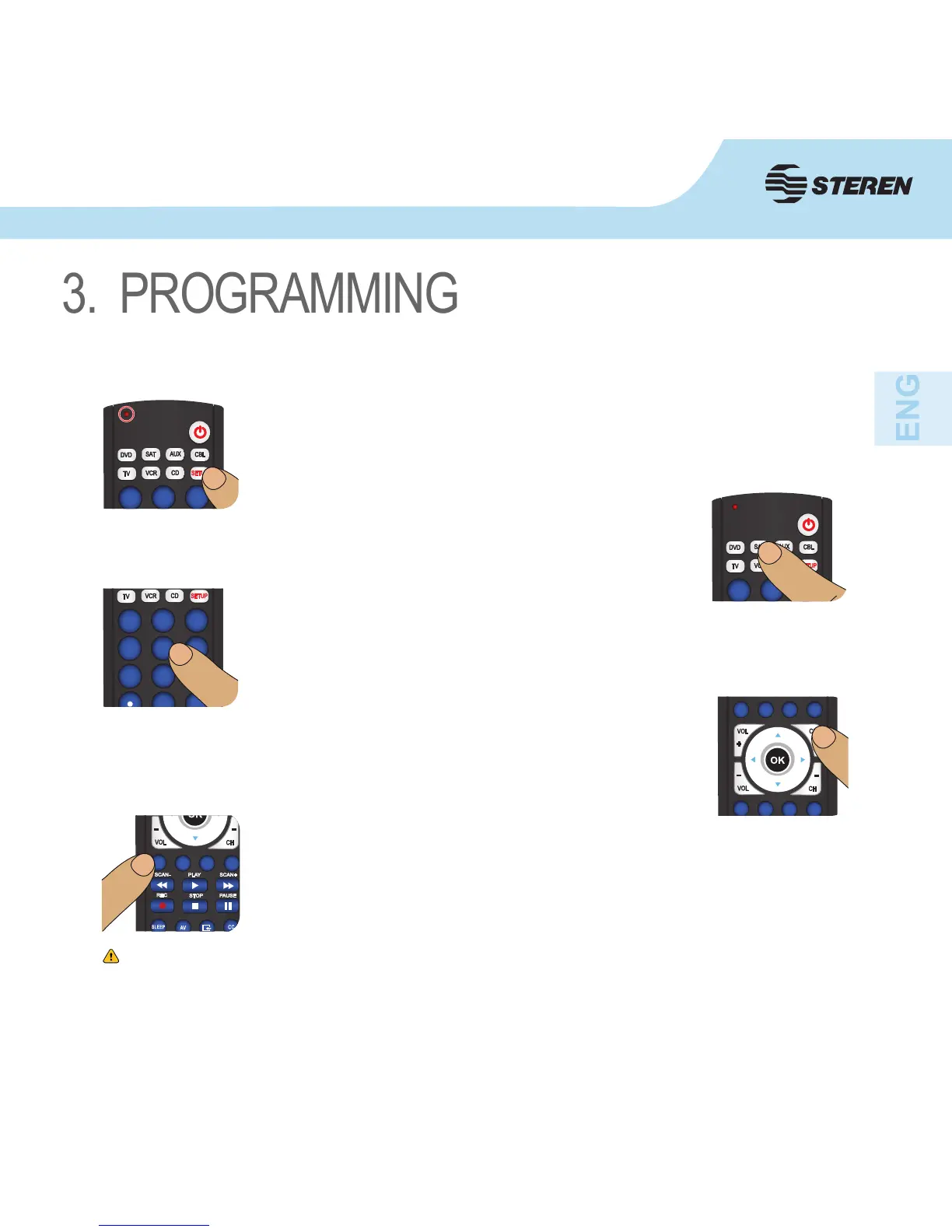
1. Turn on the device (TV, VCR, etc.) to be controlled.
2. Press and hold the SETUP button until the LED indicator remains
on, then release SETUP button.
3. Press once the desired mode button (TV, VCR, etc.). The LED
indicator blinks.
4. Press and release the numeric button (0-9) corresponding to
desired manufacturer (see table on code list sheet). The LED
indicator blinks off once.
5. Press the CH+ button repeatedly to verify that the RM-9 controls
your device.
6. Press and release MUTE to install the code.
If the remote control buttons do not work correctly, please try entering other code
compatible with your device.
If none of these codes can make your remote controller work normally (or the
brand of your household electrical appliance is not in the table), please set up by
the Automatic programming section.
3.1 Manual programming


 To Next Page