STERMAY
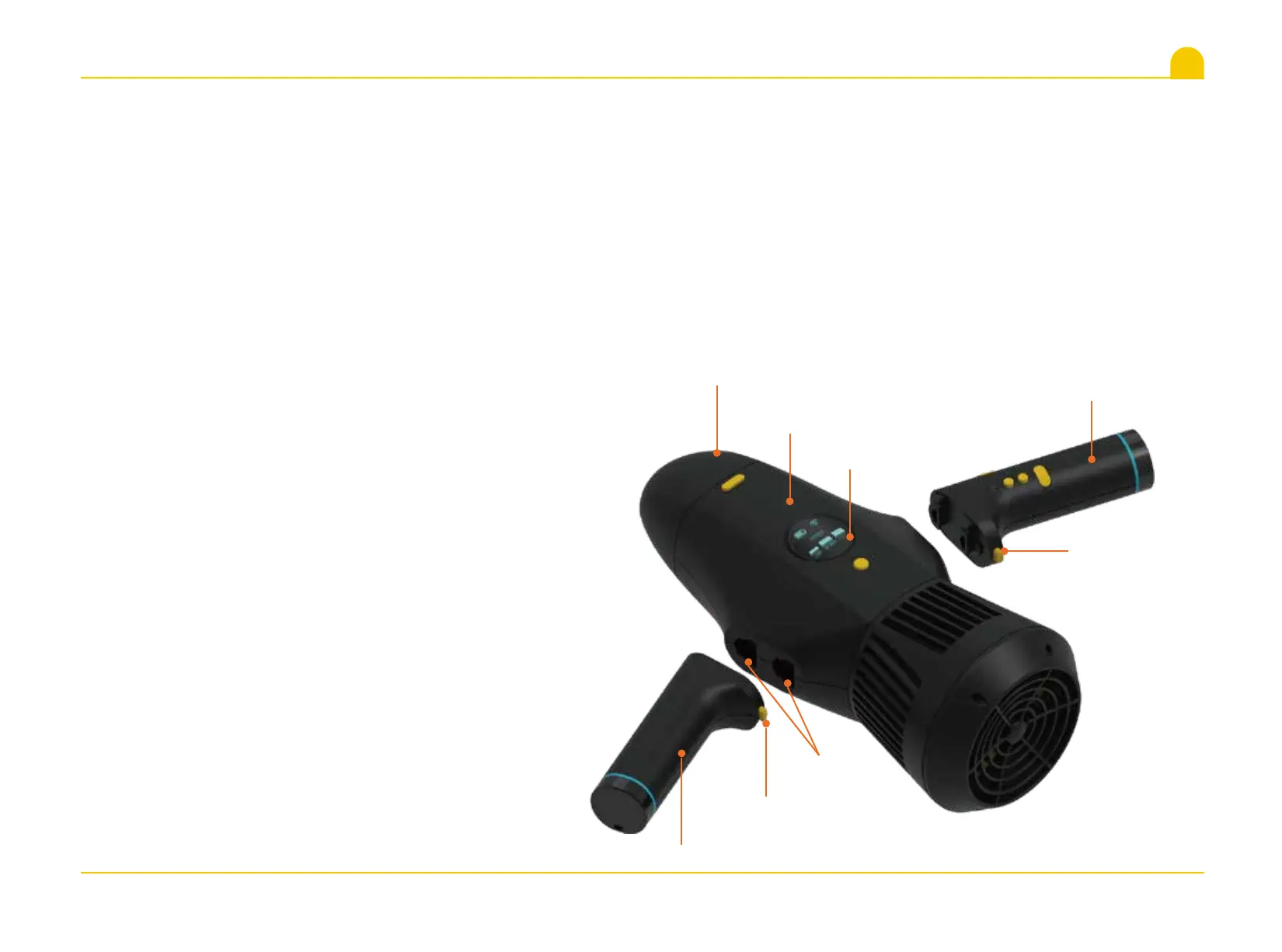
4.3 Handle assembling
1. Main Unit is placed with the Display Screen as the front。
2. Take out the Handle ,Remote Handle.
3. Kindly pay attention to check the front and back directions of Handle and Remote Handle installations,so that the Remote
Handle is in right of Main Unit.
4. Press the Handle Key , align to the Install Hole which on side of Main Unit, insert the Handle or Remote Handle into the
corresponding hole, push into along with Head Cover direction, loosen Handle Key, and make ensure the Handle Key pop out
then the Handle or Remote Handle is locked tightly.
5. Reverse operations to remove the Handle or Remote Handle.
Main Unit
Handle
Remote Handle
Install Hole
Handle Key
Handle Key
Head Cover
Display Screen
09


 To Next Page