STERMAY
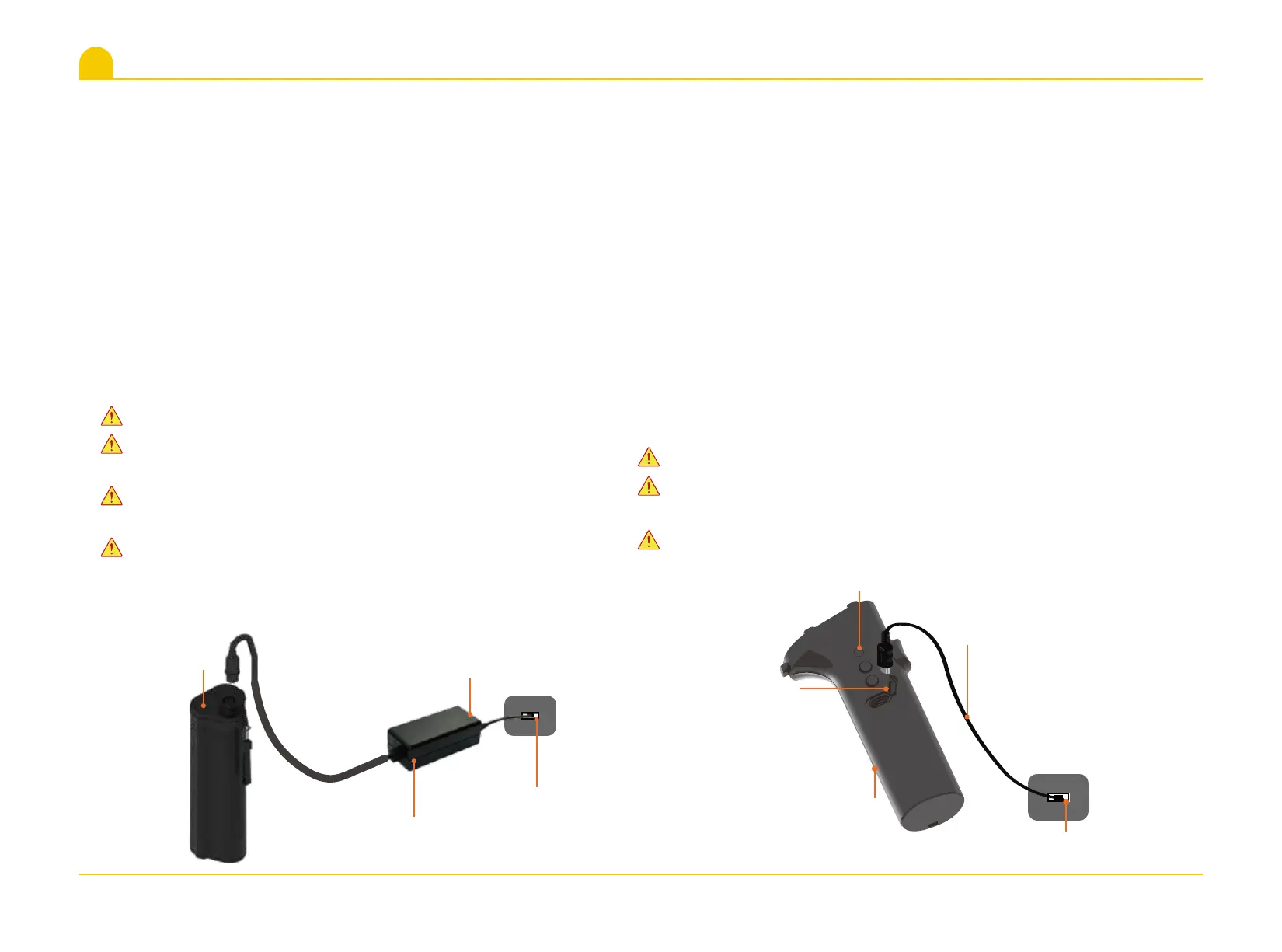
5.1 Battery charging
5. Charging Instruction
1.Connect the plug pins of Switching Power Supply to the AC
power.
2.Connect another end of Switching Power Supply to Battery
slot.
3.The Red light of the Switching Power Supply represent that
the battery is not fully charged,and Green indicates that the
battery is fuly charged.Charging time is about 3 hours.
Please make sure the battery is fully charged before first use.
Please make sure the Main Unit is at power off before you take
out the battery.
Please make ensure the battery and charger are dry before
charging.
Please unplug the Switching Power Supply when it is not
charged.
Please make sure Remote Handle is closed before charging.
Please ensure the port of Remote Handle is no water before
inserting the Type-C connector.
Please don’t operate the Remote Handle when charging.
1.Open the Seal Cover of Type-C of Remote Handle.
2.Please use 5V/1A power adapter or standard USB charger
port to charge.
3.Insert one end of the Type-C Charge Cable into the Remote
Handle and another end insert into the USB port.
4.Indicate light shows red when Remote Handle charging,
indicate light will turn green after fully charged.
5.After fully charged, be sure to close the Seal Cover tightly.
5.2 Remote Handle charging
AC power
Indicate Light
Switching Power Supply
Battery
Indicate light
10
Seal Cover
Remote Handle
Type-C Charge Cable
USB port


 To Next Page