6.1 How to use when diving
STERMAY
6. Operating instruction
1. Press the Power Switch for 2s on Main Unit,the power is on when Disply Screen lights up,then the signal icon start flashing and
waiting signal of Remote Handle to connect.
2. Long press the F Key on Remote Handle for 2s ,the connection is successful after the Indicator light on and the signal icon is
always on.
(NOTE:Need 4 times quickly press Power
switch
to process signal matching when Main Unit and Remote Handle process first
time signal connection.)
4. Short press F Key to shift three speed setting:
(The default speed is low gear after start.)
Low :Indicator shows Blue
Medium:Indicator shows Green
High :Indicator shows Red
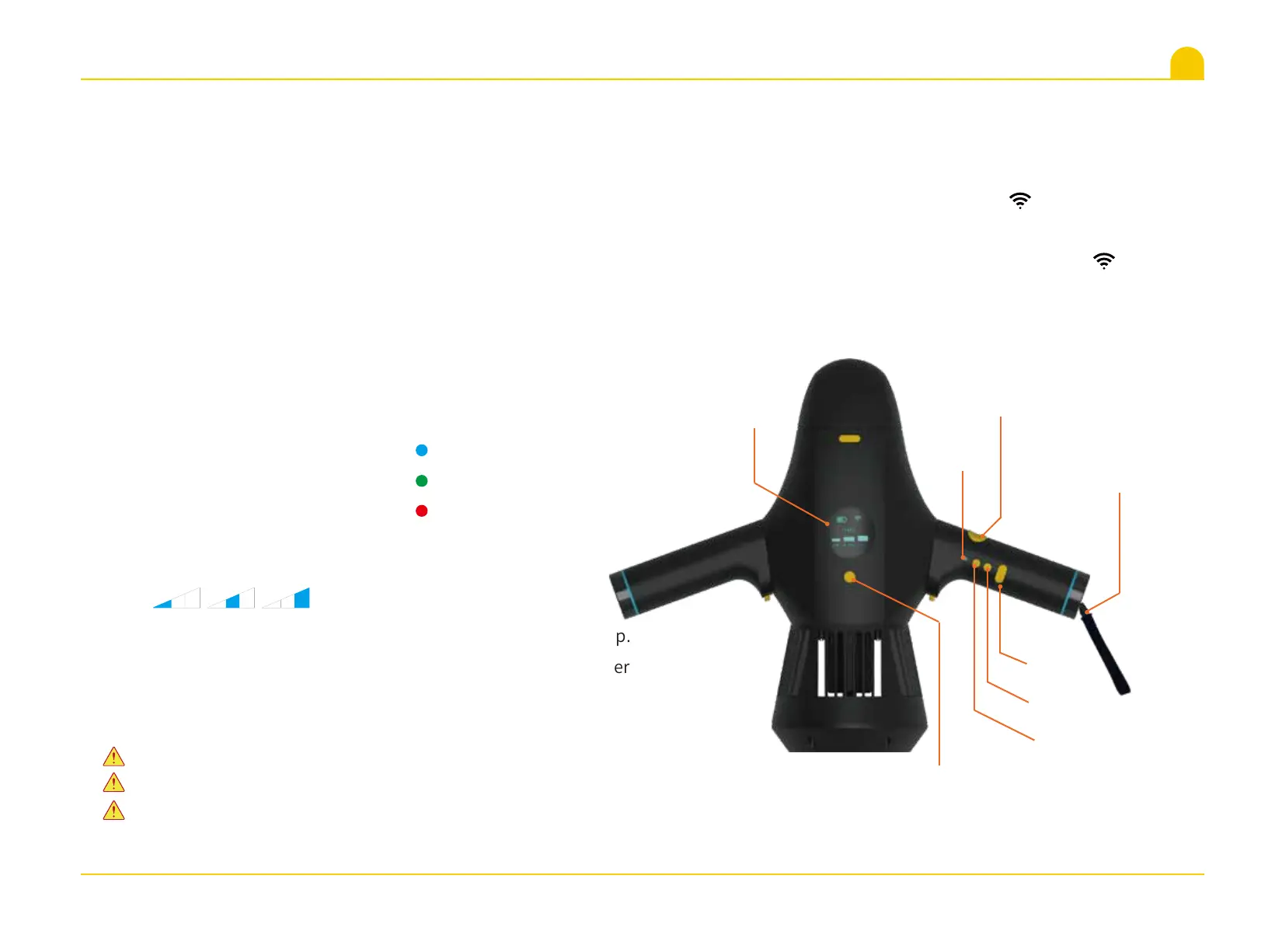
The corresponding icons of three speed setting on
Main Unit display screen shown as below:
5. Press the Start-stop Button to run M1, release it down to stop.
6. Long press the F Key and Power
switch
respectively to power
off your M1.
Power switch
F Key
Start-stop button
Indicator
Display Screen
M Key
Type-C
Remote handle anti
lose rope(short type)
Please make ensure the battery already be the fully charge before use.
PLease be ensure to close the Seal Cover of Type-C tightly before use.
For convenient to users operate,the Remote Handle can be wrapped
around your wrist through the short of anti lose rope during diving.
LOW Medium HIGH
11


 To Next Page