3 Operation
8
NEW STEVENS QMT
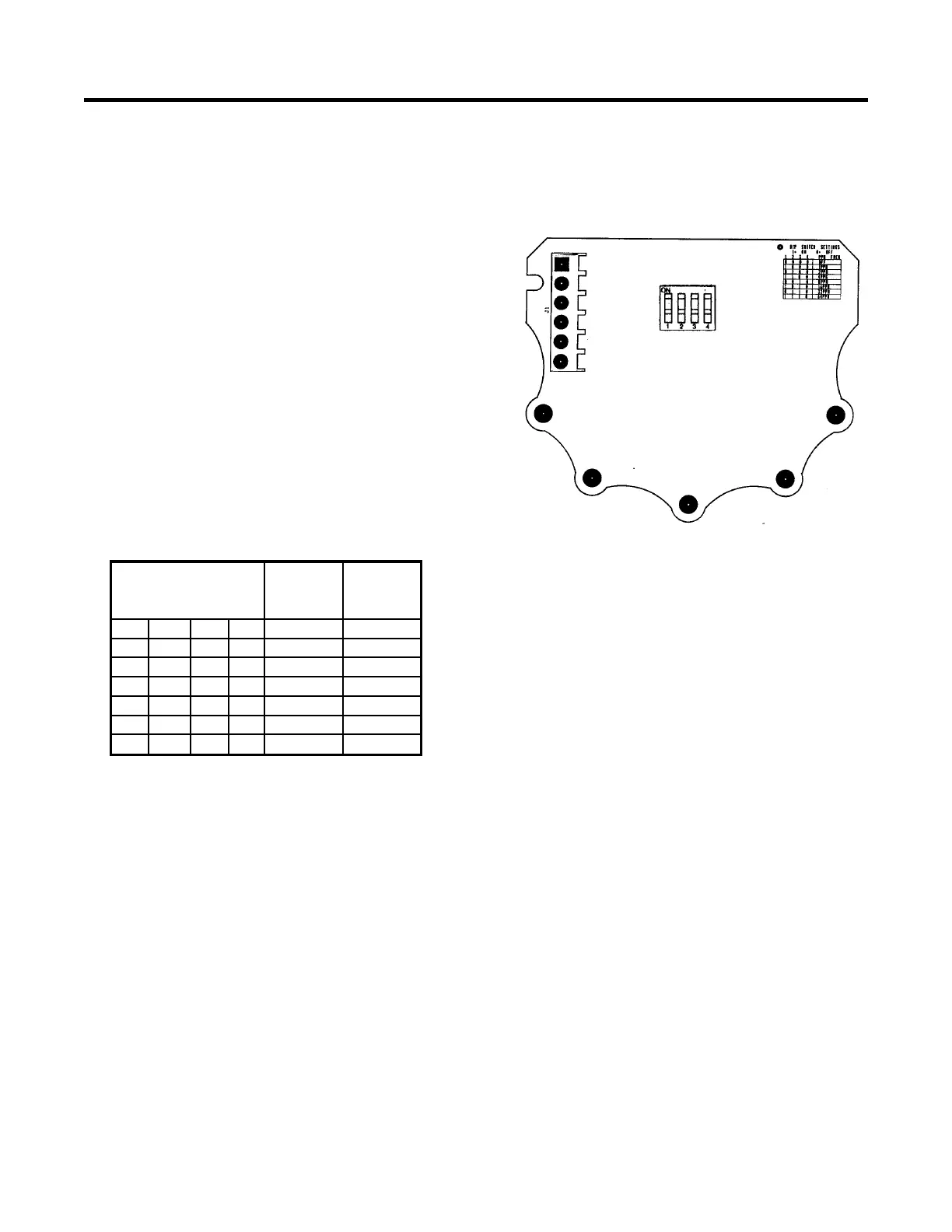
Stevens has redesigned the Quartz
Multispeed Timer to allow for a more
efficient switch configuration for setting of
chart speeds. Below is a layout of the new
switch, located on the timer circuit board.
The switch is accessed by removing the
cover of the QMT. The chart speed switch
selections are listed on the table below.
Switch Settings
Switch Number
Type A Type A
1 2 3 4 inches/day cm/day
ON ON ON OFF 38.4 97.5
OFF ON ON OFF 19.2 48.8
ON OFF ON OFF 9.6 24.4
OFF OFF ON OFF 4.8 12.2
ON ON OFF OFF 2.4 6.1
OFF ON OFF OFF 1.2 3
NOTE:
A 1 AMP, IN-LINE FUSE IS
RECOMMENDED FOR SAFETY AND
CIRCUIT PROTECTION
WHEN POWERING THE TIMER
EXTERNALLY.
Connect the cable to the external source,
with the wire coming from QMT terminal 1
connected to the negative (-) terminal of the
source. Similarly, connect the wire from
QMT terminal 4 to the positive (+) terminal
of the source.
Replace the cover on the QMT. Set
the timer to the fastest chart speed
and listen for the "clicking" as
described previously. If operating
properly, set the timer to the desired
chart speed to begin recording.
3.2 The Pen
A simple, disposable cartridge pen,
which uses a felt tip is used with the
Type A recorder. This disposable
pen uses an adapting arm to mount


 To Next Page