< 44 >
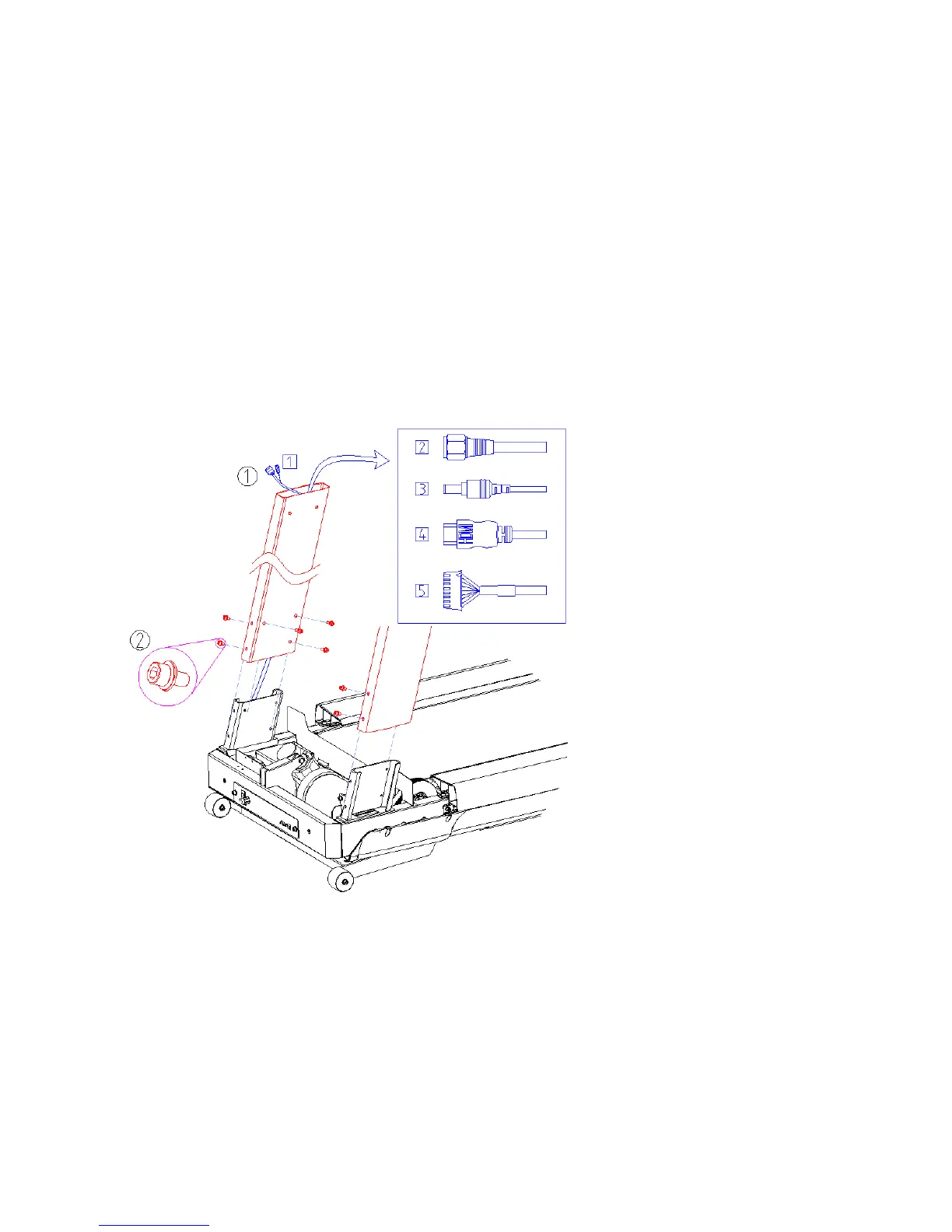
3. Secure the DISPLAY SUPPORT
① Unwrap the cables . Lead the cables through the DISPLAY SUPPORT R and Pull out the cables to the DIS
PLAY SUPPORT R end.(1)
1) Main cable - S25T, S25TX
2) RF cable - S25TX
3) Adapter cable - S25TX
4) HDMI cable (Option) - S25TX
5) CSAFE cable (Option) - S25TX
② Slide the DISPLAY SUPPORT R down over the DISPLAY UPPORT R BRK and Fasten 5 bolts(M8
×
20mm)



 To Next Page