18
Instructions (Cont.)
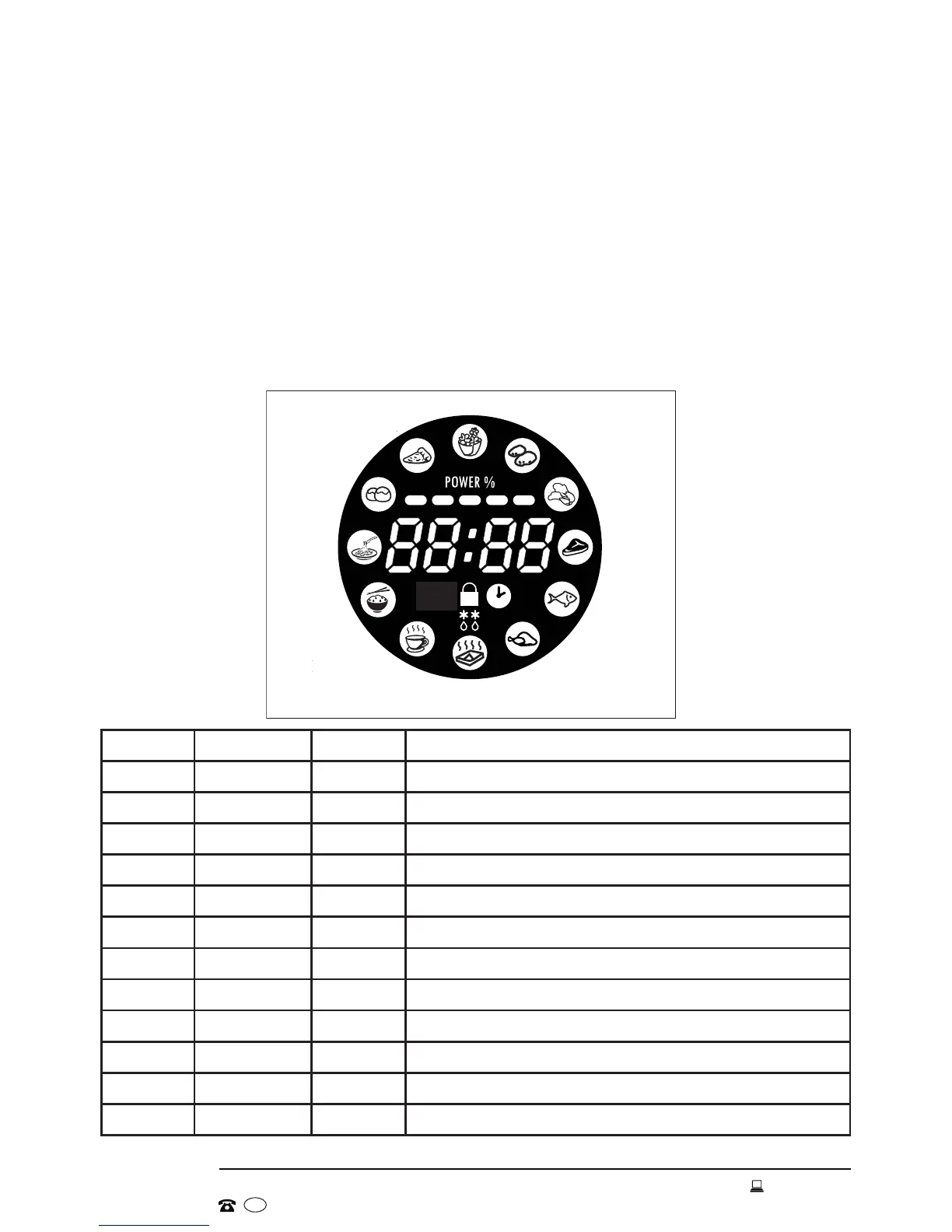
Auto cooking (preset cooking settings)
This microwave oven has several preset cooking settings for cooking particular
types and quantities of food automatically, without the need for setting cooking
time or power level. Just select the type of food by rotating the Function Dial
(popcorn, potato, vegetables, meat, fish, chicken, reheat, beverage, rice, pasta,
bread, pizza). Then push in the Function Dial (press Enter) and select the
weight/quantity option by turning the Function Dial.
Finally, press the Instant Start button to start auto cooking. You may need to
turn the food over during cooking to ensure even heating.
Display Food Options Weight/Quantity Options
A-01 Popcorn 1 100g
A-02 Potatoes 2 0.45kg - 0.65kg
A-03 Vegetables 5 0.1kg - 0.2kg - 0.3kg - 0.4kg - 0.5kg
A-04 Meat 6 0.2kg - 0.3kg - 0.4kg - 0.5kg - 0.6kg - 0.7kg
A-05 Fish 6 0.2kg - 0.3kg - 0.4kg - 0.5kg - 0.6kg - 0.7kg
A-06 Chicken 6 0.2kg - 0.3kg - 0.4kg - 0.5kg - 0.6kg - 0.7kg
A-07 Reheat 5 0.2kg - 0.4kg - 0.6kg - 0.8kg - 1.0kg
A-08 Beverage 2 250mL - 500mL
A-09 Rice 5 0.1kg - 0.2kg - 0.3kg - 0.4kg - 0.5kg
A-10 Pasta 5 0.1kg - 0.2kg - 0.3kg - 0.4kg - 0.5kg
A-11 Bread 5 0.1kg - 0.2kg - 0.3kg - 0.4kg - 0.5kg
A-12 Pizza 2 1 share - 2 shares
Bread
Beef
pasta
Vegetable
Rice
Pizza
Fish
Reheat
Potato
Beverage
Chicken
Popcorn
Pizza
Bread
Pasta
Rice
Beverage
Reheat
Chicken
Fish
Beef
Vegetables
Potatoes
Popcorn


 To Next Page