9
Mirco
Power
Auto
Cooking
Enter
Time
Weight
Preset
Clock
Defrost
Pause
Cancel
Instant
Start
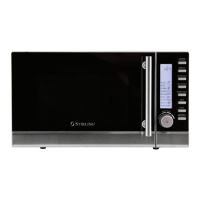
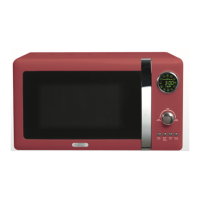
DIGITAL DISPLAY
• Power level, cooking time, clock time
and action indicators are displayed on
the circular screen.
• The food icons around the edge
(see page 10) represent the auto
cooking menus (clockwise from top):
popcorn, potatoes, vegetables, beef,
fish, chicken, reheat, beverage, rice,
pasta, bread, pizza.
FUNCTION DIAL
Turn the dial to:
• Select the Auto Cooking function, then
push in the dial (press Enter) and select
the weight option by turning the dial.
• Input a cooking time.
• Select a food weight.
• Set the oven clock time.
BUTTONS
Micro Power
Press this button to set the power level.
Preset / Clock / Defrost
Press this button to set the delayed start
timer, set the clock or select defrost mode.
Instant Start
Press this button to start a set program,
or to start cooking immediately for one
minute at 100% power.
Pause/Cancel
Use this button to pause or cancel an
operation or program, or to set the
child lock.
Product Overview (Cont.)
The control panel


 To Next Page