19
Important notes
• The programmed auto cooking times are based on the food being at room
temperature (20-25°C) before cooking. Food that is colder or warmer may
require increased or decreased cooking times.
• Auto cooking results are affected by the shape and size of the food to be cooked,
how well it is placed in the microwave oven, voltage fluctuations and, of course,
your personal preference as to how well done you like certain foods cooked.
If your food is not cooked to your satisfaction, please adjust the cooking time
accordingly.
Instructions (Cont.)
Multistage cooking
Some recipes may require cooking at more than one power level. Your oven can be
set to change power levels automatically at different stages, up to four times.
Example
To set the oven to cook food with 100% microwave power for 3 minutes followed
by 9 minutes with 20% power:
Place the food into the oven and close the door.
Stage 1: • Press the Micro Power button to set the power level to 100P.
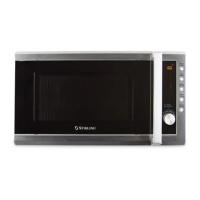
• Turn the Function Dial to set the cooking time [ 3:00 ].
Stage 2: • Press the Micro Power button to set the power level to 20P.
• Turn the Function Dial to set the cooking time [ 9:00 ].
• Press the Instant Start button to start the program. The countdown
will start and the LED will display the time remaining in the current stage.
Important notes
• When the first stage (cooking with 100% microwave power) is finished, the
second stage (microwave 20P) will start automatically.
• A maximum of four (4) stages can be set with a multistage program. To set
more stages, repeat the steps above.
Example
To set the oven to steam 400g of fish:
• Place the fish on a plate in the oven and close the door.
• Turn the Function Dial to activate the Auto Cooking setting, then push in the
dial (press Enter) when the A-05 setting for Fish is flashing.
• Select the weight/quantity option by turning the Function Dial to 0.4.
• Press the Instant Start button to start auto cooking. The countdown will start
and the LED will display the remaining auto cooking time.


 To Next Page