TA+P2I
User Manual
Release r06 www.stollmann.de Page 7 of 18
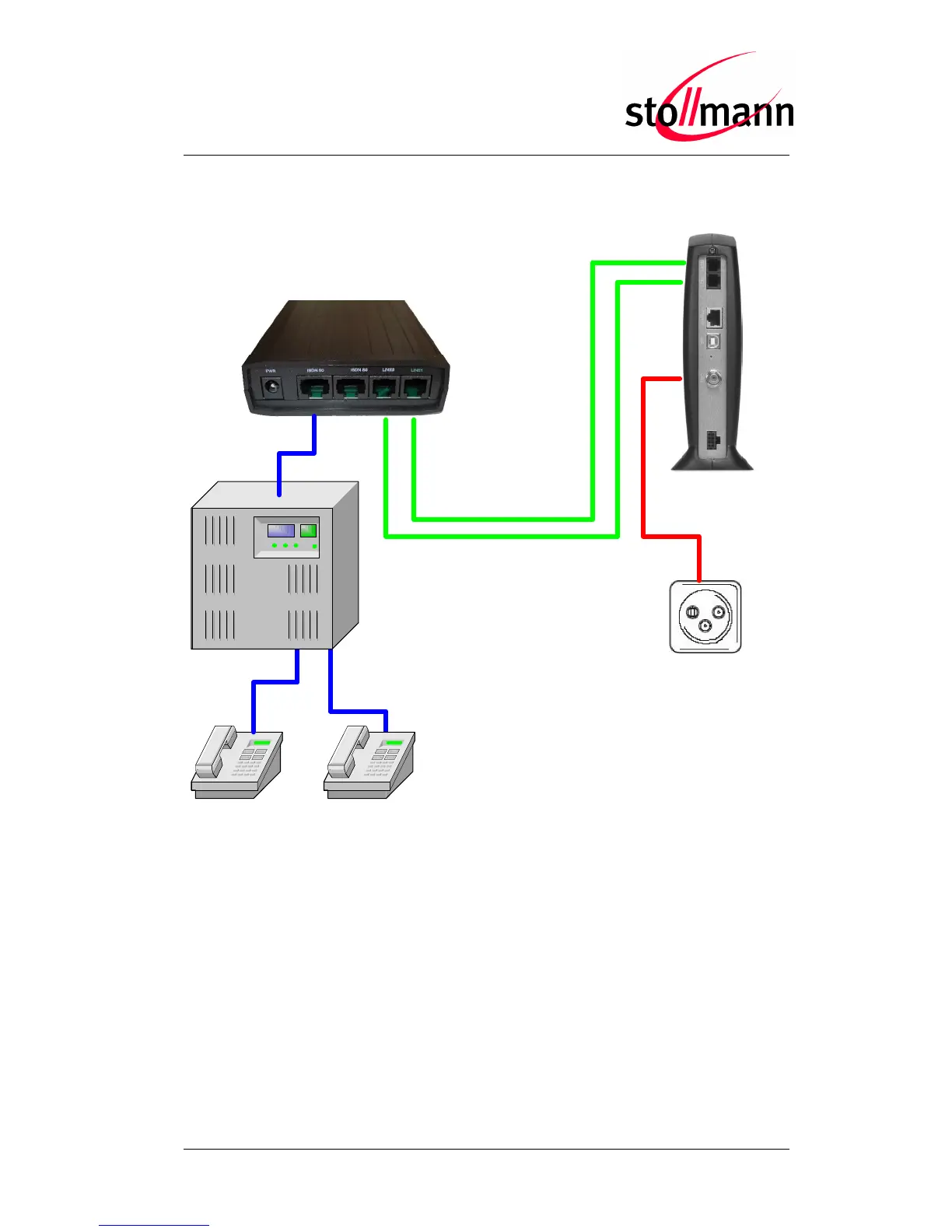
2.3 Procedure of Installation for ISDN PABX
ISDN phone ISDN phone
TA+P2I
Pabx
Cablemodem
To use the TA+P2I with an ISDN PABX please do the steps below:
• Connect the power supply to the TA+P2I and mains: The green LED “READY” at
the front panel will be lit permanently.
Attention: Please use only the delivered power supply!
• Connect “LINE 1“ with the first analogue line, “LINE 2” with the second one. The
corresponding LEDs LINE1 and LINE2 will be lit green.
• Connect the public line port of the PABX to one ISDN plug.
Note: The ISDN terminating resistors for the ISDN network are integrated
inside the TA+P2I already.



 To Next Page