10
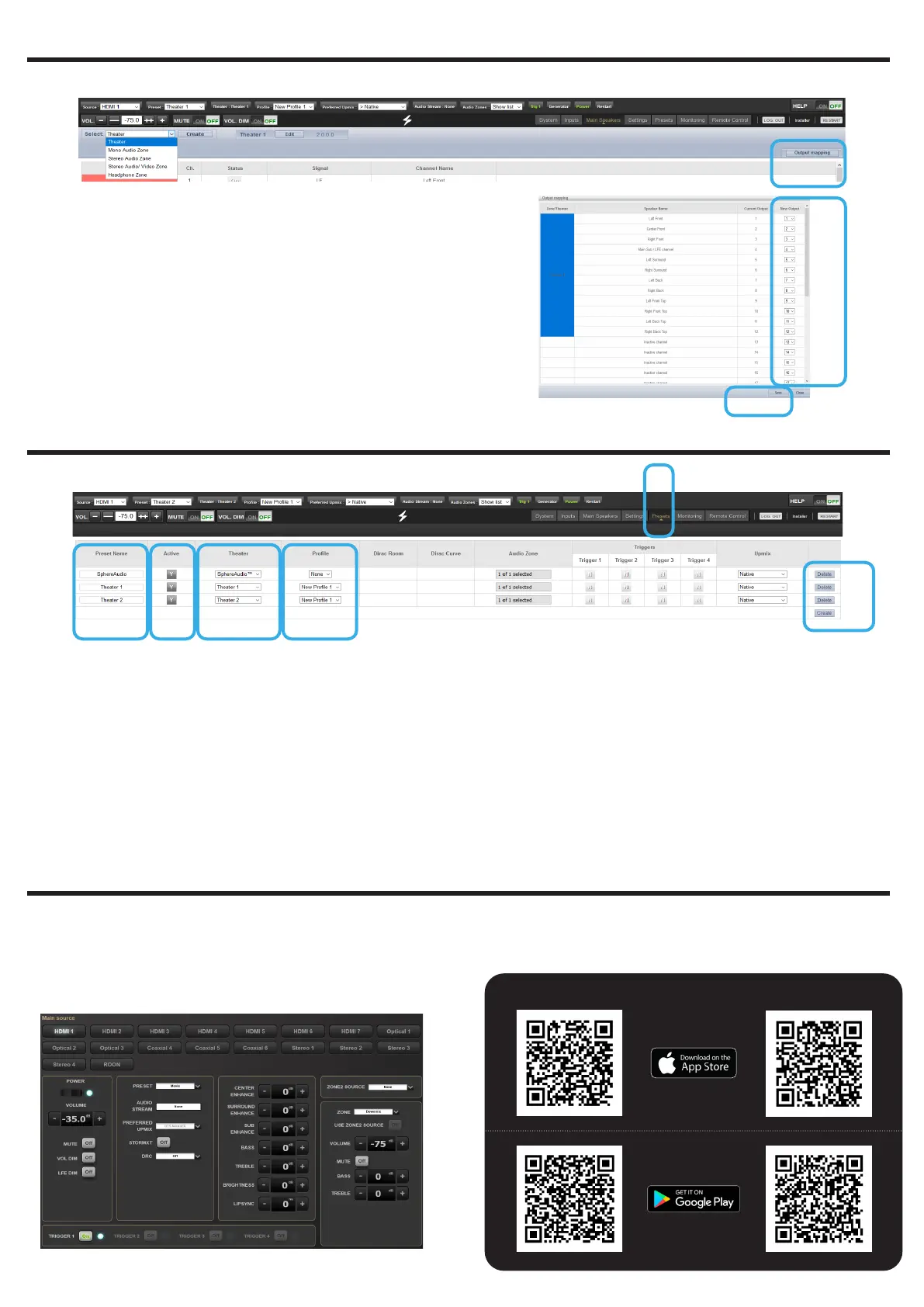
1. If the physical connections are different from
the default proposed mapping defined in the
configuration (section 5), you can access the
Output Mapping feature in the Main Speakers tab
and selecting Output Mapping button.
2. Change the channel assignment by inputting the
correct channel in New Output.
3. When completed save the changes to exit and go
back to Speakers page.
1
2
3
1
2
3 4 5 6
1. Definition of Presets is required for playback by
linking a Theater and an Audio Profile and make it
accessible in the Remote Controls. To do so, select
the Presets tab.
2. Some Presets have been created by default while
configuring your Theater. You can create more
Presets using the Create button or delete some.
3. Change the Preset Name here.
4. A Preset is visible and accessible in the Remote
Controls only if Active (Y) in the Presets page.
5. Select which Theater should be activated when
the Preset is selected.
6. Choose which Audio Profile for the selected
Theater needs to be playing. This will call up all
the related audio adjustments.
Note: check Owner Manual for more information about
the other settings.
6 - OUTPUT MAPPING
7 - PRESETS DEFINITION
8 - REMOTE CONTROL
Access the Web User Interface Remote Control (check
section 3, Home Page and select Remote Control) to
control the ISP from your Web Browser.
Use the StormRemote Control Application available
on the app stores:
Tablet
Phones


 To Next Page