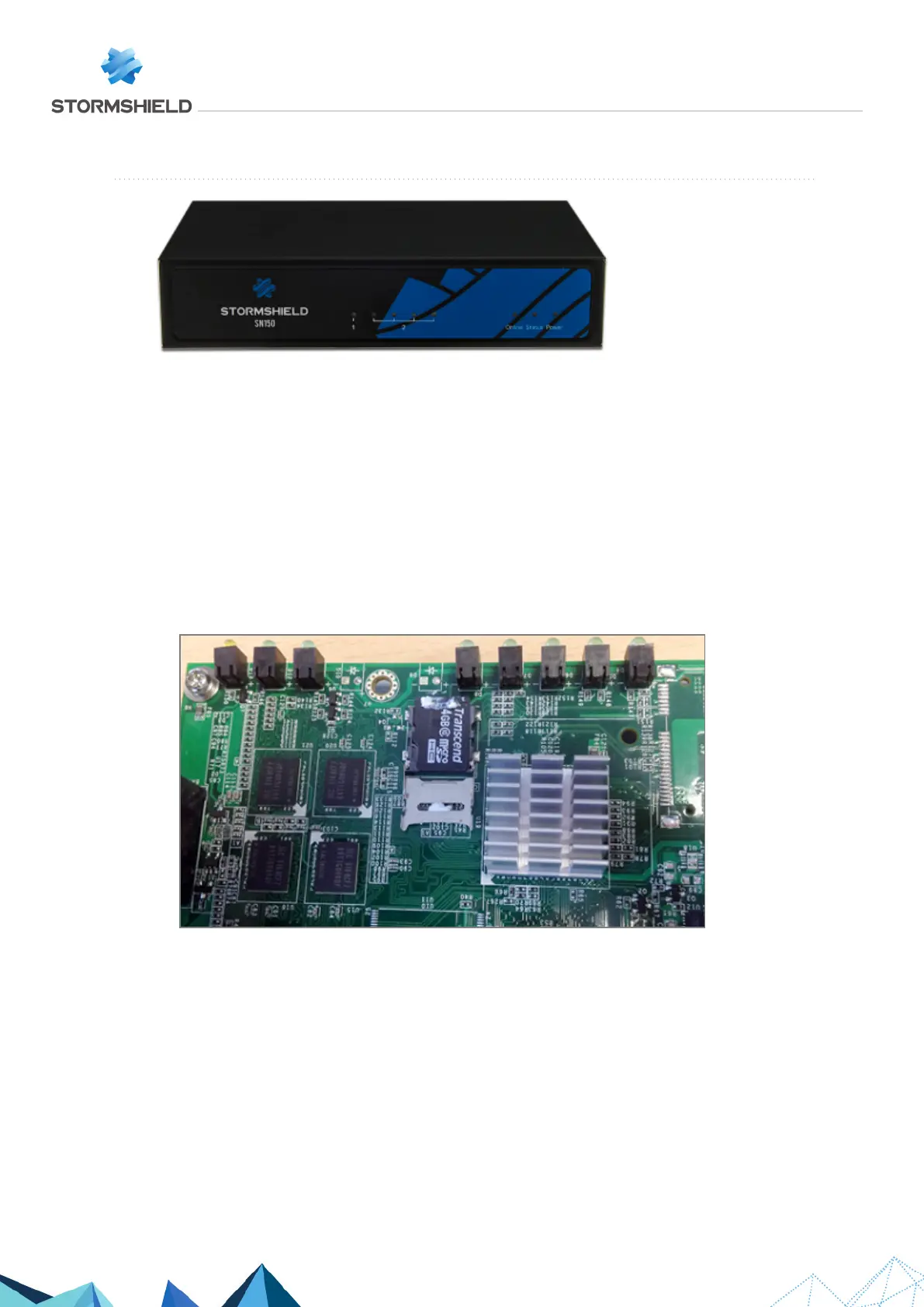
SN150
Data is stored in Flash memory on this product, in micro SD card format, installed on the
motherboard.
Dismantling
1. Using the Phillips screwdriver, unscrew the 3 black countersunk screws.
This operation will tear the warranty sticker.
2. Open the appliance.
You will see the micro SD card on the upper part of the motherboard, next to the 5 LEDs of
the front panel. It is held in place by a line of glue and a metal cover plate.
3. Using the small flat screwdriver, remove the adhesive strip by scraping lightly at it.
4. Unlock the metal cover by sliding it a few millimeters towards the rear of the product:
5. Open up the cover all the way.
6. Retrieve the micro SD card, turning the appliance upside down over the work area.
7. Place the appliance back in its previous position.
8. Close the cover.
9. Lock it by sliding it a few millimeters towards the front panel of the product.
Assembling
1. Put both parts of the appliance back together.
2. Close it up using the 3 screws.
SNS - TECHNICAL NOTE
SECURE RETURN OPTION
Page 5/29 sns-en-secure_return_option_technical_note - 08/01/2022



 To Next Page