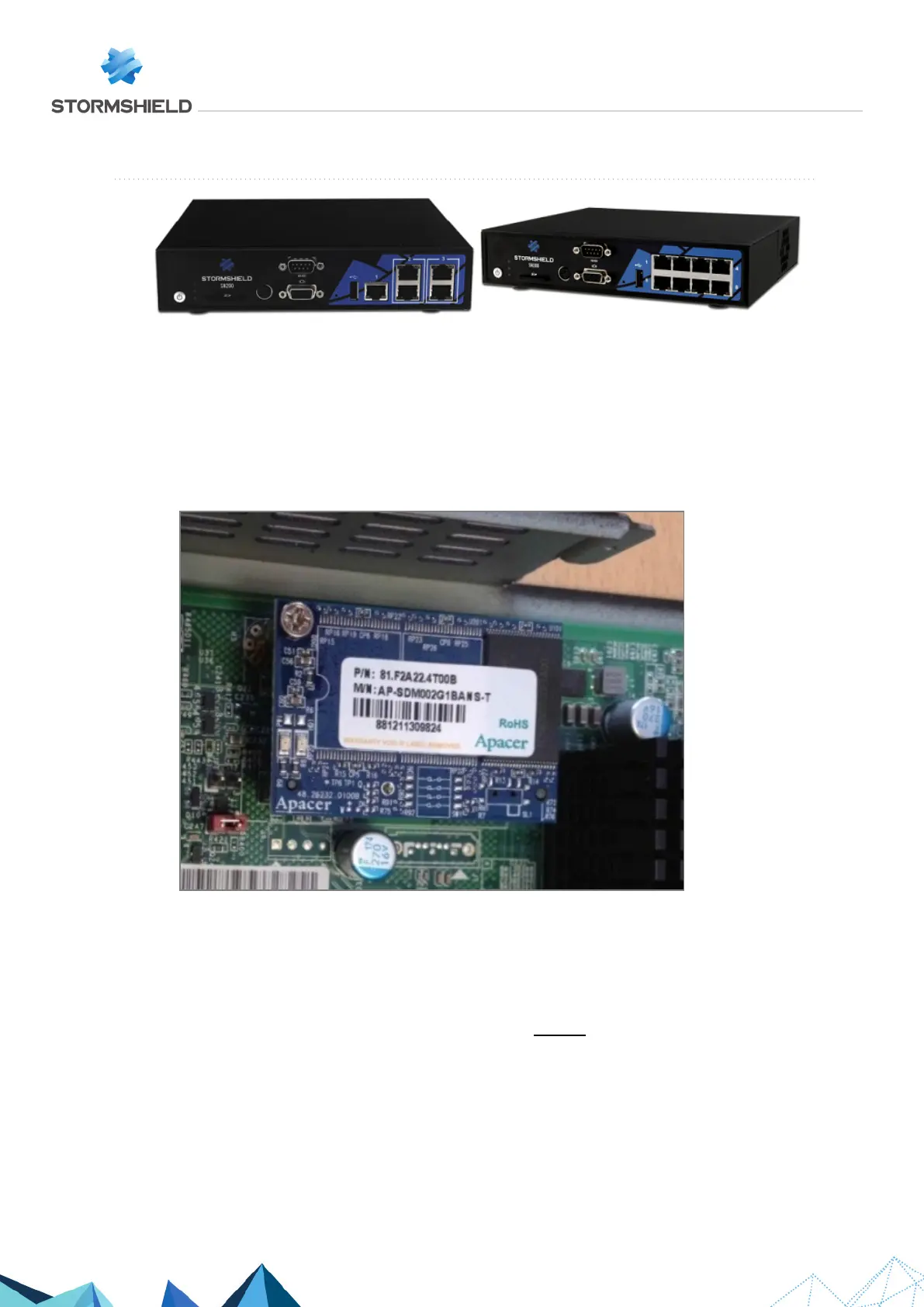
SN200 and SN300
On these products, data is stored on an internal Flash module.
Dismantling
1. Unscrew the 4 black countersunk screws with a Philips screwdriver.
2. Open the appliance.
This operation will tear the warranty sticker.
3. Locate the Flash module:
4. Unscrew the fastening screw of the Flash module with a Philips screwdriver.
5. To extract the flash module, pull it gently perpendicular to the motherboard:
Assembling
1. Ensure that the screw of the Flash module remains outside the chassis.
2. Put both parts of the appliance back together.
3. Close it up using the 4 screws.
SNS - TECHNICAL NOTE
SECURE RETURN OPTION
Page 6/29 sns-en-secure_return_option_technical_note - 08/01/2022



 To Next Page