10
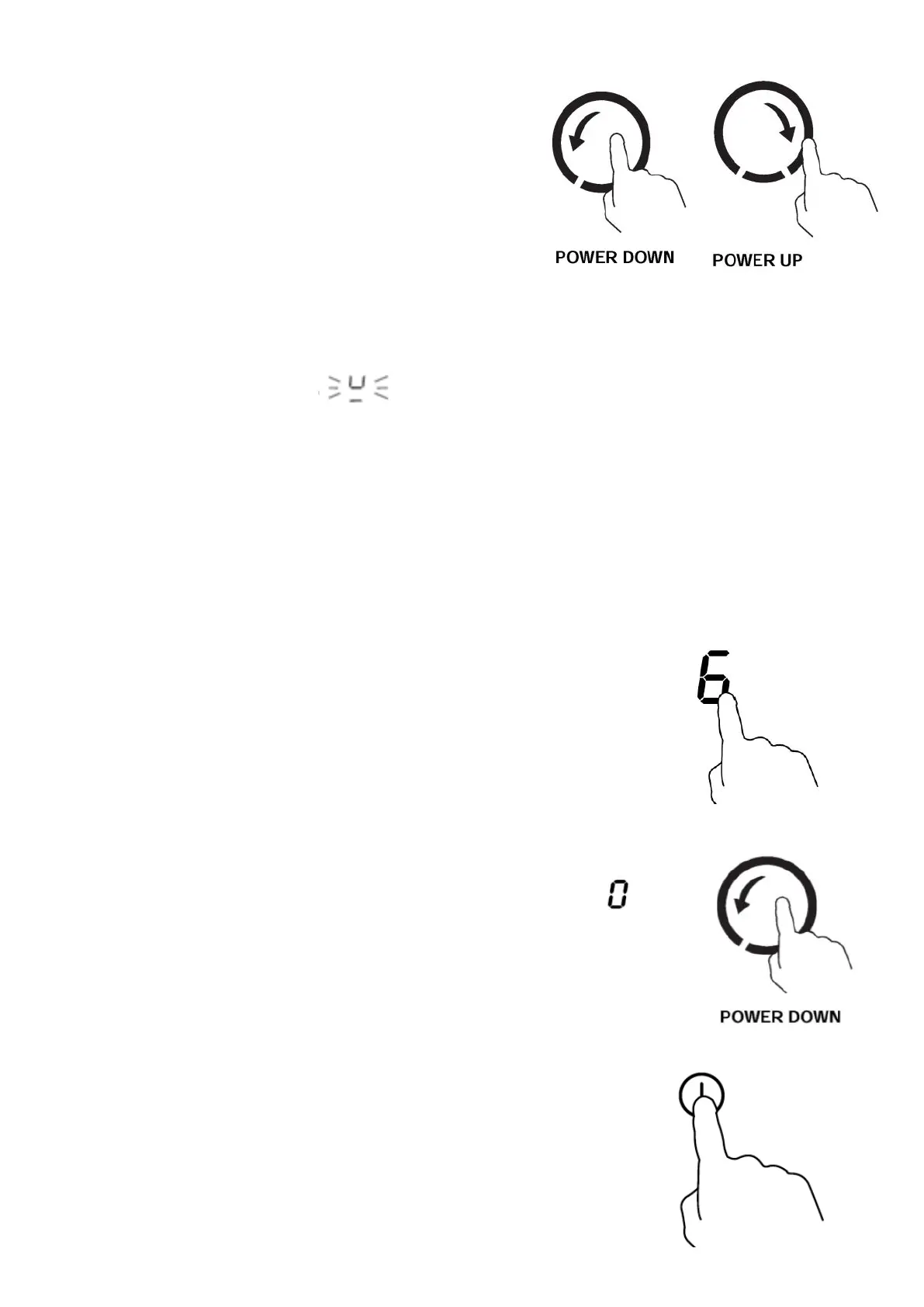
4. While the power level indicator is ashing, use the slider
to select the power level.
• If you don’t select a power level within about 1 minute,
the zone will automatically switch o. You would then
need to start again from step 1.
• When you need to adjust the power level, touch the
relevant heating zone selection control key again until
the power level indicator starts to ash. While the power
level indicator is ashing, use the slider to adjust the
power level. Adjusting the power level down to 0 will
switch the zone o
Ifthedisplayashes alternately with the heat setting
This means that:
• You have not placed a pan on the correct cooking zone or;
• The pan you’re using is not suitable for induction cooking or;
• The pan is too small or not properly centered on the cooking zone or not properly located within the
area with printed lines.
No heating takes place unless there is a suitable pan on the cooking zone. The display will
automatically turn o after 1 minute if no suitable pan is placed on it.
Finish cooking
Touch the relevant heating zone selection control key for the zone that you
wish to switch o. The power level indicator for that zone starts to ash.
While the power level indicator is ashing, use the slider to turn the
power level down to 0. The zone switches o.
Turn the whole hob o by touching the On/O control key.



 To Next Page