13
Using a large area as two independent zones
When using a exible area as one large zone, you can revert to using the area as two separate zones.
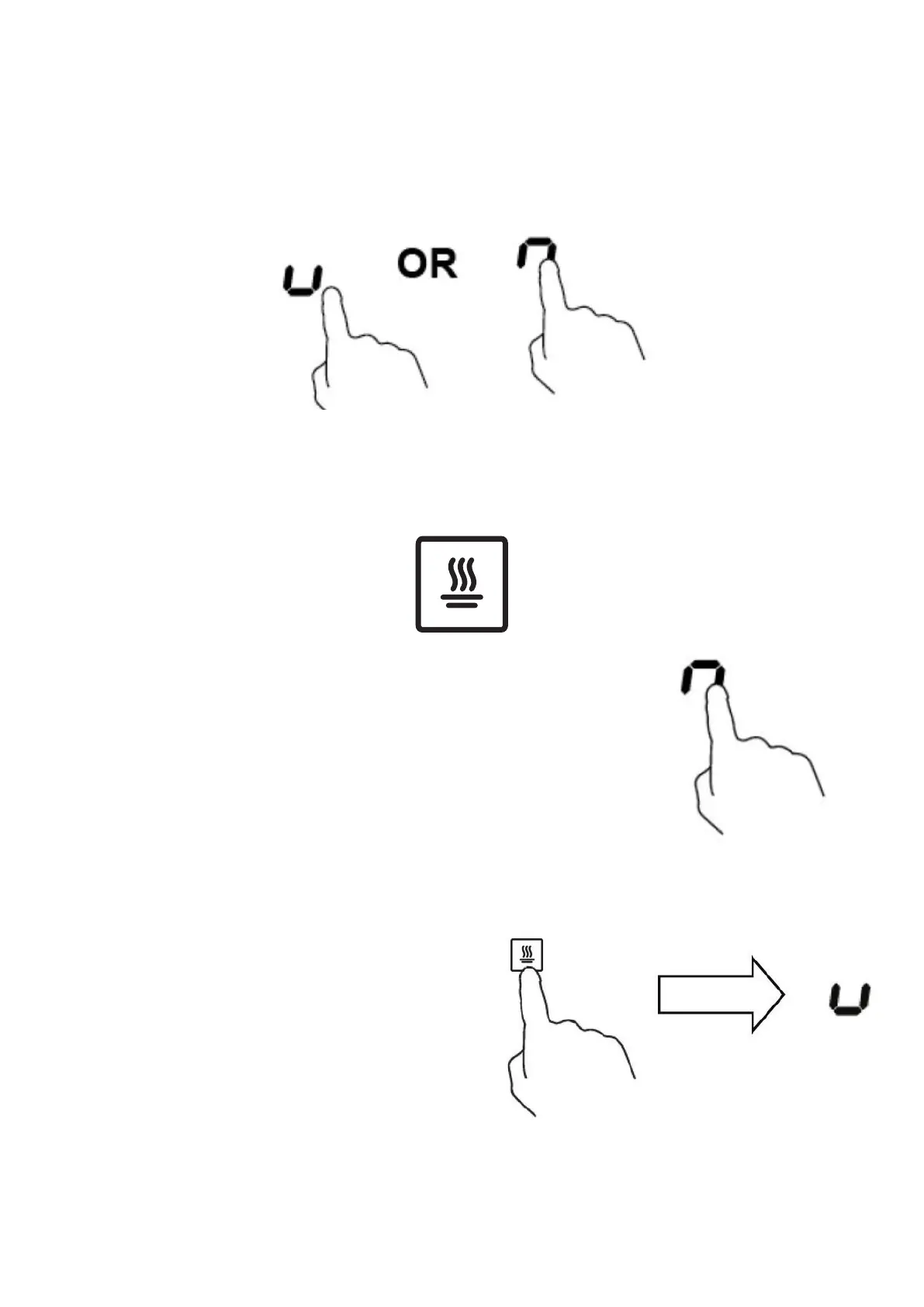
Touch the power selection key for the rst zone, and while the power setting is ashing, use the slider
dial to select the required power setting. Repeat for the second zone.
1. To use the exible area as two dierent zones with dierent power settings, press the dedicated
keys.
Note: Ensure that the magnetic bases of the pans have a diameter of at least 140mm.
Keep warm function
The Keep Warm function can be used on all 4 cooking zones.
1. Touch the heating zone selection key for the zone you wish to use
the keep warm function on. The power level indicator starts to ash.
2. While the power level indicator is ashing, touch
the keep warm function key. ‘U’ appears in the
power level indicator display.
To cancel the keep warm function, touch the
heating zone selection control key for the relevant
zone, and ensure that the power level indicator
for that zone is ashing. While the power level
indicator is ashing, use the slider to select a
dierent power level, or take the power level down
to 0 to switch the zone o.



 To Next Page