9
OPERATION GUIDE
2-450174-030A
WWW.VARI-LITE.COM
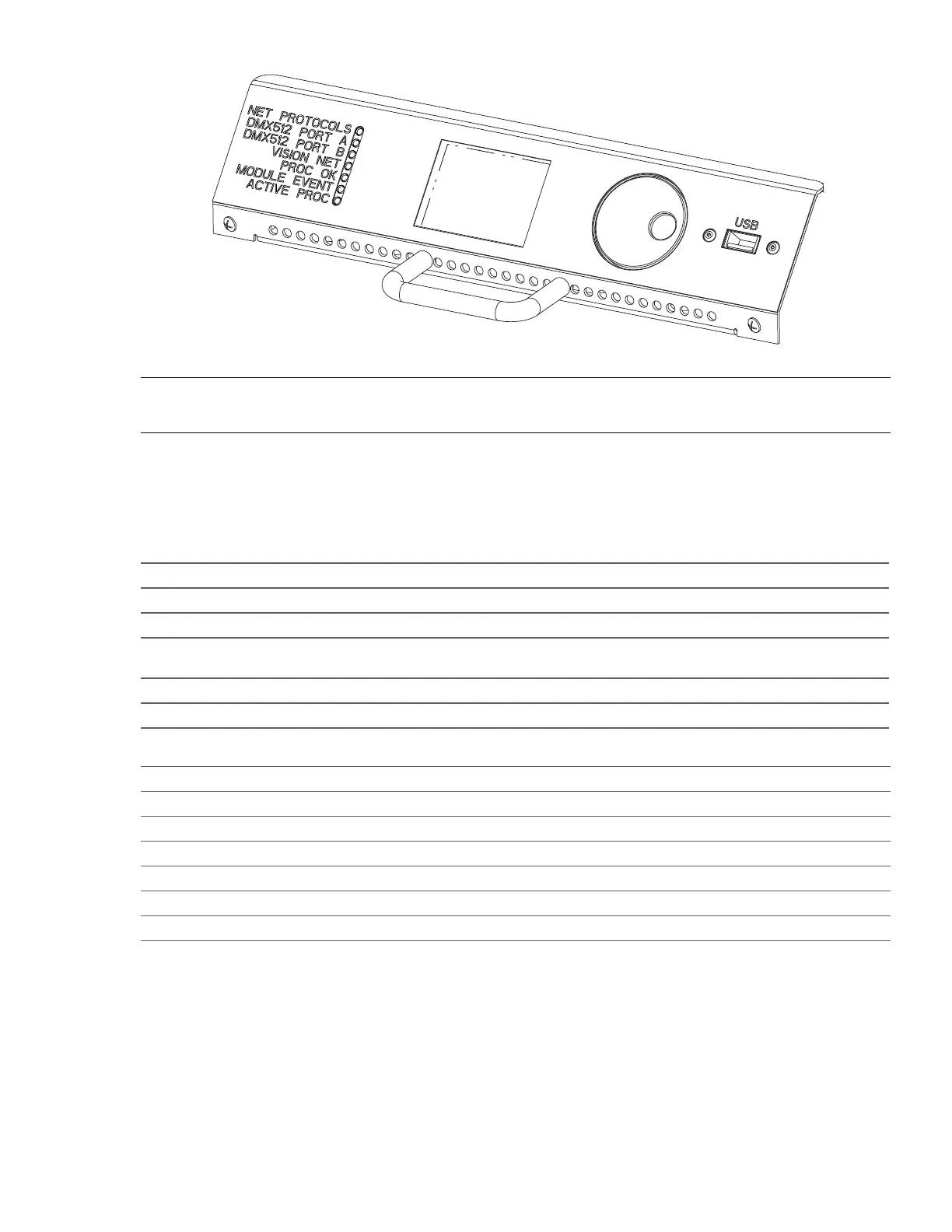
FIGURE 7. PROCESSOR MODULE FRONT PANEL
NOTE: If the MODULE EVENT LED is ON, check the dimmer event log to see which dimmer is causing prob-
lems. If any other LED does not illuminate correctly, switch OFF the power immediately and check the installa-
tion again. If all wiring seems correct, call Strand or your local Authorized Service Center.
LED STATUS
The LEDs on the front of each rack processor module are the first level of diagnostics and provide immediate
visual status indication. The nine LEDs on the front of the rack processor housing and module indicate the fol-
lowing:
Rack Processor Housing LEDs
Phase A (green): Should be ON if PhaseA/Line 1 is OK.
Phase B (green): Should be ON if Phase B/Line 2 is OK.
Phase C (green): Should be ON if PhaseC/Line 3 is OK.
Over-Temp (red):
Should be OFF. Flashing indicates an Over-Temp condition. ON indicates dimmer mod-
ule automatic Over-Temp shutdown.
Panic (red): Should be OFF. On indicates that PANIC has Been activated.
Lighthouse (blue): Blue = normal. Flashing red = error. Solid red = shutdown.
Rack Processor Module LEDs
Network Connection (green): Should be ON if there is a network signal.
DMX512 A (green): Should be ON if there is a DMX512 signal.
DMX512 B (green): Should be ON if there is a DMX512 signal.
Vision.Net (green): Flashes ON when there is a Vision.Net signal.
Module Event (red): Should be OFF. On indicates a dimmer fault
Processor OK (green): Should be ON. O indicates there is a problem.
Active Processor (green): Should be ON if self-test is OK. Indicates active processor.
Dimmer Events
If the Module Event LED is on, the LCD will show the number of dimmer events at which time the display can
be manually accessed to show a description of the event(s). Refer to the appendices section of this manual for
a description of event codes. If any other LED does not illuminate correctly, switch OFF the power immediately
and check the installation again. If the fault persists and all wiring seems correct, call Vari-Lite or your local
Authorized Service Center (www.vari-lite.com).


 To Next Page