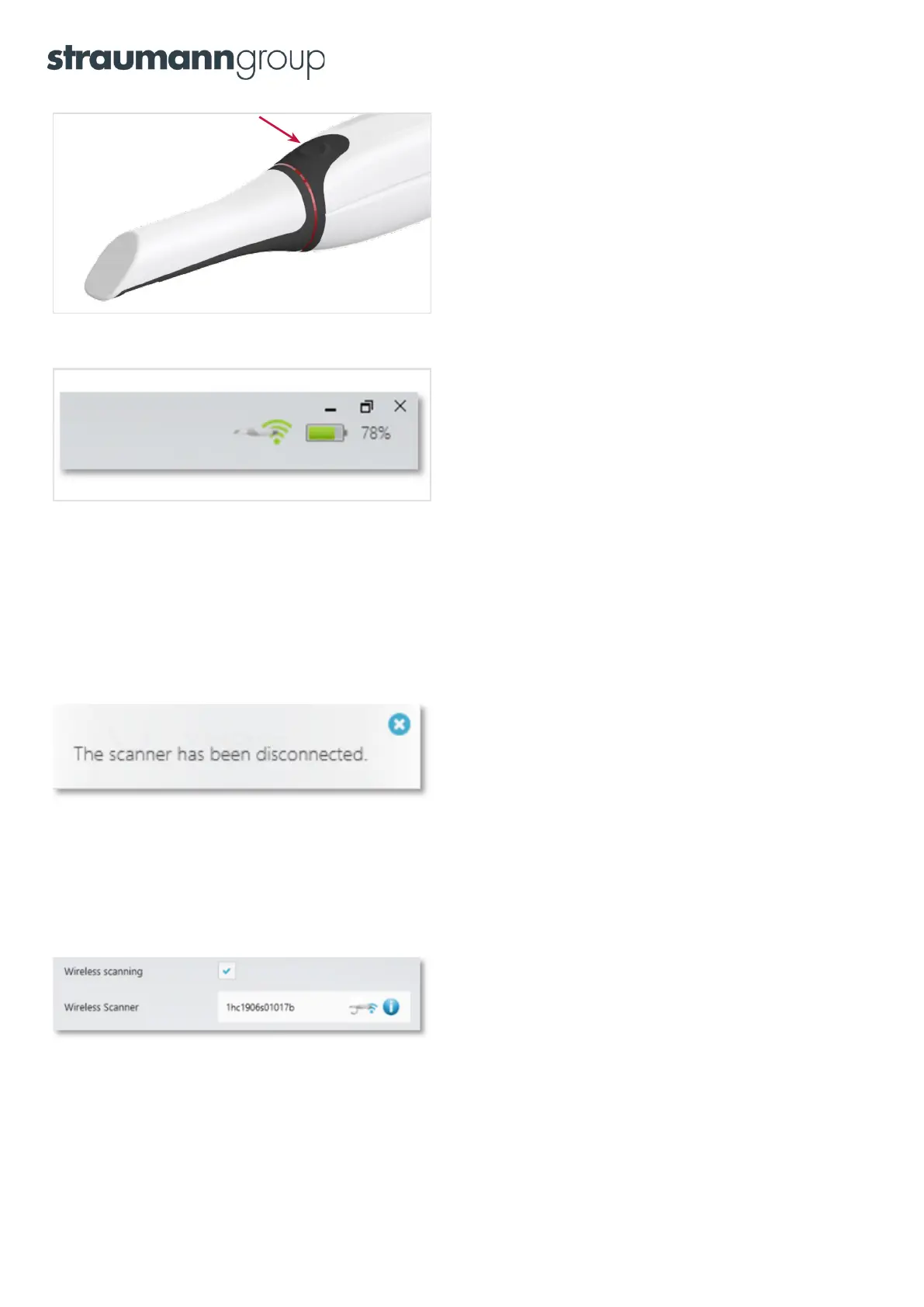
Step 4: Turn the scanner on so that the software can detect it.
Do this by inserting a fresh battery, then press the button on
the scanner.
Step 5: Once the scanner is connected, a green icon with the battery
charge level will be displayed. The scanner is now ready to scan.
NOTE: While you are using the 3Shape TRIOS® system, messages will be displayed on your PC screen to guide you. You need to calibrate
your TRIOS 4 scanner before using it for the first time. You should also calibrate every 8 days during normal use. Calibration is also
effective if you need to compensate for thermal variations or aging effects due to wear.
For a detailed description of the calibration process, please refer to the TRIOS Safety and Setup guide.
If a connection to the scanner is lost
If the connection to the scanner is lost (e.g. after you changed the battery or due to bad wireless conditions),
the software will automatically attempt to reconnect to the scanner.
The scanner will reconnect after approximately 15 – 45 seconds.
One scanner vs multiple scanners
One or more wireless scanners can be added to the same PC using the same procedure as described in the table
above. The number displayed in the message box is the serial number of the scanner which can be found on the front
tube. Only one scanner can be connected to the computer at a time.
9


 To Next Page