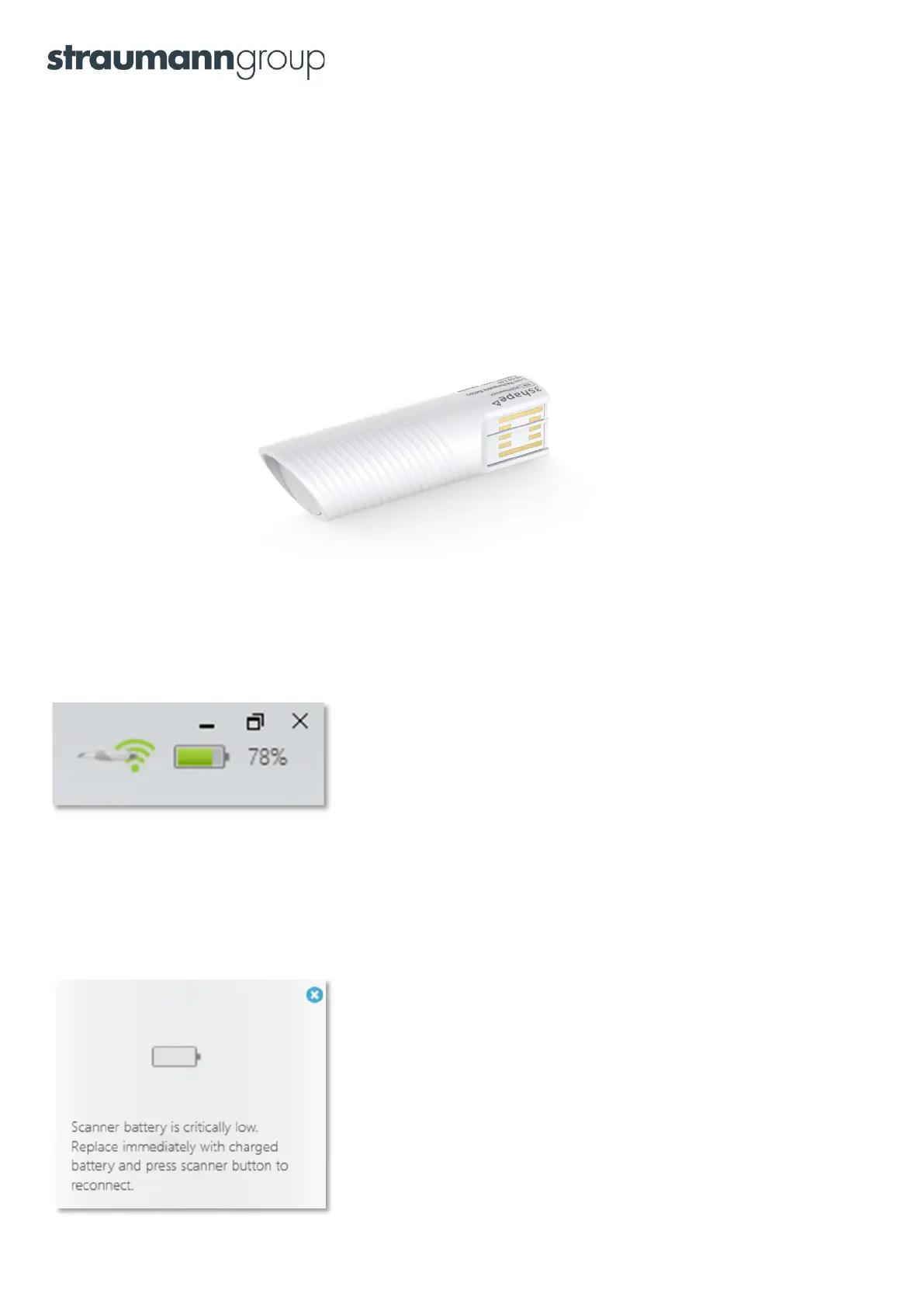
How long will the battery last before I need to recharge it?
With 3Shape TRIOS
®
4, you can continuously for 45 min before recharging. The TRIOS 4 smart tips enable instant
heating and thereby low consumption of battery power.
Note that the battery’s power management uses a computation (memory) of their capacity. A new battery will
have a somewhat conservative computation of its capacity. After the first few charges/discharges the battery
indicator will ‘learn’ its true capacity. The scanner will learn its true capacity faster if you allow it to run until it
stops by itself.
Important note: The scanner will consume battery if it is turned on and connected to the PC/MOVE+.
Changing batteries when power runs out
If the battery runs out, simply remove the discharged battery and replace it with a fully charged battery.
Press the scanner’s button and the scanner will automatically reconnect with the POD/PC/MOVE+.
You can at any time see the current capacity (%)
of the battery in the upper right corner of the screen
The battery icon will turn yellow if power drops below 20%. You can continue scanning until the scanner stops
by itself, even when the battery gauge shows 0%. No harm comes to the scanner by running until it stops by itself.
When battery capacity drops to a very low level, warning messages prompting you to exchange the battery will
appear on the left side of your screen:
Battery level drops to 1%
13


 To Next Page