. Using the Novaloc® Tools
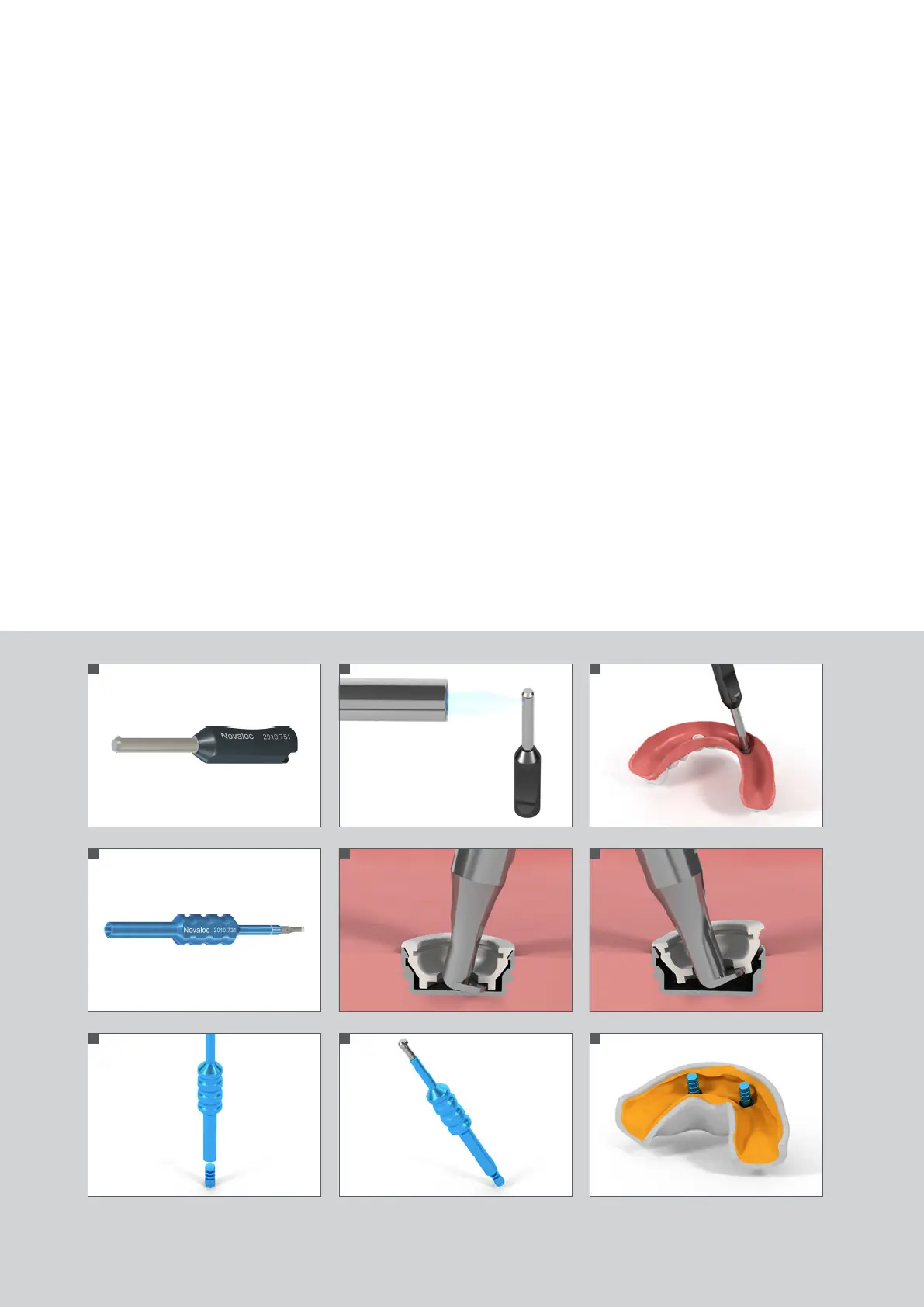
. Novaloc® Matrix Housing Extractor (Fig. )
Removing the Novaloc® Matrix Housing from an overdenture
1. Heat the Novaloc® Matrix Housing Extractor head (Fig. 2).
2.
Apply the hot Novaloc® Matrix Housing Extractor to the Matrix Housing and let the heat transfer for 2 – 3 seconds melting
the resin around the Matrix Housing.
3. Tilt the Novaloc® Matrix Housing Extractor to the opposite side of the beak-shape end in order to remove the Novaloc®
Matrix Housing (Fig. 3).
. Novaloc® Demounting Tool for Mounting Inserts and Model Analog Reposition Aid (Fig. )
Removing the Novaloc® Mounting Insert
1. Insert the toe of the Novaloc® Demounting Tool into the Novaloc® Mounting Insert (Fig. 5).
2. Tip the Novaloc® Demounting Tool to the opposite side of the foot-shaped end and remove the Novaloc® Mounting Insert
from the Novaloc® Matrix Housing (Fig. 6).
Placing the Novaloc® Model Analog
1. Pick up the Novaloc® Model Analog with the opposite side of the Novaloc® Demounting Tool (Fig. 7/8).
2. Position the Novaloc® Model Analog in the impression (Fig. 9).
666666
1
4
7
2
5
8
3
6
9
490.115.indd 6 24/06/2019 14:02


 To Next Page