Mounting with
Lensman-18A 3-Axis Gimbal:
Step 1.
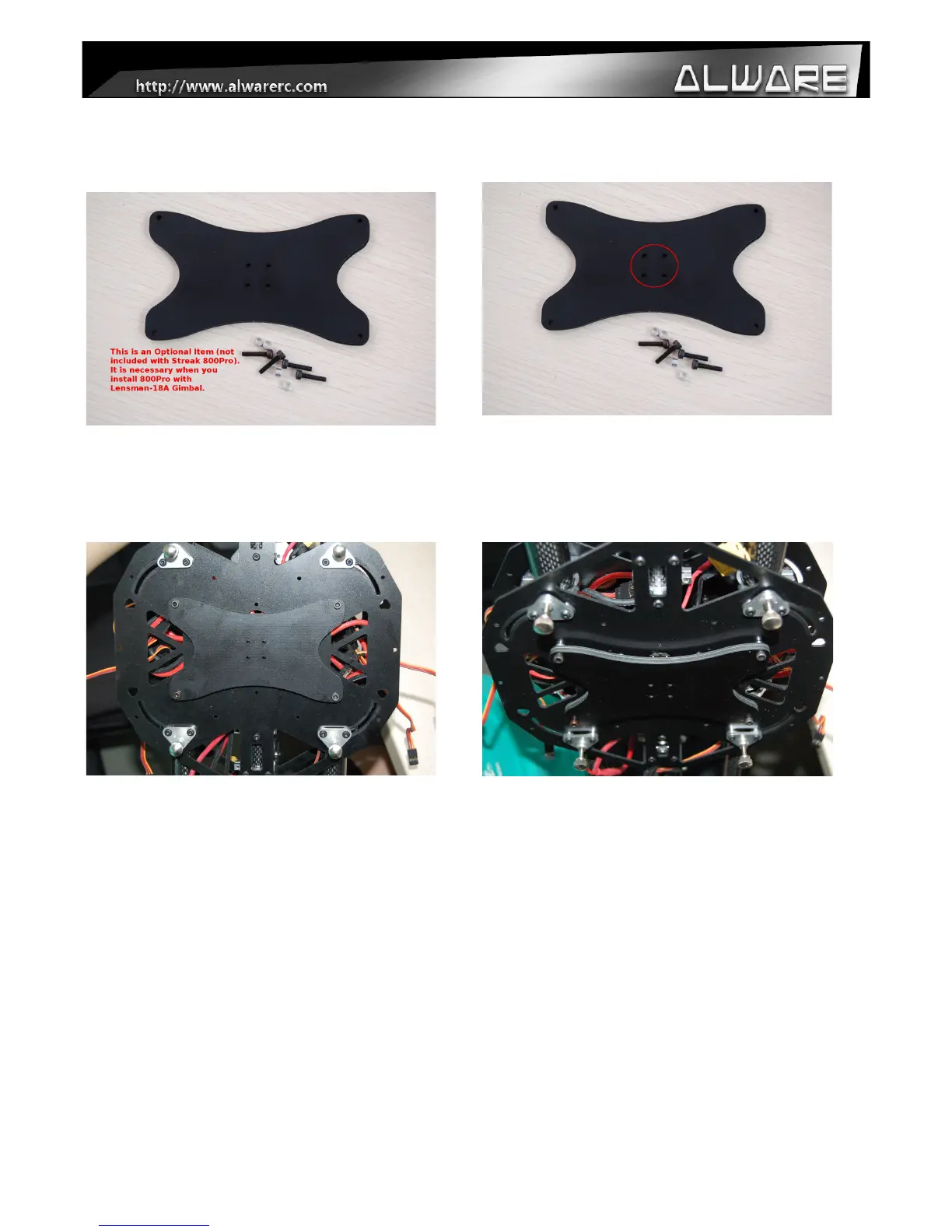
Prepare the Lensman-18 Gimbal Mounting
Frame Model: ALLENS-18GMF (optional
item, not included) if you want to install with
Lensman-18A Gimbal.
Step 2.
Install the Lensman-18 Gimbal Mounting
Frame onto the Lensman-18A Gimbal.
Step 3.
Replaced the installed Landing Gear Frame
Assembly(Step 8) from the Lower Main
Frame of the body with the Lensman-18A
Gimbal with the Mounting Frame installed
(Step 2) using four M3x 14mm Hex Cap
Screws with 3x5x3mm Collars.
Step 3.
Side view.
21


 To Next Page