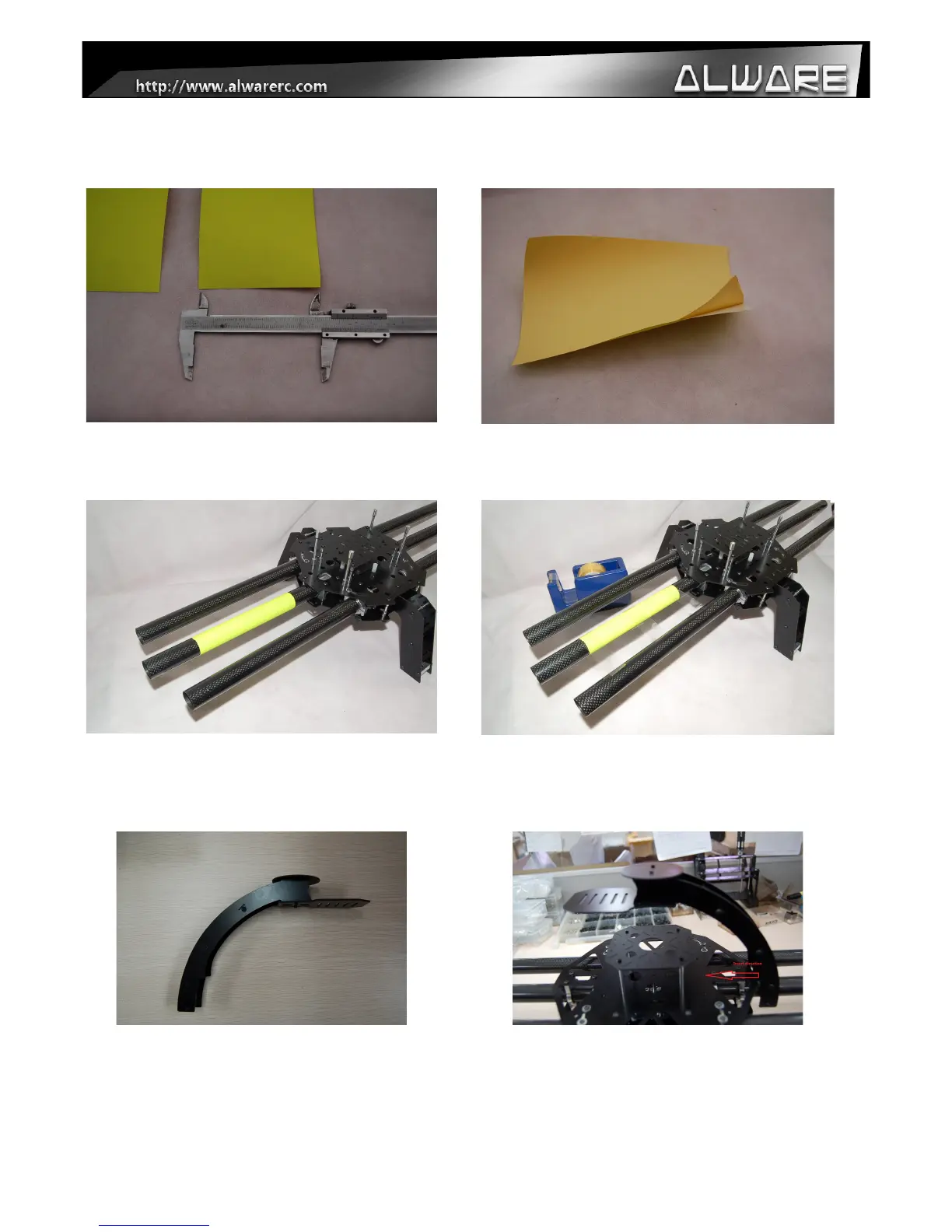
4.1 Assembly Steps - Flight direction indicator
Step 1.
Cut the Direction Indicating Sticker with a
width of around 100mm.
Step 2.
Tear the cover layer of the Sticker before
stick to the front Carbon Arm Boom.
Step 3.
Stick the Direction Indicating Sticker to the
Fixed Carbon Arm Boom as to indicate the
Forward Flying Direction.
Step 4.
Use three pieces of Adhesive Tape to secure
the Direction Indicating Sticker.
Step 5.
Prepare the FPV & GPS Mounting Assembly.
Step 6.
Insert the FPV & GPS Mounting Assembly
into the opposite boom of the Direction
Indicating Sticker.
8


 To Next Page