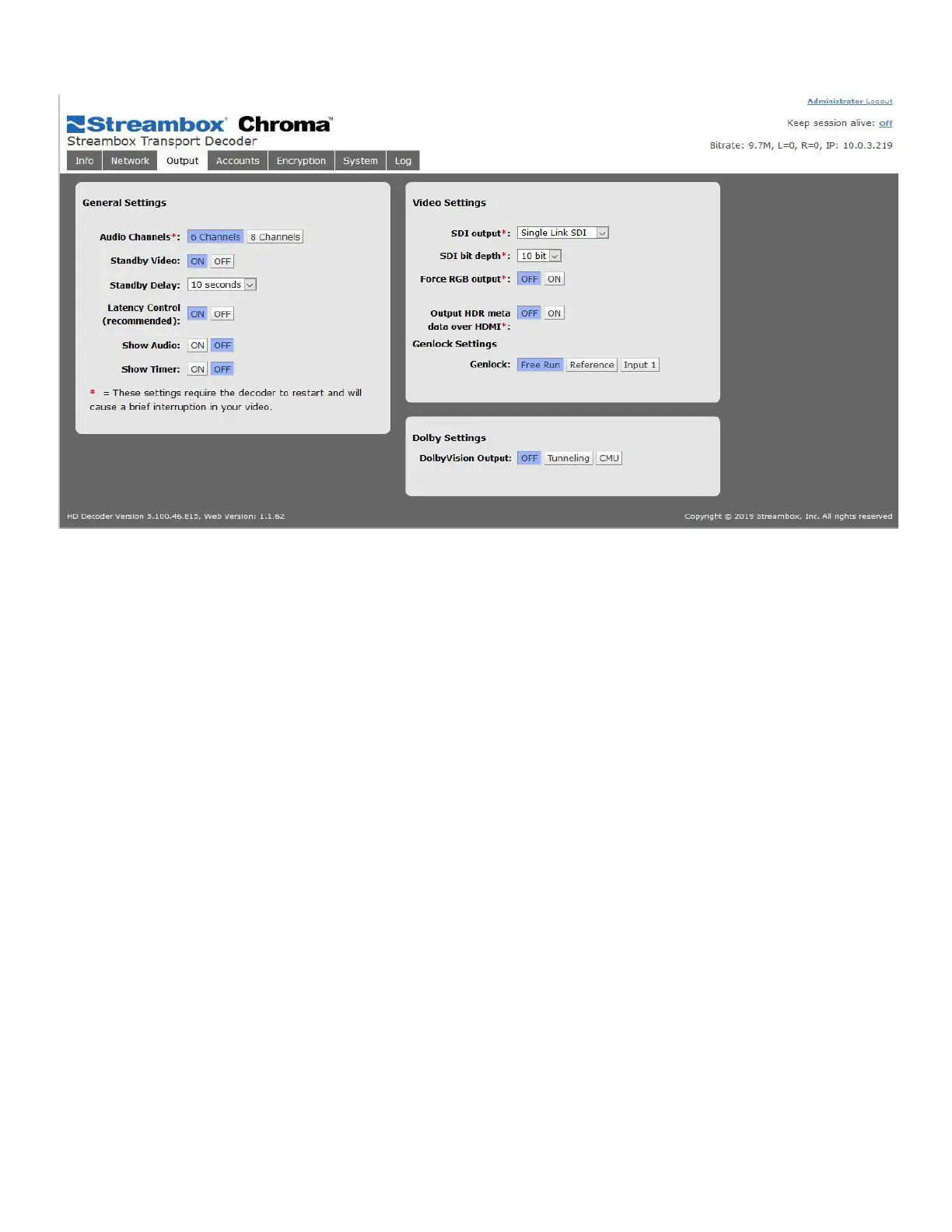
6.5 Output Page
Figure 18 Decoder Web UI Output Page
General Settings
Audio Channels: Sets the number of audio channels to output.
● 6 Channels mode should be used for 1, 2, 4, or 6 audio channels.
● 8 Channels mode should be used for 8 audio channels
Standby Video: sets the Decoder to display the standby video image (“colorbars image”) when the Decoder
receives no incoming data. The default value is “ON”, If this setting is off, the screen will show a freeze-frame
of the last video frame processed.
Standby Delay: This is the amount of time in seconds that the Decoder will display a freeze-frame of the last
video frame processed before switching to the Standby Video image, if enabled. This delay allows time for the
Encoder to resume the stream without interrupting the video with the standby image.
Latency Control: sets the Decoder to control decoding latency. The default, and recommended, value is “ON”
Show Audio: sets the Decoder to overlay audio meters on the output video signal. The default value is “OFF”.
Show Timer: sets the Decoder to overlay decode timing and display data on the output video signal. The
default value is “OFF”.
Video Settings
SDI Output: selects the output configuration; depending on hardware, Chroma supports 3G, 6G, and 12G SDI
connections. Depending on the video resolution, up to a single 12G connection, 2x 6G connections, or 4x 3G
connections may be utilized to channel the output to the output monitor.
SDI Bit Depth: Sets the Bit Depth (8-bit, 10-bit, or 12-bit) of the color of the output.



 To Next Page