Security
Enable login data autocompleting: Check the box for the Login form to auto-complete usernames based on
the initial entry by the user.
Require password change after 30 days: Check the box to require monthly password changes. Applies to all
users, unless the below box is checked as well.
Expire non-admin password after 90 days: Check the box to require quarterly password changes on
non-admin users.
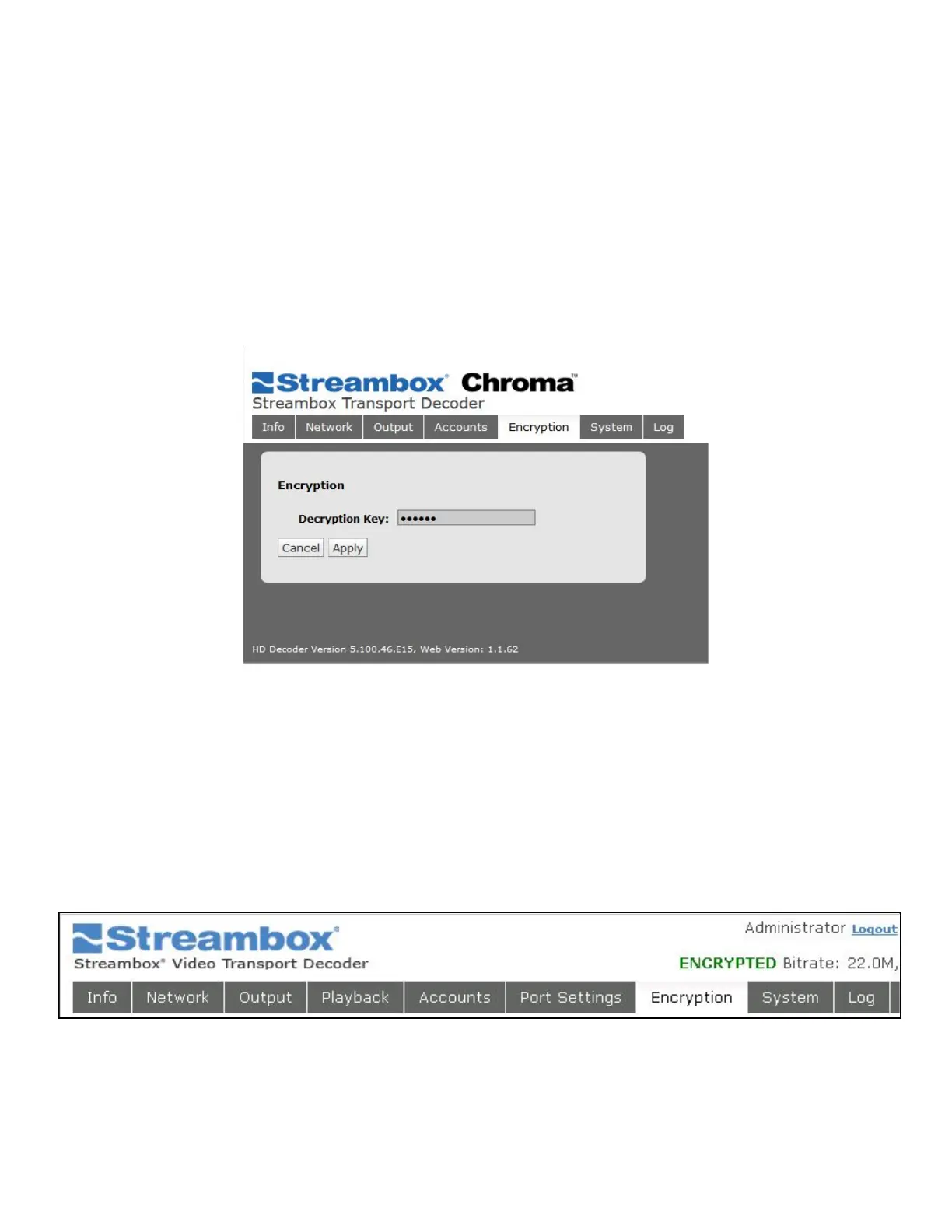
6.7 Encryption Page
Figure 20 Web UI Encryption Page
Streambox Chroma offers the optional feature Stream Encryption, using 128, 192, or 256-bit AES encryption.
This page allows you to start the Activation process (if you’ve paid for an activation key) and, following
activation, enter a Decryption Key. This key is not given by Streambox, but rather is the shared-secret phrase
that sender and receiver must use. Use letters and numbers.
If Decryption is successful, the status line in the upper right will indicate that success with ENCRYPTED:
Figure 21 Decoder Web UI Encryption Success



 To Next Page