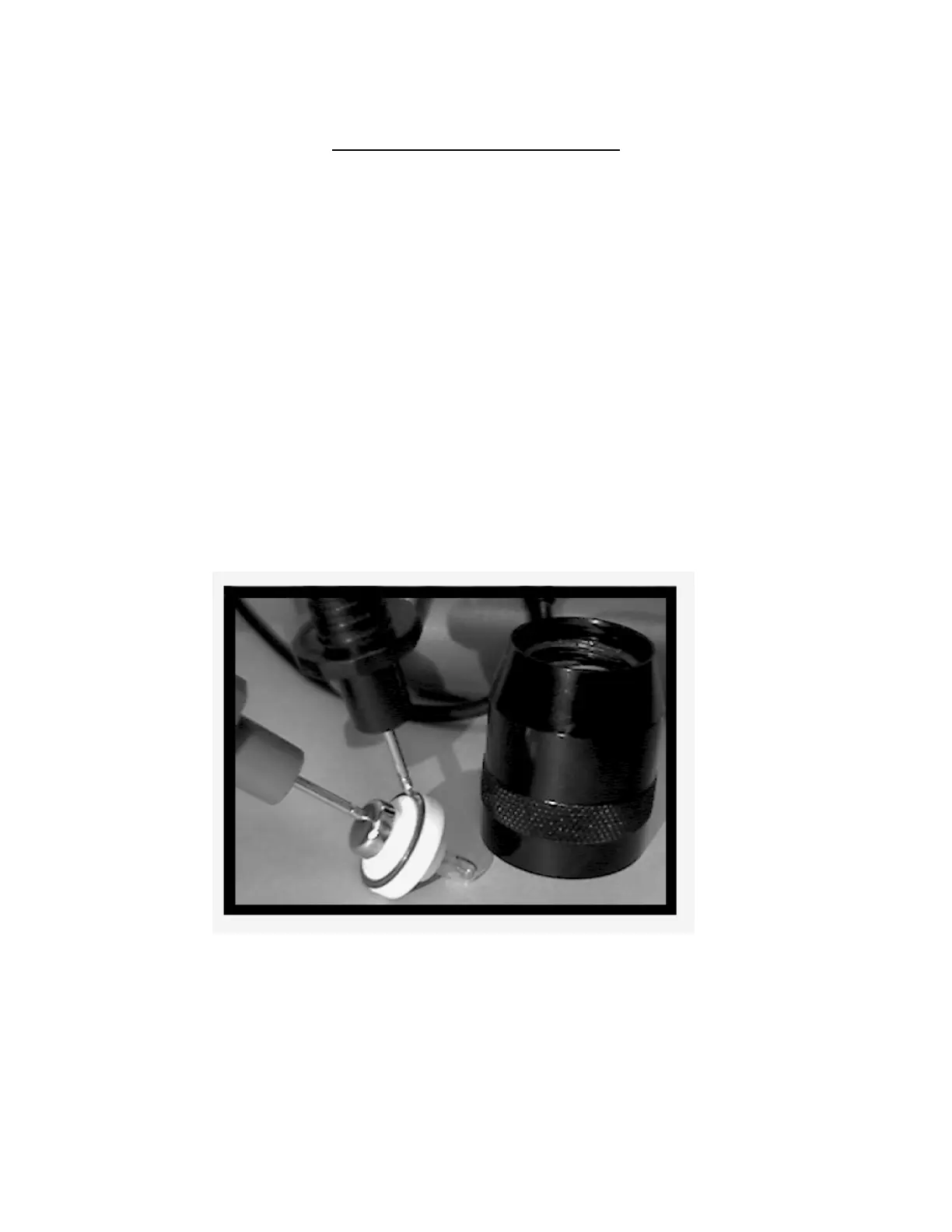
THE LAMP HOLDER ASSEMBLY
1. Remove the head from the barrel.
2. Place the head assembly lens down onto a flat surface.
3. Grasp the white lamp holder assembly and remove it from the head.
4. The bulb can be checked while it is still in the lamp holder.
a. Place the multimeter into the continuity position.
b. Place one lead on the circular metal battery contact opposite the bulb.
c. Place the other lead onto the outer focus spring contact ring.
1. If there is continuity the bulb and lamp holder are functional.
2. If there is no continuity insert a new bulb and retest as in 4a,b, and c above.
a. If the new bulb corrects the problem no further action needs to be taken.
b. If the new bulb does not correct the problem replace the lamp holder assembly.
5. To reassemble place the head lens down on a flat surface.
6. Insert the lamp holder and bulb into the head bulb first.
7. Place functional batteries into the barrel and screw the head onto the barrel.
- 10 -



 To Next Page