10
NOTE: It is recommenced that the backlight be OFF when measurements are made in well-illuminated areas,
as this will greatly increase battery life.
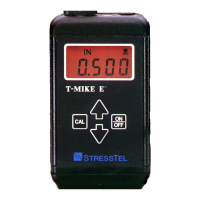
C. Metric/English Units
Press the CAL key a second time.
The T-Mike E will display the units in which it is set to measure thickness (IN or MM).
Press the UP or DOWN arrow keys to select the desired unit of measurement.
D. CALIBRATION LOCK
Press the CAL key a third time.
The T-Mike E will display the status of the calibration lock function (CAL or LOC).
When CAL is displayed the velocity calibration function can be performed as described in Chapter V, Operation.
When LOC is displayed the calibration function is disabled. The velocity used in measurement cannot be
changed without entering this SETUP procedure again to change settings to CAL.
It is recommended that the lock feature be used when supervising personnel wish to prevent unauthorized
change of the calibrated velocity.
Pressing the CAL key a final time completes the SETUP procedure and returns the T-Mike E to the measurement
mode.


 To Next Page