17
Chapter VI
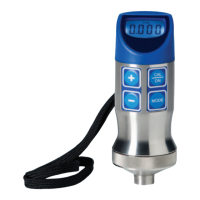
T-Mike Programmable
A. Configuration and Calibration
The T-Mike Programmable is preset to display in inches or millimeters; the backlight enabled or disabled;
and the sound velocity fixed. This can be done at the factory prior to shipping or this may be done by con
necting the T-Mike Programmable to an IBM
“
compatible computerrunning special software, or from a T-Mike
E. When using a T-Mike E, a special cable is required.
B. To Program From a T-Mike E
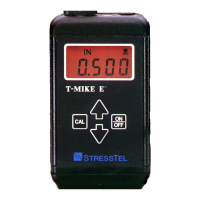
Set the T-Mike E in the desired mode by holding down the CAL key while turning on the power. Now calibrate
the sound velocity of the T-Mike E to the desired sound velocity. Turn off both gauges. Connect the special
cable between the two data/charger ports. Turn on the T-Mike E; press the CAL key twice and the LCD will
indicate the velocity. Now turn on the T-Mike Programmable. The T-Mike Programmable should display CAL,
followed by the new velocity and then will go into the measurement mode. Be sure this new velocity matches
with the sound velocity in the T-Mike E.
C. To Program from an IBM Compatible PC
Remove rubber plug from the serial port of the T-Mike and insert the LEMO connector of the T-Mike serial cable
(Part Number 022-506-783). Connect the serial cable to COM1 or COM2 of the PC. Run SETMIKE from Start/
Programs/Stresstel or from the appropriate installation directory. Select Measurement Unit: Inches or Millimeters.
Enter sound velocity in inches/uS or M/S. Press Enter to accept new velocity. Check Backlight to illuminate T-
Mike reading. Select Serial Port: COM1 or COM2.


 To Next Page