18
When you turn off the T-Mike Programmable, it will display the EPROM software version. When you turn on the
T-Mike Programmable, it will momentarily display the calibrated sound velocity. Test the T-Mike Programmable
on a material sample to verify that it reads the correct thickness.
D. Special Cables
From a T-Mike E to T-Mike Programmable
Part # 062-500-055
From IBM
Compatible Computer to T-Mike Programmable
adaptor 9 pin to 25 pin - Part # 021-031-995
9 pin - Part #022-506-783
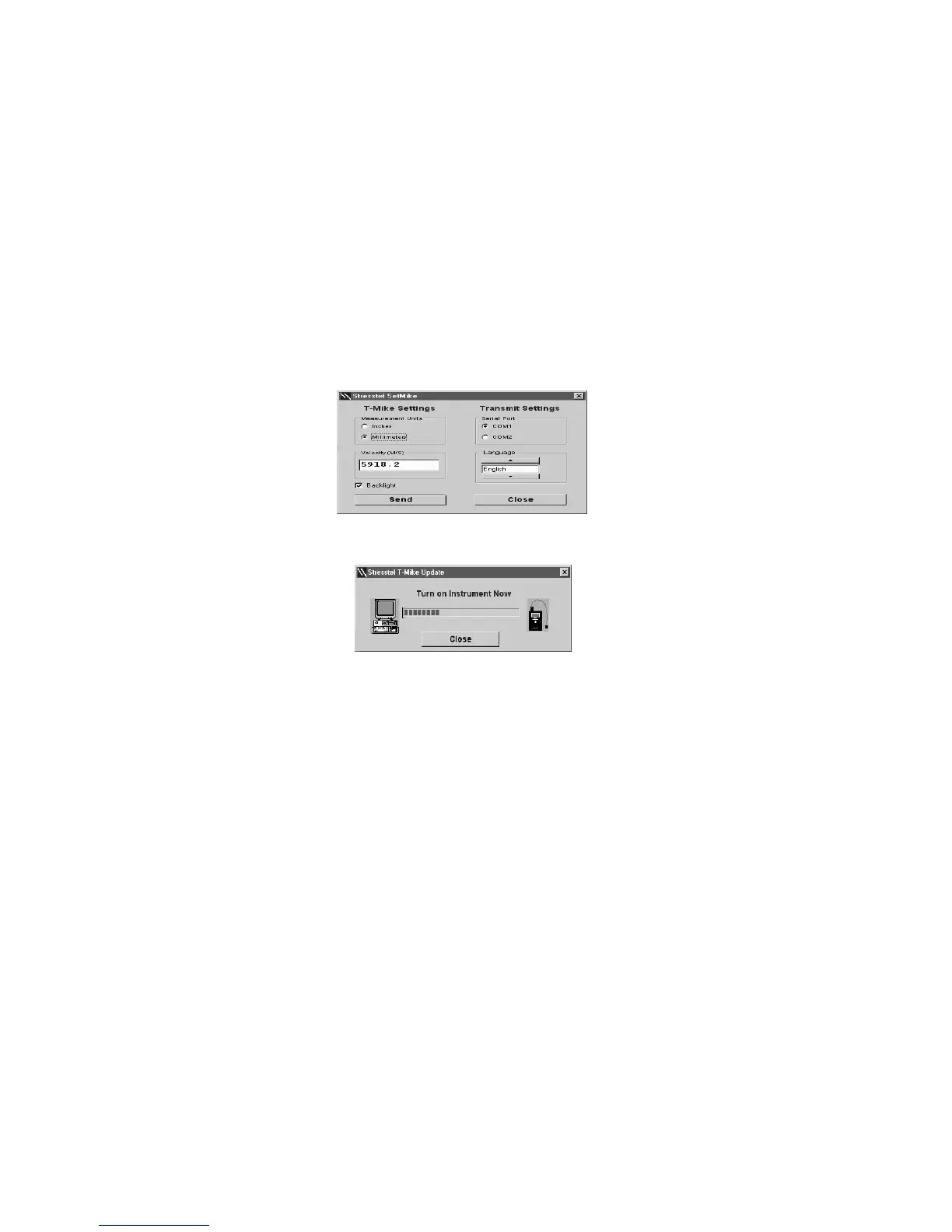
Use the Tab key to cycle
through the SETMIKE
W indows application
controls.
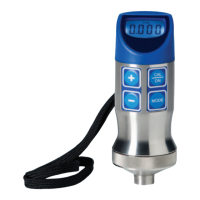
Press SEND to initiate update of the T-Mike. Turn on the T-Mike. If the T-Mike was already on, turn it off
and turn on again.
The T-Mike P/B may require
several attempts to synchronize
with SETMIKE. Repeat OFF/ON
cycles until the correct velocity
appears in the display
.


 To Next Page