50
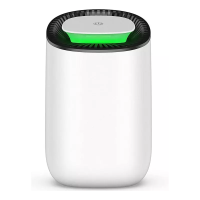
2. Follow the on-screen steps to perform “P2P Direct Mirroring" OR
For Android devices: Make sure you have WiFi turned on on your phone. Now open
your screen mirroring/smart view overview and connect to the projector. The
name of the projector can be found on the projection. You are now connected.
Press the EXIT button to return to the main page.
Screen mirroring without setting up a WiFi connection (ANDROID)
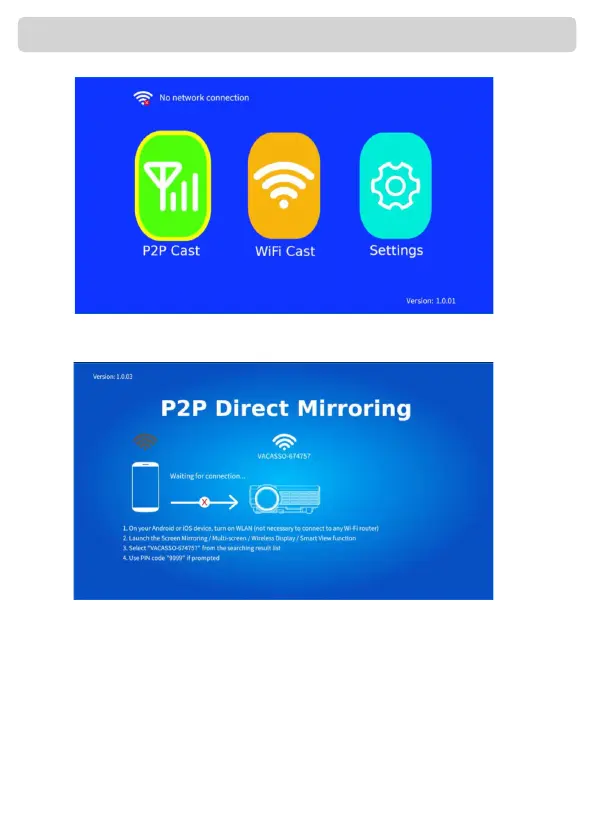
1. Choose "P2P Cast" to share the screen without being connected to the
WiFI.
The method described as above only works for Android devices


 To Next Page