30
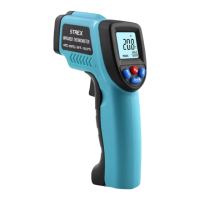
Display & Button Functions
Button Instruction
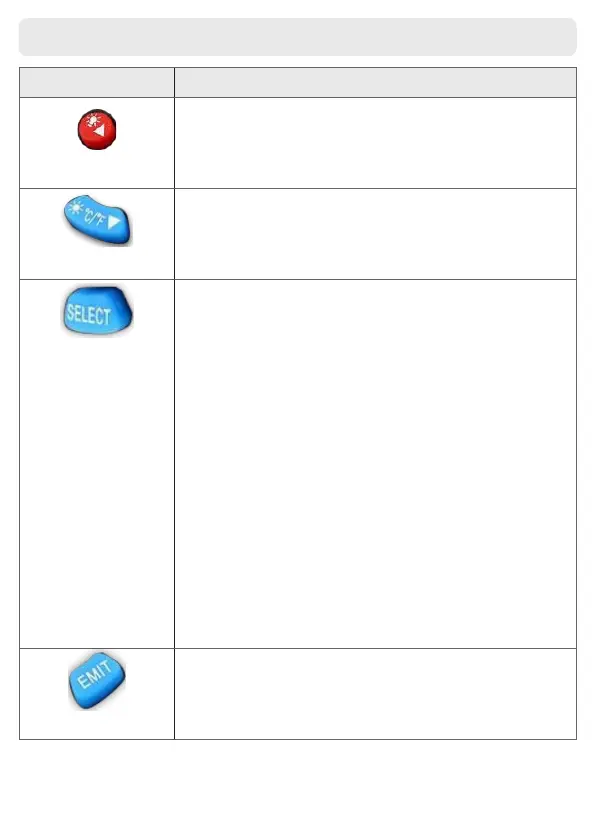
Press EMIT, and then press this button to increase the emissivity.
Push the trigger, and then press this button to turn on/o the
backlight.
Press EMIT, and then press this button to decrease the emissivi-
ty. Push the trigger, and then press this button to turn on/o the
laser light. Press this button to make a °C/°F selection.
Press this button will toggle between the following functions:
MAX: the maximum value. Due to the uneven temperature of an
object’s surface, the measurement you get in the middle of the
display will uctuate because the laser target is pointing to dierent
points; by entering MAX Function, the lower right corner of the
display will show the maximum value you get during the whole
measuring process. AVG: the average value; measure the same way
as above.
MIN: the minimum value; measure the same way as above.
DIF: the dierence between the maximum value and the minimum
value; measure the same way as above.
LAL: low-temperature alarm; press the △ or ▽ button after entering
this function to set the alarm value; once the temperature, you are
measuring is lower than the alarm value, the top left corner will
show “LOW” and the built-in beeper will beep continuously.
HAL: high-temperature alarm; set the same way as above, and the
top left corner will show “LOW”.
Oset: calibrate temperature; when you are measuring a known
temperature and nd the result you get through the product is not
the same as what you know, you can enter this function and press
the △ or ▽ button to calibrate the product.
E: current emissivity.
Press this button to set the emissivity.


 To Next Page