24
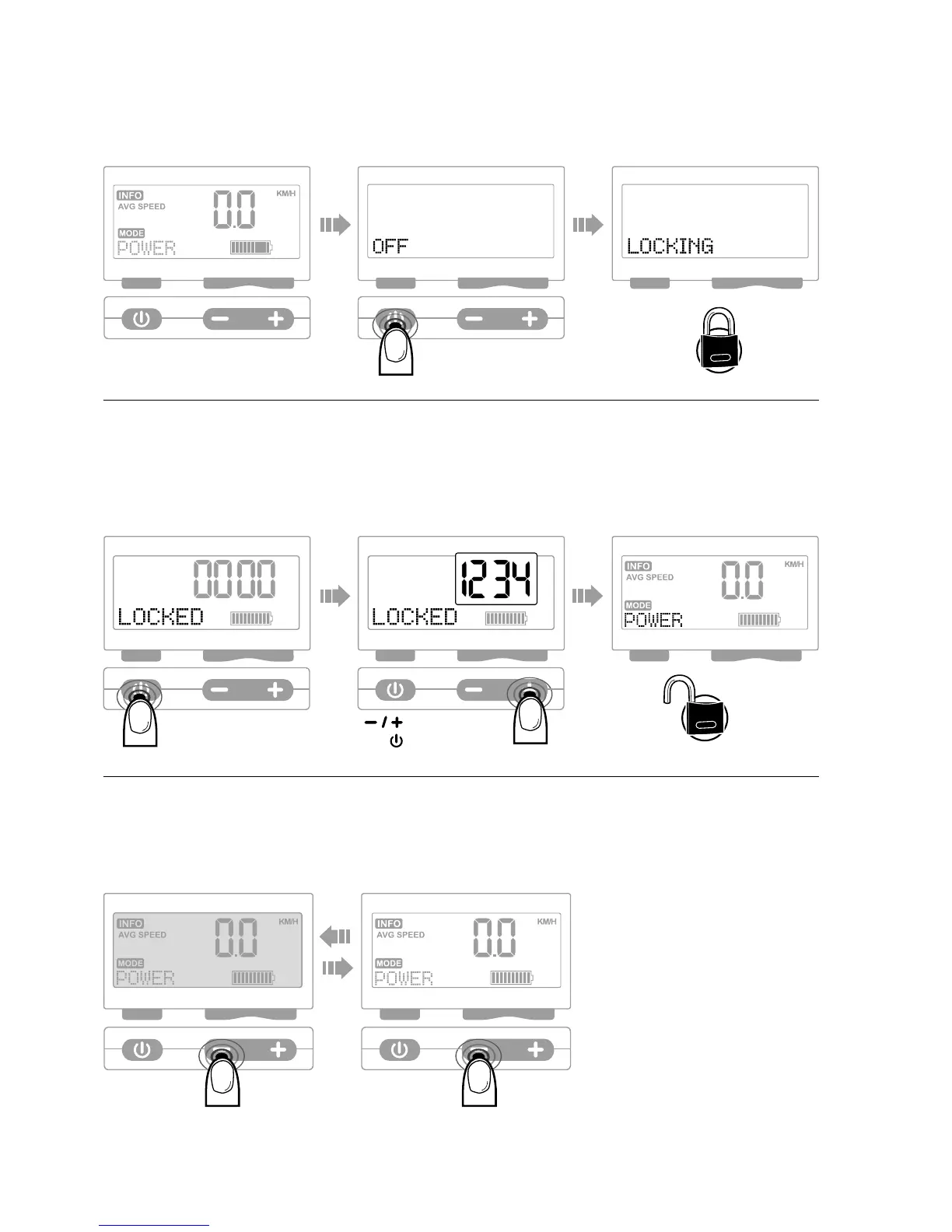
4. locK systeM
To lock the system, press and hold the On/Off button for around 6 seconds until
the «Locking» message appears.
5. unlocK systeM
Switch the Stromer on in the normal fashion (see page 23) and enter your password.
With –/+ you can select the number and confirm it with the On/Off button in each case.
Password: Default setting “1234”, see page 26 to define your own password.
6. BacKgrounD illuMination
In order to switch the background illumination of the interface on or off, press and hold
the minus button for 2 seconds.
Select number
Confirm number


 To Next Page