8 9
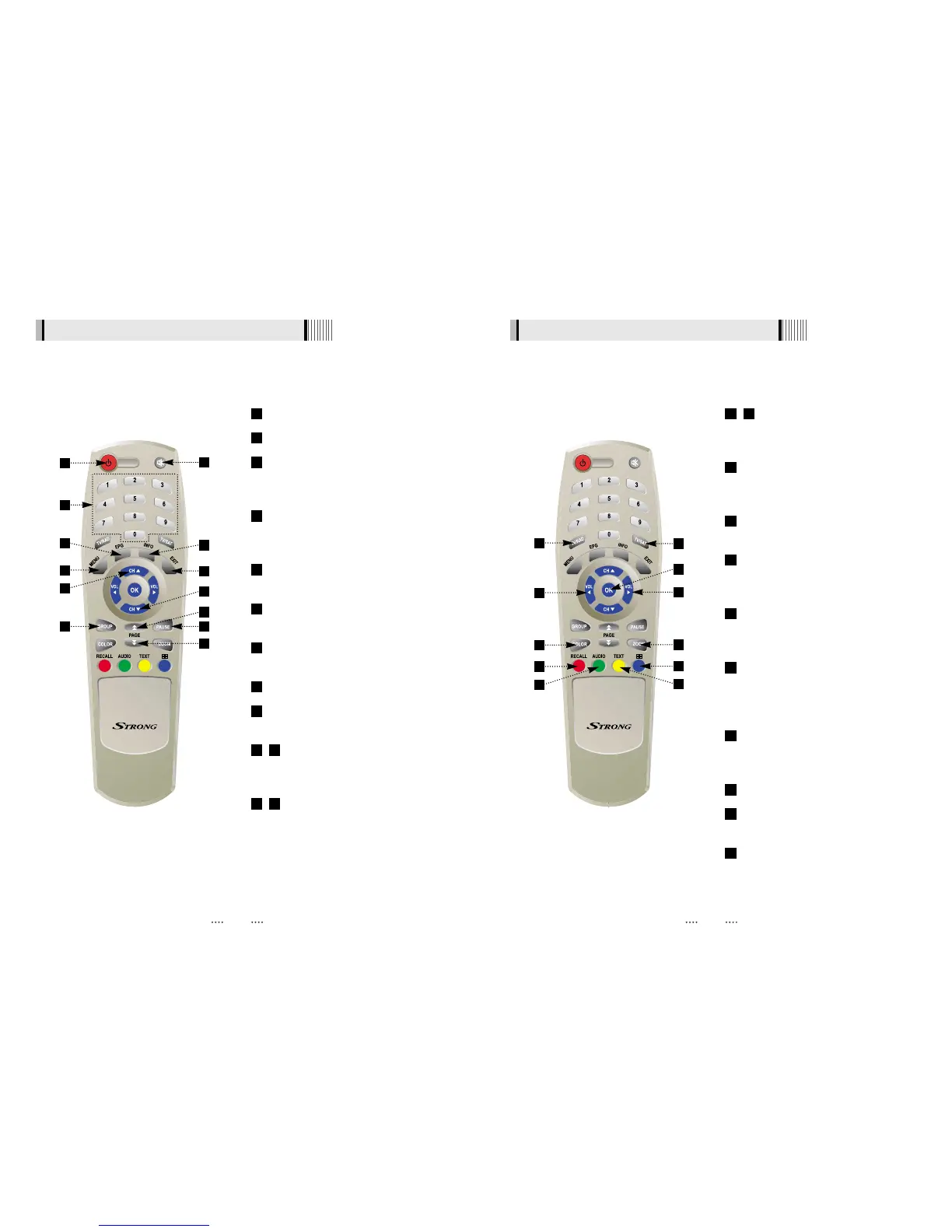
4.3 Remote controller 4.3 Remote controller
POWER
:
To turn the receiver On/Off.
MUTE
:
To turn the sound On/Off.
Numeric Keys (0-9) : To enter numerical
settings (such as channel numbers)
directly.
INFO : To show information about the
current program. Press twice to show
detail.
PAUSE : To pause the video. Press again
to resume the video.
EPG : To show the TV/Radio program
guide.
GROUP
:
To change the channel
groups
(
Satellites or favorite groups
)
.
MENU
:
To enter or exit the main menu.
EXIT
:
To exit from the present menu and
move to the previous menu.
- Double arrow UP/DOWN : To move
to the next or previous page when
many pages are available.
- Up & Down : To switch channels in
non-menu mode and move the
cursor up/down in menu mode.
1312
1110
9
8
7
6
5
4
3
2
1
1
2
4
9
5
10
11
3
6
8
7
- Left & Right : To change the volume
level in non-menu mode and modify a
setting in menu mode.
OK
:
To show the Channel List in non-
menu mode and select an item or
confirm in menu mode.
TV/RADIO
:
To switch between TV and
Radio.
TV/SAT
:
To switch the TV output source
between the satellite input and the
UHF/VHF antenna input.
RECALL
(
RED
)
:
To move to the previous
channel. Used for special functions in
menu mode.
AUDIO
(
GREEN
)
:
To show the Multi-
language audio track, the stereo-mono
mode and subtitle information. Used for
special functions in menu mode.
TEXT
(
YELLOW
)
:
To show the teletext
contents if teletext is transmitted. Used for
special functions in menu mode.
BLUE
:
To display multiple pictures.
COLOR
:
To control the brightness,
contrast and color of a picture.
ZOOM
:
To zoom in the screen picture.
Press the ZOOM button and select a
screen section, then press the OK button.
(You can zoom in by 3 times)
24
23
22
21
20
19
18
17
16
1514
12
13
15
18
21
22
24
19
23
14
17
20
16



 To Next Page