10 11
Operation
6.1 Getting Started
Turn on your TV and receiver.
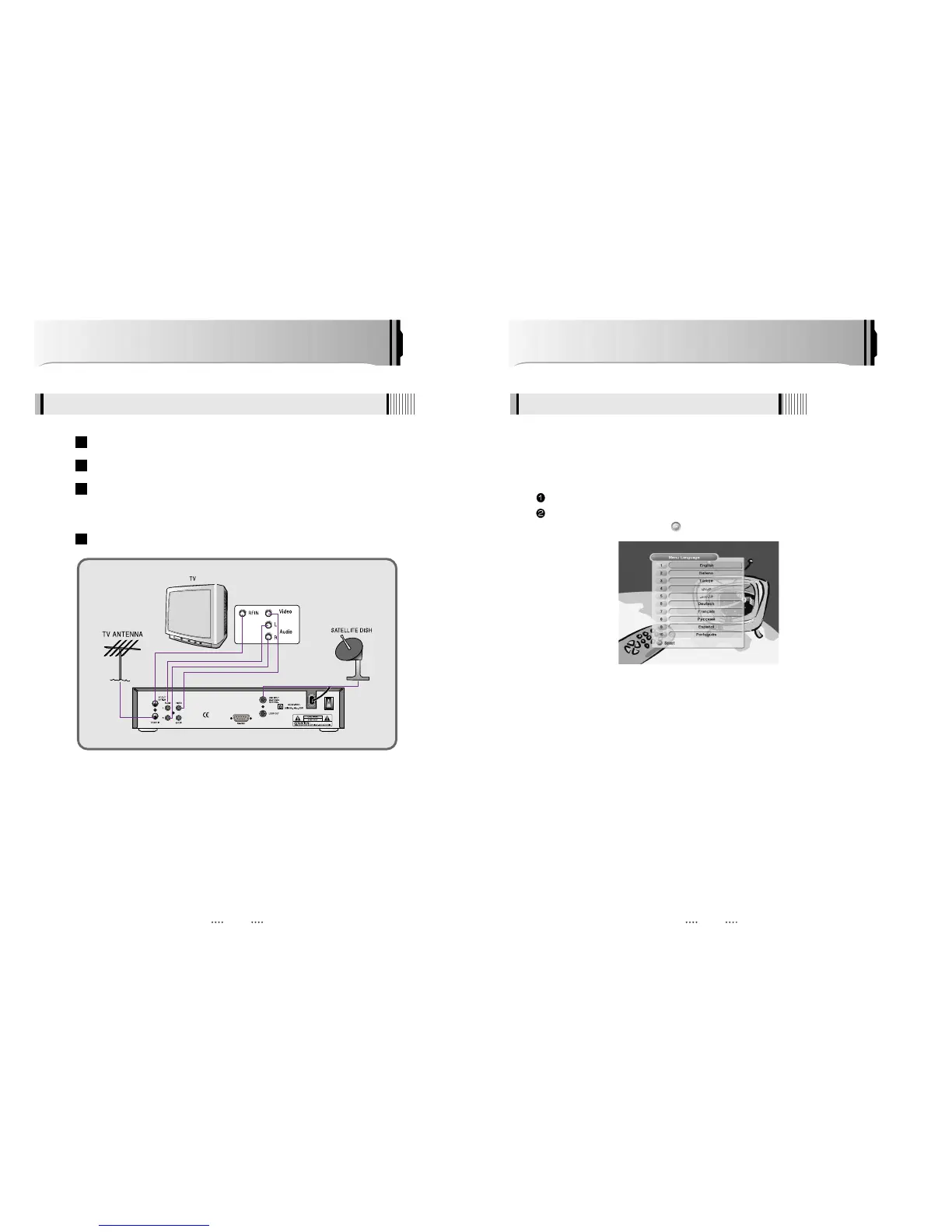
The pop-up menu for language selection will appear.<Figure 6-1>
Select one language and press to proceed.
After your receiver is powered on, proceed with installation as follows :
1) Menu Language Setting
<Figure 6-1>
How to Connect
When Connecting the Receiver to a TV with RF connectors
Connect the TV antenna to TV ANT IN
Connect the RF-IN of the TV to RF-OUT
Connect the Video and Audio of the TV to Video and Audio: connect the red
and white connectors to Audio R and Audio L, and the yellow connector to
Video
Connect your satellite dish
4
3
2
1



 To Next Page